
Run Gemma 4 31B on Mac: MacBook Pro and Mac Mini Specs

TL;DR: You can run Gemma 4 31B on Apple Silicon Macs, but you need at least 36GB of memory to get started. The 48GB Max-class chip is the sweet spot — double the bandwidth of the same generation's Pro chip, 60-70% faster. Don't agonize over frameworks: on Apple Silicon, Ollama can also use an MLX backend for Gemma 4, so the two aren't opposing choices. If 31B is too much for your Mac, E4B (fits in 16GB) and 26B A4B (~17 GB of Q4 weights, needs 24GB) are excellent alternatives.
You have a Mac. You want to run Google's Gemma 4 31B on it. (Worth noting: the 31B is no longer the newest member of the Gemma 4 family — Gemma 4 MTP landed 2026-04-16 and Gemma 4 12B Unified on 2026-06-03, per the official releases page.) The question is: can you? What specs do you need? Which tools should you use?
I spent a week testing on different machines and researching community benchmarks. This guide covers everything you need to know — from memory requirements and chip selection, to framework comparisons, installation tutorials, and fallback options.
Want to run AI models efficiently on your Mac? Book a free AI consultation and let our team help you find the best hardware and deployment strategy.
Why Apple Silicon Is Great for Running Local LLMs
Bottom line: Apple Silicon's unified memory architecture makes Macs a surprisingly strong choice for running large language models.
On traditional PCs, running an LLM requires an NVIDIA GPU. The model loads into system RAM, then gets copied to the GPU's VRAM. The problem? Consumer GPUs top out at 32GB (the RTX 5090), which still makes a 31B model a squeeze — and with the 2026 memory shortage, the lowest US street price for the 5090 had reached $6,995 by late September 2026 (MSRP $1,999), so "just buy a consumer card" stopped being the cheap answer.
Apple Silicon works completely differently. The CPU and GPU share the same memory pool — this is called Unified Memory Architecture (UMA). The model loads once, and both CPU and GPU can access it directly with no copying required. This is known as zero-copy access.
┌──────────────────────────────────────┐
│          Apple Silicon SoC           │
│  ┌─────────┐       ┌─────────────┐  │
│  │   CPU   │       │     GPU     │  │
│  └────┬────┘       └──────┬──────┘  │
│       │                   │         │
│       └───────┬───────────┘         │
│               │                     │
│     ┌─────────▼──────────┐          │
│     │  Unified Memory    │          │
│     │ (All available for │          │
│     │    model loading)  │          │
│     └────────────────────┘          │
└──────────────────────────────────────┘
What does this mean in practice? A 48GB MacBook Pro can use all 48GB for model loading. A PC with 32GB system RAM + 24GB VRAM? The model can only effectively use the 24GB VRAM.
But unified memory has one bottleneck: memory bandwidth. During inference, the model constantly reads weights from memory, and bandwidth directly determines how many tokens per second you can generate. That's why the M4 Max (546 GB/s) is nearly twice as fast as the M4 Pro (273 GB/s), even with the same 48GB of memory.
For the full technical breakdown of Gemma 4's architecture, check out our Gemma 4 Architecture Deep Dive.
Gemma 4 31B Memory Requirements on Mac
Bottom line: Q4 quantization needs at least 24GB of available memory, but 36GB+ is recommended for practical use.
How much memory Gemma 4 31B requires depends on your quantization level. Quantization compresses model weights from high-precision floats to lower-precision integers — trading a bit of quality for massive memory savings.
| Quantization | Model Size | KV Cache | Recommended Min Memory | Quality Impact |
|---|---|---|---|---|
| Q4 (4-bit) | ~17-20 GB | 2-4 GB | 24-36 GB | Slight decrease |
| Q8 (8-bit) | ~34 GB | 2-4 GB | 48-64 GB | Nearly lossless |
| BF16 (full precision) | ~62 GB | 4-8 GB | 96-128 GB | No loss |
A few things to keep in mind:
- KV Cache grows with context length. The table above shows estimates for short conversations. Feed in an entire document for analysis and KV Cache can balloon to 8-10 GB or more.
- The OS needs memory too. macOS itself uses 3-5 GB, and a browser adds another 2-4 GB. With only 36GB, close unnecessary apps before running the model.
- What happens when you run out of memory? The model won't crash — it starts swapping to disk. Speed drops from 10+ tokens/sec to less than 1 token/sec, making it essentially unusable.
For a detailed look at how quantization affects Gemma 4 output quality, see our Gemma 4 Hardware Requirements Guide.
Which Apple Chip Should You Choose? Full Comparison Table
Bottom line: The 48GB M4 Max is the sweet spot for running Gemma 4 31B — double the bandwidth of M4 Pro, 60-70% faster.
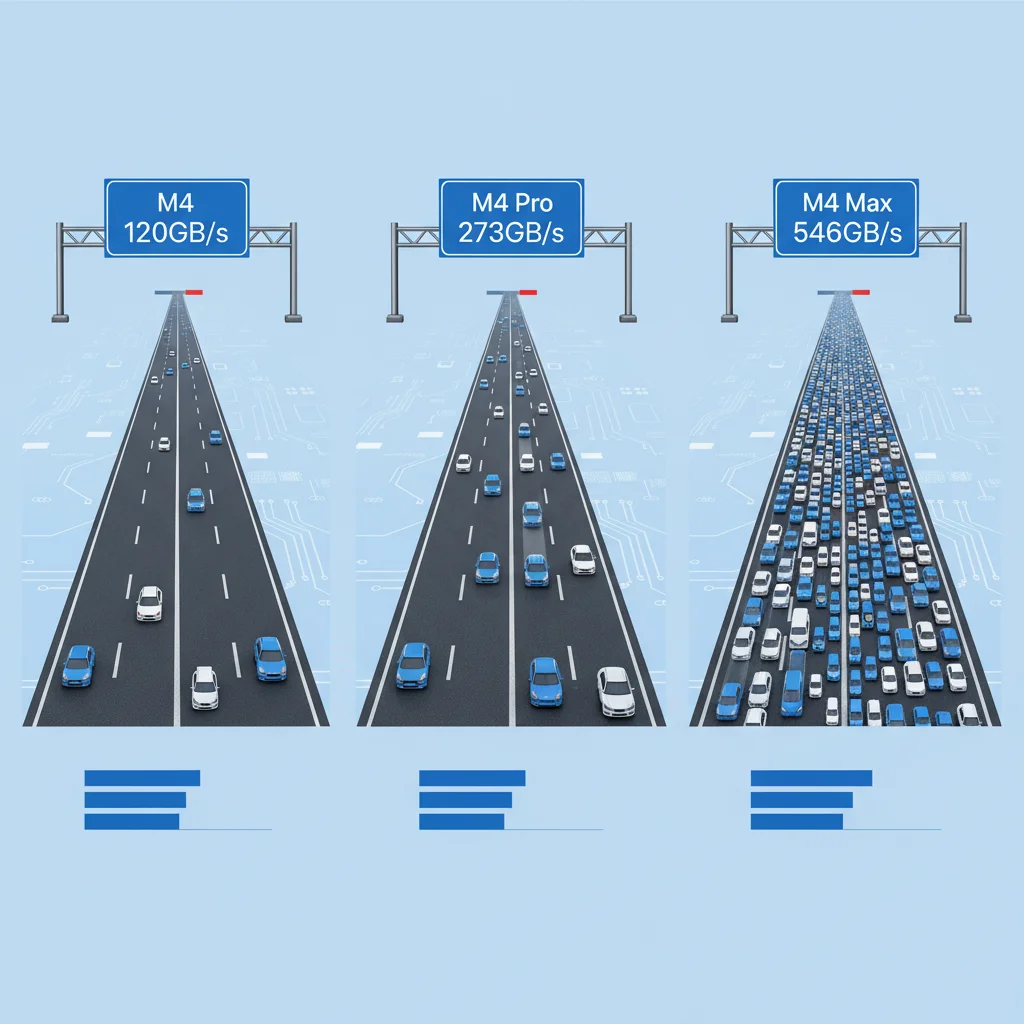
Here's a complete breakdown of every current Apple Silicon Mac with the specs that matter most: memory capacity (determines if you can run it) and memory bandwidth (determines how fast it runs).
| Mac Model | Memory | Bandwidth | Rating | Notes |
|---|---|---|---|---|
| MacBook Air M4 | 16-32GB | 120 GB/s | ✗ | 16/24GB can't run 31B; 32GB bandwidth too low |
| Mac mini M4 | 32GB | 120 GB/s | ★ | Memory barely enough, bandwidth too low |
| MacBook Pro M4 Max (14-core CPU) | 36GB | 410 GB/s | ★★★ | Entry-level, Q4 barely usable |
| MacBook Pro M4 Pro | 48GB | 273 GB/s | ★★★★ | Q4 comfortable, recommended |
| MacBook Pro M4 Max | 48GB | 546 GB/s | ★★★★★ | Best value, top recommendation |
| Mac Studio M4 Max | 64-128GB | 546 GB/s | ★★★★★ | Excellent, can run Q8 |
| Mac Studio M2 Ultra | Config-dependent | 800 GB/s | ★★★★★ | Premium, full BF16 capable |
| Mac Studio M3 Ultra (2025) | Config-dependent | 819 GB/s | ★★★★★ | Premium, full BF16 capable |
| Mac Studio M5 Ultra (Aug 2026, current) | Config-dependent | 1.2 TB/s | ★★★★★ | Current flagship, another bandwidth tier |
Two generation notes (August 2026):
- There is no M4 Ultra. The Mac Studio Ultra lineage runs M1 Ultra → M2 Ultra (800 GB/s) → M3 Ultra (819 GB/s) → M5 Ultra (1.2 TB/s, August 2026). The 2025 Mac Studio shipped as "M4 Max + M3 Ultra" — Apple never shipped an M4 Ultra.
- The M4 generation is no longer current. MacBook Pro moved to M5 Pro / M5 Max in March 2026, and Mac Studio moved to M5 Max / M5 Ultra in August 2026. The M4 numbers above are still accurate for those machines (which you can still buy used or refurbished), but a new purchase today lands on M5 silicon. Per Apple's official specs, the M5 Pro has 307 GB/s of memory bandwidth, and the M5 Max has 460 GB/s (32-core GPU, the 36GB configuration) or 614 GB/s (40-core GPU, 48GB and up). Buy for memory capacity first, then look at bandwidth.
Why the M4 Max Is Worth the Extra Money Over M4 Pro
This is the question I get asked most often. The answer is simple: double the bandwidth.
With the same 48GB of memory, the M4 Max has 546 GB/s bandwidth versus the M4 Pro's 273 GB/s. Running Gemma 4 31B at Q4, the M4 Max delivers roughly 15-25 tok/s while the M4 Pro manages about 8-12 tok/s. The difference is very noticeable in actual use — M4 Pro feels barely acceptable, M4 Max feels genuinely fluid.
That's a 60-70% speed improvement. On price: the M4 Pro and M4 Max were replaced by the M5 Pro / M5 Max in March 2026 and Apple no longer lists prices for them, so we're not quoting a figure here — but within any generation, the step up to Max buys you double the memory bandwidth. If part of the reason you're buying a Mac is to run local AI, the Max-class chip is the smarter investment.
Not sure which Mac to buy? Let CloudInsight help you evaluate the best AI hardware configuration — we offer free architecture consultations.
Three Budget Tiers: From Entry-Level to Flagship
Bottom line: Most people should go for 48GB on a Max-class chip — it's the best balance of price and performance.
On the prices: the M4 Pro and M4 Max were discontinued in March 2026 and the Mac Studio was refreshed in August 2026, so the tiers below don't list prices — just the part that doesn't expire: how much memory to buy. Check Apple's site for the price on the day you order.
Tier 1: Entry-Level — 36GB of memory (the 36GB entry configs of M4 Max / current M5 Max)
- What it can run: Q4 quantization, barely adequate
- Expected speed: with 410 GB/s (M4 Max) / 460 GB/s (M5 Max) of bandwidth, speed should fall between the 48GB M4 Pro (~8-12 tok/s) and the 48GB M4 Max (~15-25 tok/s); measure it yourself
- Best for: Occasional experimentation, learning, budget-conscious developers
- Limitations: Memory is tight. Close other apps when running the model. Context length is limited — push too much content and it'll swap.
- Alternative: a 48GB Pro-class chip (M4 Pro 273 GB/s / M5 Pro 307 GB/s) gives you more memory headroom but lower bandwidth, around ~8-12 tok/s (M4 Pro).
Tier 2: Sweet Spot — 48GB on a Max-class chip (M4 Max / current M5 Max)
- What it can run: Q4 quantization, comfortable
- Expected speed: ~15-25 tok/s
- Best for: Serious AI developers, daily-use scenarios
- Advantages: Double the bandwidth of the same generation's Pro chip (M4 Pro 273 → M4 Max 546 GB/s; M5 Pro 307 → M5 Max 614 GB/s) delivers a significant speed boost. 48GB lets you run the model alongside development tools. Future-proof for Gemma 5 or other upcoming models.
Tier 3: Flagship — Mac Studio with 64GB or More
- What it can run: Q8 or even full BF16 precision
- Expected speed: ~20-30 tok/s
- Best for: Professional AI researchers, maximum quality output, multi-model setups
- Advantages: Q8 quality is nearly lossless. The 128GB version can run BF16 at full precision — matching cloud GPU quality.
Our team's recommendation: unless your budget is truly tight, go straight for the 48GB M4 Max. A 36GB machine feels like a struggle for 31B, and you might end up going back to cloud APIs after a few sessions.
Ollama or MLX? First, They Aren't Opposites
Bottom line: Ollama introduced an MLX backend on Apple Silicon in 0.19 (2026-03-30), and Gemma 4 can run on MLX since 0.21 (2026-04-16). The "Ollama (llama.cpp) vs MLX" framing no longer holds — what you're actually choosing is a layer of interface, not an engine.
In April 2026 the two were often treated as mutually exclusive, but in fact: Ollama 0.19 (official announcement) introduced an MLX backend on Apple Silicon as a preview on 2026-03-30, and 0.21 (2026-04-16) added MLX support for Gemma 4; running on MLX by default on Apple Silicon only arrived with the 0.40 pre-release (2026-09-25). In other words, if you run Gemma 4 through Ollama on a Mac, it can be MLX underneath.
| Feature | Ollama (packaged CLI/service) | mlx-lm / mlx-vlm (the Python packages directly) |
|---|---|---|
| Installation | Dead simple (brew) | Moderate (Python env) |
| Underlying engine | MLX available on Apple Silicon (Gemma 4 since 0.21) | MLX |
| Model Format | GGUF (plus MLX builds on Apple Silicon) | MLX / SafeTensors |
| Stability | ★★★★★ Very stable | ★★★★ Maturity has caught up |
| Gemma 4 31B Support | Full support | Full support |
| Speed | The two converge at 27B and above — not a basis for choosing | Same |
| Multimodal | Supported | Via mlx-vlm |
| KV Cache Compression | Standard | TurboQuant, ~4.6x (third-party implementations, not built into MLX — see below) |
| Control | Low (parameters are wrapped up) | High (everything is reachable) |
| Community Ecosystem | Massive | Growing |
Ollama: The Reliable First Choice
Ollama is the most mature on-ramp for running LLMs on a Mac. One command to install, models download automatically, and the API is OpenAI-compatible. You don't need deep technical knowledge to get started — and on Apple Silicon it can use an MLX backend too.
Gemma 4 31B runs smoothly on Ollama with very few community-reported issues.
MLX: Apple's Native Engine
MLX is Apple's own machine learning framework, optimized specifically for Apple Silicon and able to exploit unified memory's zero-copy behavior directly. The reason to reach for mlx-lm / mlx-vlm directly isn't "how much faster" — it's control: quantization parameters, chat templates, and KV cache strategy are all reachable, whereas Ollama wraps them up.
About TurboQuant (attribution matters here): TurboQuant is a quantization method introduced by Google, with roughly 4.6x compression. Applied to KV Cache it genuinely lets the same memory hold a longer context. But it is not a built-in MLX feature — every MLX-side implementation today is third-party, and the feature request on the official ml-explore/mlx-lm repo (#1060) is still open. You have to go find an implementation; don't assume "install MLX and you have it."
Those Three April 2026 Bugs Are All Fixed Now
In April 2026, running Gemma 4 on MLX had three known issues: 4-bit models failing to load, LM Studio's MLX backend being unsupported, and chat templates needing manual handling.
Update (August 2026): all three were symptoms of the same root cause (mlx_vlm lacking a Gemma 4 architecture definition), and they disappeared together once upstream filled the gap:
- LM Studio's mlx-engine issue #301, "gemma 4 support", was closed on 2026-06-03
- The
mlx-community/gemma-4-31b-it-4bitweights repo was updated on 2026-07-05 and loads fine
So the "use Ollama, wait for MLX to mature" advice no longer applies — upstream fixed everything within two months.
My Recommendation
| Your Situation | What to use |
|---|---|
| First time running local LLMs | Ollama |
| Just want the model running, no Python | Ollama |
| Need to tune quantization / chat template / KV cache | mlx-lm or mlx-vlm directly |
| Need multimodal (image understanding) | mlx-vlm or Ollama |
| Want a GUI | Ollama + Open WebUI, or LM Studio (both backends now support Gemma 4) |
Need professional AI deployment architecture? Book a free architecture consultation and let us help you plan the optimal local AI infrastructure.
Installation and Setup Tutorial
Bottom line: Ollama takes 3 steps and 5 minutes to set up. Then you're chatting with Gemma 4 31B.
Method 1: Ollama (Recommended)
Step 1: Install Ollama
brew install ollama
Step 2: Start the Ollama service
ollama serve
Step 3: Download and run Gemma 4 31B
ollama run gemma4:31b
The first run automatically downloads the model (~18-20 GB), which takes a few minutes. Once downloaded, you're immediately in the chat interface.
To call it via API (e.g., from your own application):
curl http://localhost:11434/api/chat -d '{
  "model": "gemma4:31b",
  "messages": [{"role": "user", "content": "Hello!"}]
}'
Method 2: mlx-vlm (Multimodal Support)
If you need Gemma 4's multimodal capabilities (e.g., image understanding):
pip install "mlx-vlm>=0.4.3"
from mlx_vlm import load, generate

model, processor = load("mlx-community/gemma-4-31b-it-4bit")
output = generate(model, processor, "Describe this image", image="photo.jpg")
print(output)
Note: early builds of mlx-community/gemma-4-31b-it-4bit failed to load. That repo was updated on 2026-07-05 and works now — if you have a stale local cache, clear it and re-download.
LM Studio Status
LM Studio is a popular GUI tool, and both of its backends now run Gemma 4: the llama.cpp backend reads GGUF, and the MLX backend's Gemma 4 support was merged on 2026-06-03 (mlx-engine #301). Claims online that the MLX backend is unsupported reflect the April 2026 state and no longer hold.
For more deployment options, check our Gemma 4 Local Deployment Guide.
Community Benchmarks and Performance Data
Bottom line: The M4 Max 48GB runs Gemma 4 31B at Q4 around 15-25 tok/s — enough for everyday use.
Here's a compilation of community-reported benchmark data from Reddit, Hacker News, GitHub Issues, and various tech blogs:
| Model / Config | Framework | Hardware | Speed |
|---|---|---|---|
| Gemma 4 E4B | MLX | Apple Silicon | ~81 tok/s |
| Gemma 4 31B TurboQuant+ | MLX | Apple Silicon | ~5.83 tok/s |
| Gemma 4 26B MoE | Ollama | Apple Silicon | ~20-30 tok/s |
| Gemma 4 31B Q4 | Ollama | 24GB Mac | Failed (OOM) |
Key observations:
- E4B is blazing fast. At 81 tok/s, responses are essentially instant. If memory is limited, E4B is an excellent choice.
- 31B doesn't work on 24GB Macs. Community testing confirms that even with Q4 quantization, 24GB isn't enough for 31B. The model loads but immediately starts swapping, rendering it unusable.
- TurboQuant+ at 5.83 tok/s seems low. This is likely early-stage data. As MLX optimizations mature, speeds should improve.
- The 26B MoE is not a "low memory" option — don't let the active-parameter count fool you. A common claim is that it "only needs ~8-10 GB." That is wrong: MoE sparsity applies to compute (3.8B active parameters per forward pass, which is why it feels as fast as a small model), but all 25.2B expert weights must stay fully resident in memory. Measured file sizes: Q4_K_M weights are about 17 GB, Q8_0 about 27 GB, BF16 about 50 GB, and
ollama run gemma4:26bpulls roughly 16–19 GB by default (the MLX and llama.cpp builds differ in size). Plan on 24 GB of unified memory; a 16GB machine cannot hold it. The 20-30 tok/s above is a community-reported figure, not our own benchmark.
Four Factors That Affect Performance
- Memory bandwidth: The most important factor. M4 Max at 546 GB/s vs M4 Pro at 273 GB/s directly accounts for the 60-70% speed difference.
- Quantization level: Q4 is about 40-50% faster than Q8, with a slight quality trade-off.
- Context length: Longer conversations are slower because KV Cache keeps growing.
- Framework choice: Matters less than you'd think. On Apple Silicon, Ollama can run MLX too, and the two paths converge at 27B and above — not a basis for choosing. Memory bandwidth and quantization level are what actually set your speed.
Want to learn more about AI model performance optimization? Book an AI consultation — we can help you find the ideal balance between performance and cost.
Can't Run 31B? Alternative Models and Decision Tree
Bottom line: Not having enough memory for 31B isn't the end of the world. E4B covers 16GB and the 26B A4B covers 24GB — but note that the 26B A4B genuinely needs that 24GB. It is not a 16GB model.
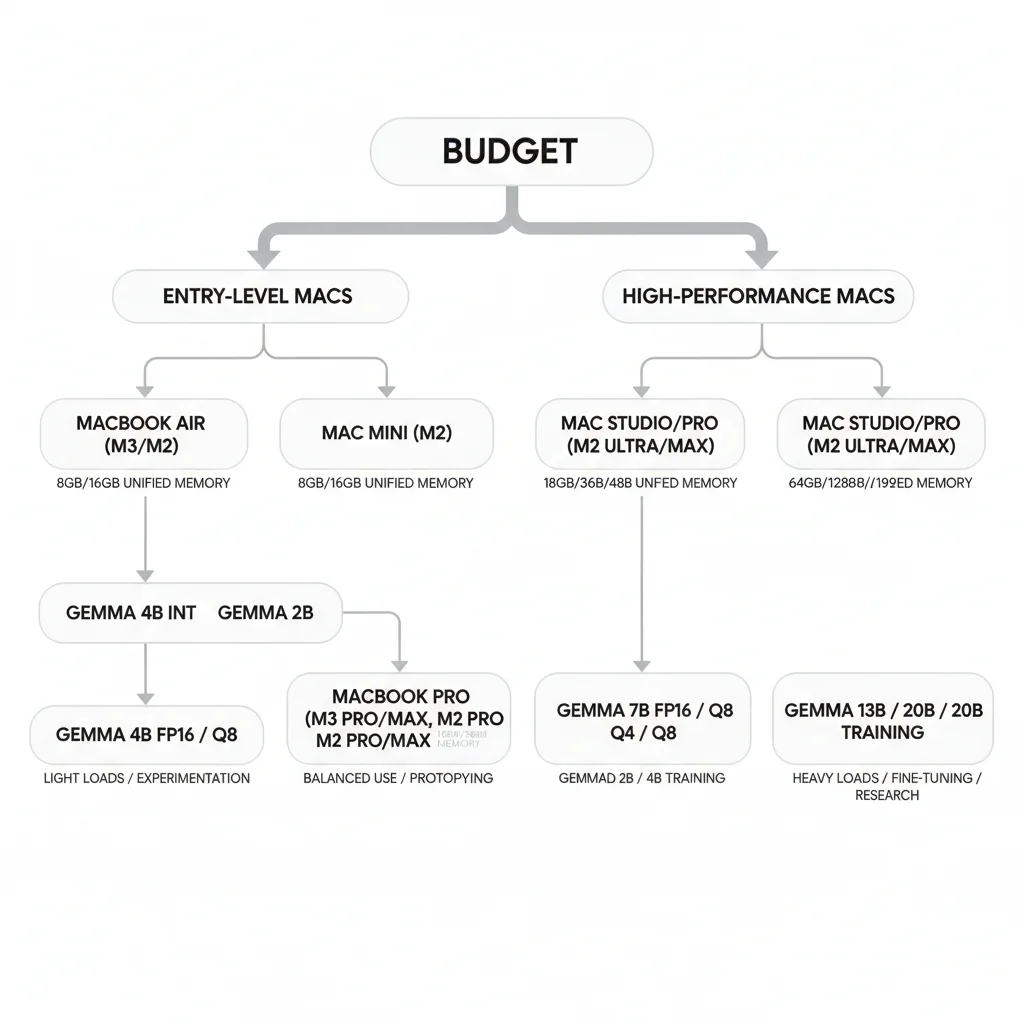
Your Mac's memory directly determines which model you can run. Here's a simple decision tree:
How much memory does your Mac have?
│
├── 16GB → Gemma 4 E4B (Q4)
│           Small but mighty, 81 tok/s, great for daily chat (26B MoE will not fit)
│
├── 24GB → Gemma 4 26B A4B (MoE, Q4) or E4B
│           26B MoE Q4 weights are ~17 GB — right up against this line
│
├── 36GB → Gemma 4 31B (Q4, entry-level)
│           Runs but tight, close other apps
│
├── 48GB → Gemma 4 31B (Q4, comfortable)
│           Recommended config, daily use is smooth
│
├── 64GB → Gemma 4 31B (Q8)
│           Nearly lossless quality, solid speed
│
└── 128GB+ → Gemma 4 31B (BF16, full precision)
              Cloud GPU quality on your desk
E4B: Best Choice for 16GB Macs
Gemma 4 E4B has 4.5B effective parameters (8B with embeddings) and takes up about 5 GB at Q4 quantization — the E-series per-layer embeddings can't be quantized, so the file is larger than a raw parameter count would suggest. It runs smoothly on a 16GB MacBook Air at an impressive 80+ tok/s. While it can't match 31B in capability, it handles general Q&A, code generation, and document summarization with ease.
ollama run gemma4:e4b
26B A4B: Value Champion for 24GB Macs
The 26B MoE model's brilliance lies in its architecture: 25.2B total parameters, but only 3.8B activated per inference. There's a common misconception to clear up first, though: the sparsity is in the compute, not in the memory. All 25.2B expert weights have to be loaded and stay resident — the model can't know which experts the next token will route to, so none of them can be left out. The result: it runs like a small model and occupies memory like a large one.
Measured figures (August 2026): Q4_K_M weights are about 17 GB, Q8_0 about 27 GB, BF16 about 50 GB, and ollama run gemma4:26b downloads roughly 16–19 GB by default (the MLX and llama.cpp builds differ in size). Add KV Cache and macOS's own footprint and the practical floor is 24 GB of unified memory — a 16GB machine won't run it. Don't buy hardware based on the "only 8-10GB" claim.
If you have a 24GB Mac and want something stronger than E4B but can't handle 31B, the 26B A4B is your answer. To understand how MoE architecture works, check out our Gemma 4 Architecture Deep Dive.
Frequently Asked Questions
Can a 24GB Mac run Gemma 4 31B at all?
Technically, you can load the Q4 quantized version, but the experience is terrible. The model itself takes ~17-20 GB, plus KV Cache and system overhead — 24GB leaves virtually no headroom. Community testing confirms heavy swapping, making it unusable. Use the 26B A4B (Q4 weights ~17 GB, which 24GB just fits) or E4B instead.
Can I run other apps while running Gemma 4 31B?
Depends on your memory configuration. A 48GB M4 Max running Q4 (using ~20-24 GB) leaves about 24GB for everything else — browsers and VS Code run fine. With 36GB, it's much tighter. Close unnecessary programs before running the model.
Is Q4 quantization quality good enough?
Q4 quantization does lose some precision, but in most use cases the difference is barely noticeable. Code generation, document summarization, and general Q&A all maintain strong quality. The advantages of Q8 or BF16 only become apparent for precise mathematical reasoning or complex logical tasks. For more details, see the quantization section in our Gemma 4 Fine-Tuning Guide.
Can I install both MLX and Ollama?
Yes. They're completely independent frameworks that don't interfere with each other. Ollama uses its own library's builds (GGUF, plus MLX builds on Apple Silicon), MLX uses its own format, and model files are stored separately. Install both and switch based on your needs.
Where are downloaded models stored?
Ollama stores models at ~/.ollama/models/ by default. MLX models are typically downloaded via Hugging Face Hub and stored at ~/.cache/huggingface/hub/. Combined, they might occupy 40-50 GB of disk space, so make sure your SSD has room.
So should I use Ollama or MLX?
The premise behind this question has changed: on Apple Silicon, Ollama can run Gemma 4 on an MLX backend since 0.21 (2026-04-16), so you're not picking between two engines — you're picking between two layers of interface. Want the shortest path to a running model? Ollama. Need to tune quantization, chat templates, or KV cache? Go straight to mlx-lm / mlx-vlm.
The three commonly cited reasons for avoiding MLX (4-bit loading failures, LM Studio's MLX backend, manual chat templates) have all been resolved: mlx-engine #301 closed on 2026-06-03, and mlx-community/gemma-4-31b-it-4bit was updated on 2026-07-05.
Conclusion
Apple Silicon has turned "running a 31B model on your own computer" from a dream into reality. The unified memory architecture eliminates traditional VRAM limitations, letting a single MacBook Pro do what used to require dedicated GPU servers.
Choosing the right hardware is step one: 48GB on a Max-class chip is today's sweet spot (the M4 generation handed off to M5 during 2026, but "48GB plus Max-class bandwidth" is the criterion that didn't change). The framework question needs less agonizing than it used to: on Apple Silicon, Ollama can run MLX too. And if your memory isn't enough for 31B, don't worry: E4B covers 16GB and the 26B A4B covers 24GB — both excellent members of the Gemma 4 family.
Want to explore Gemma 4's full technical details and more deployment options? Head back to our Complete Gemma 4 Guide for the full picture. For enterprise deployment needs, also check out our Gemma 4 Local Deployment Guide.
Ready to deploy enterprise-grade AI on Mac? Book a free consultation — the CloudInsight team can help you from hardware selection to production deployment.
Need Professional Cloud Advice?
Whether you're evaluating cloud platforms, optimizing existing architecture, or looking for cost-saving solutions, we can help
Book Free ConsultationRelated Articles
Gemma 4 Hardware Requirements: RAM, VRAM and GPU
Complete 2026 hardware requirements for all five Gemma 4 models: E2B runs on phones, E4B on laptops, 12B Unified needs an 8GB GPU, 26B MoE needs a 24GB GPU, 31B Dense needs an 80GB H100. Includes quantization comparisons, consumer hardware benchmarks, and server configuration guides.
AI Dev ToolsHow to Run Gemma 4 Locally: Ollama, LM Studio, and Unsloth Complete Guide
How to run Gemma 4 locally in 2026: three complete deployment methods — Ollama for quick setup, LM Studio for GUI simplicity, Unsloth for advanced inference and fine-tuning. Includes hardware requirements, quantization choices, and troubleshooting.
AI Dev ToolsGemma 4 Complete Guide: The Most Powerful Open Source Model of 2026
Google's Gemma 4 open-source model family in 2026 — Apache 2.0 licensed, four launch sizes (E2B to 31B, with 12B Unified added in June 2026), 256K context window, multimodal support. Full analysis of architecture, deployment, fine-tuning, API integration, and enterprise adoption strategies.