
Gemma 4 API Tutorial: Vertex AI and Google AI Studio

TL;DR: Gemma 4 offers two cloud API paths: Google AI Studio's free tier for prototyping and personal projects, and Vertex AI for enterprise deployments requiring SLAs, compliance, and private endpoints. Both use the same google-genai Python SDK — switching between them only means changing the client initialization and the model ID. As for per-token rates: on the Gemini API, Gemma 4 currently has a free tier only (free of charge; no paid tier). For Vertex AI rates, check Google's official pricing page.
You've heard about Gemma 4's capabilities — strong math reasoning, solid knowledge QA, and native Function Calling support. But if you don't want to deal with hardware, GPU memory, or infrastructure management, calling it through an API is the fastest way to get started.
About benchmarks: This article does not list benchmark scores. Judge Gemma 4 by the official model card and your own evaluation runs.
The real question is: Google AI Studio or Vertex AI? What are the free tier limits? How much does enterprise deployment actually cost?
This tutorial walks you through everything. From account setup and API key generation to your first multimodal API call, then onto Function Calling and cost optimization — every code snippet is copy-paste ready.
Want to integrate Gemma 4 into your product quickly? Book an architecture consultation and we'll help you evaluate the best deployment approach.
If you're not yet familiar with Gemma 4's specs and positioning, start with the Gemma 4 Complete Guide.
Two Cloud Paths: Vertex AI vs Google AI Studio
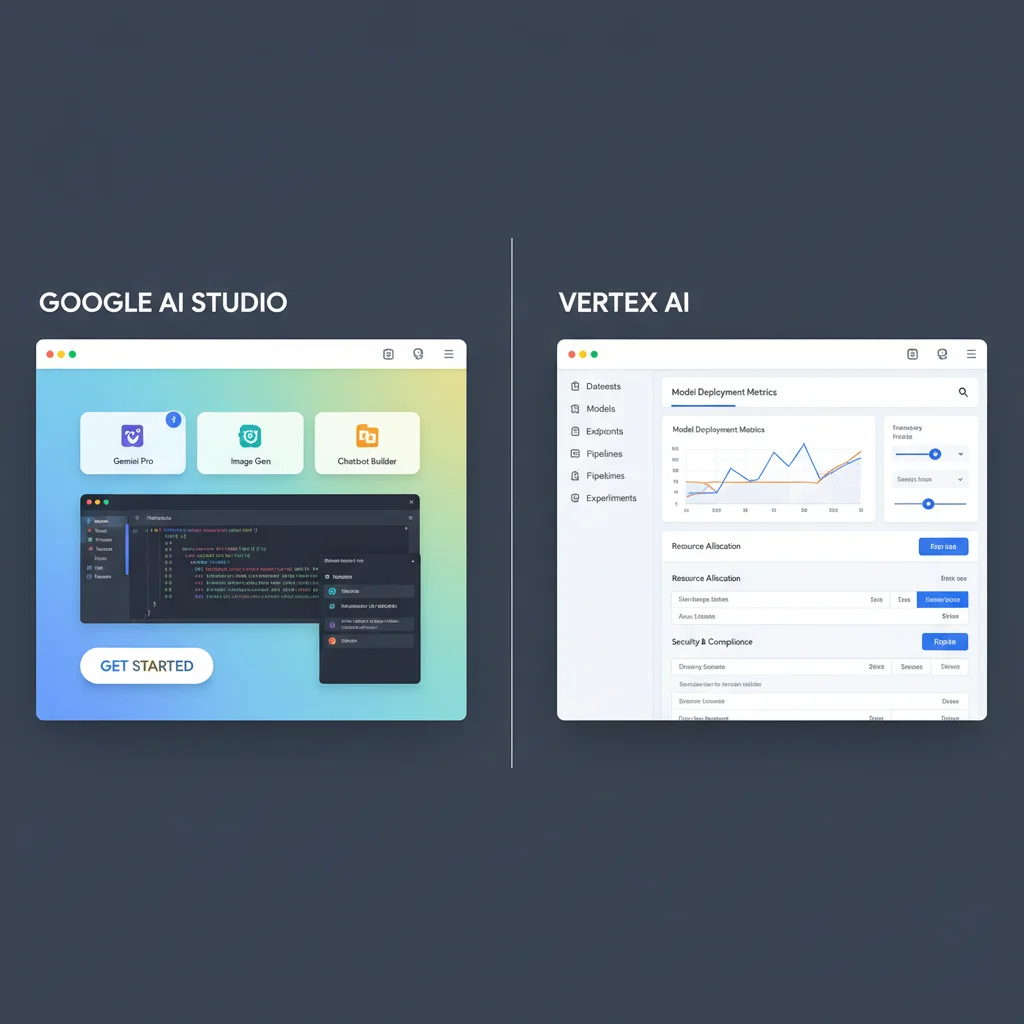
Here's the bottom line: if you're an individual developer or small team doing prototyping, use Google AI Studio. If your application needs to go to production with compliance requirements and SLA guarantees, use Vertex AI.
The underlying models are identical. The difference is infrastructure and service level.
| Comparison | Google AI Studio | Vertex AI |
|---|---|---|
| Target Users | Individual developers, prototyping | Enterprises, production environments |
| Cost | Free tier (no paid tier for Gemma 4) | Pay-per-use |
| API Key Setup | One-click generation, no credit card | Requires GCP project + service account |
| SLA | None | Varies by service (99.5% for self-deployed endpoints on 2+ nodes) |
| Data Privacy | Standard terms | VPC-SC, CMEK encryption |
| Model Selection | Gemma 4 31B and 26B MoE | Hosted: 26B A4B only; 31B and other variants via self-deployed Model Garden endpoints |
| Rate Limits | Depends on account usage tier; check in AI Studio | Configurable quotas |
| Best For | Learning, experiments, low-traffic apps | Production, high-traffic, regulated industries |
A common misconception: many people think Google AI Studio only works through its web interface. Not true. It provides full REST API and SDK support — once you have your API key, you can call it from your own code, and the development experience is nearly identical to Vertex AI.
Both platforms use the same google-genai Python SDK, differing in initialization and model ID. This means you can develop for free on Google AI Studio and seamlessly migrate to Vertex AI when you're ready for production.
For a broader look at Google's cloud AI ecosystem, check out our Gemini API Complete Guide.
Google AI Studio Quick Start: Use Gemma 4 for Free
You can send your first Gemma 4 API request in under 5 minutes. Here's the complete walkthrough.
Step 1: Get Your API Key
- Go to Google AI Studio
- Sign in with your Google account
- Click "Get API Key" in the left menu
- Select "Create API key in new project" or choose an existing GCP project
- Copy the generated API key
No credit card required. No billing setup needed. The free tier is ready to use immediately. But keep in mind: Google no longer publishes fixed free-tier numbers — rate limits now depend on your account's usage tier. See the official rate limits documentation for how it works, and check your own account's quota on the AI Studio rate limit page.
Step 2: Install the Python SDK
pip install -U google-genai
google-genai is Google's unified AI SDK launched in 2025, replacing the older google-generativeai. It supports both Google AI Studio and Vertex AI with a cleaner API surface.
Step 3: Make Your First Gemma 4 Call
from google import genai

# Initialize client (Google AI Studio)
client = genai.Client(api_key="YOUR_API_KEY")

# Call Gemma 4 31B
response = client.models.generate_content(
    model="gemma-4-31b-it",
    contents="Explain Mixture-of-Experts architecture in one paragraph"
)

print(response.text)
That's it. gemma-4-31b-it is the model ID for Gemma 4 31B Instruct. The other model available on the Gemini API is:
gemma-4-26b-a4b-it: 26B MoE variant, lower inference cost
Smaller variants such as E4B and E2B are not on the Gemini API; download the weights and self-host them.
I recommend starting with the 26B MoE for development — it comes close to the 31B's quality with faster inference and lower costs. Benchmark the two on your own workload to see the gap.
Free Tier Practical Limits
Google AI Studio free tier limits as of 2026:
- Rate limit: Google no longer publishes fixed RPM or daily-token numbers — quota is assigned by account usage tier, so check yours on the AI Studio rate limit page
- Quota tied to project: Multiple API keys share the same project quota — you can't multiply quota by creating more keys
- Some models have no free tier: Image/video generation models and the Pro Preview line are paid-only
- No SLA: Service may experience downtime, unsuitable for production
If you're a student, indie developer, or building internal tools, the free tier is genuinely useful. But if your app serves external users, plan for Vertex AI from the start (Gemma 4 has no paid tier on the Gemini API).
Vertex AI Integration: Enterprise-Grade Gemma 4 API
Vertex AI is Google Cloud's AI/ML platform. The reasons to choose it are clear: SLA guarantees, VPC network isolation, CMEK encryption, and fine-grained IAM access controls. If your organization operates in finance, healthcare, or any industry with strict data compliance requirements, Vertex AI is the only reasonable choice.
Prerequisites
- Create a GCP project: Go to Google Cloud Console and create a new project
- Enable Vertex AI API: Search for and enable the Vertex AI API in the API Library
- Set up billing: Vertex AI requires an active billing account
- Install gcloud CLI: Used for local development authentication
# Install gcloud CLI (macOS)
brew install google-cloud-sdk

# Login and set project
gcloud auth login
gcloud config set project YOUR_PROJECT_ID

# Set up Application Default Credentials (ADC)
gcloud auth application-default login
Call Gemma 4 via Vertex AI API
from google import genai

# Initialize client (Vertex AI)
client = genai.Client(
    vertexai=True,
    project="your-gcp-project-id",
    location="global"
)

# Same call as Google AI Studio, but with the Vertex-hosted model ID
response = client.models.generate_content(
    model="gemma-4-26b-a4b-it-maas",
    contents="List 5 Kubernetes deployment best practices"
)

print(response.text)
There are two differences from Google AI Studio. Client initialization adds vertexai=True, project, and location, and the model ID changes. The Vertex-hosted endpoint (Model as a Service, MaaS) currently offers only Gemma 4 26B A4B, with model ID gemma-4-26b-a4b-it-maas, region global, and launch stage Experimental. To use the 31B, deploy your own endpoint through Model Garden (below). The generate_content() call itself is written exactly the same way — that's the beauty of the unified google-genai SDK.
Vertex AI Model Garden Deployment
If you need more control — custom hardware, dedicated GPUs, specific inference optimizations — you can deploy through Model Garden:
- Go to Vertex AI Model Garden
- Search for "Gemma 4" and select your preferred variant
- Click "Deploy" and choose GPU type and count
- Once deployed, send requests to your endpoint URL
The advantage of custom endpoints is full control over compute resources. The downside is paying for GPU rental even with zero traffic. The 26B MoE variant already supports Serverless deployment — consider that first.
Need enterprise Vertex AI deployment support? Contact our cloud architecture team for end-to-end service from design to launch.
If you're also using Gemini models, Vertex AI can manage all model endpoints and billing in one place. For more on Gemini API integration, see our Gemini API Python Tutorial.
Python Code Examples: From Text to Multimodal

Here are several common integration scenarios. All code uses the google-genai SDK and works with both Google AI Studio and Vertex AI (on the Vertex-hosted endpoint, initialize the client the Vertex way and switch the model ID to gemma-4-26b-a4b-it-maas).
Basic Text Generation (with Parameter Tuning)
from google import genai
from google.genai import types

client = genai.Client(api_key="YOUR_API_KEY")

response = client.models.generate_content(
    model="gemma-4-31b-it",
    contents="Write a 200-word product description for a smart air purifier",
    config=types.GenerateContentConfig(
        temperature=0.7,
        top_p=0.9,
        top_k=40,
        max_output_tokens=1024,
    )
)

print(response.text)
temperature controls creativity: 0 is most conservative, 1 is most random. For code generation, I recommend 0.2. For marketing copy, go up to 0.8.
Image Input (Multimodal)
All Gemma 4 variants support image input, enabling OCR, chart analysis, UI screenshot understanding, and more.
from google import genai
from google.genai import types
from pathlib import Path

client = genai.Client(api_key="YOUR_API_KEY")

# Read local image
image_bytes = Path("receipt.jpg").read_bytes()

response = client.models.generate_content(
    model="gemma-4-31b-it",
    contents=[
        types.Part.from_bytes(data=image_bytes, mime_type="image/jpeg"),
        "Parse this receipt and list each item with its price"
    ]
)

print(response.text)
Streaming Response
For long text generation, streaming lets users see the first token much sooner:
from google import genai

client = genai.Client(api_key="YOUR_API_KEY")

response_stream = client.models.generate_content_stream(
    model="gemma-4-31b-it",
    contents="Write a deep analysis report on AI applications in healthcare"
)

for chunk in response_stream:
    print(chunk.text, end="", flush=True)
Streaming is particularly valuable for real-time display scenarios — like ChatGPT's token-by-token rendering. Perceived latency drops from "waiting for the full response" to "waiting for the first token," which feels dramatically faster.
System Prompts
Gemma 4 natively supports the system role — a significant upgrade from Gemma 3:
from google import genai
from google.genai import types

client = genai.Client(api_key="YOUR_API_KEY")

response = client.models.generate_content(
    model="gemma-4-31b-it",
    contents=[
        types.Content(
            role="user",
            parts=[types.Part.from_text("What's the weather like today?")]
        )
    ],
    config=types.GenerateContentConfig(
        system_instruction="You are a professional weather reporter. Respond in a formal but friendly tone, and include clothing recommendations."
    )
)

print(response.text)
System prompts are the most effective way to control model behavior. You can define tone, persona, output format, and safety boundaries. In production, we typically write very detailed system prompts with explicit do/don't lists.
For more multimodal use cases and best practices, see the Gemma 4 Multimodal Guide.
Advanced: Function Calling and Tool Use
Function Calling is one of Gemma 4's most exciting new capabilities. It lets the model "use tools" — based on the user's query, the model determines which external function to call and generates structured JSON parameters.
This isn't simple text parsing. Gemma 4 has native Function Calling protocol support with dedicated tokens for tool calls, achieving far higher accuracy than prompt engineering approaches.
Define and Call Tools
from google import genai
from google.genai import types

client = genai.Client(api_key="YOUR_API_KEY")

# Define a tool (function)
get_weather = types.Tool(
    function_declarations=[
        types.FunctionDeclaration(
            name="get_current_weather",
            description="Get current weather information for a specified city",
            parameters=types.Schema(
                type="OBJECT",
                properties={
                    "city": types.Schema(
                        type="STRING",
                        description="City name, e.g., Tokyo, New York"
                    ),
                    "unit": types.Schema(
                        type="STRING",
                        enum=["celsius", "fahrenheit"],
                        description="Temperature unit"
                    )
                },
                required=["city"]
            )
        )
    ]
)

# Send request — the model decides whether to call a tool
response = client.models.generate_content(
    model="gemma-4-31b-it",
    contents="What's the temperature in Tokyo right now?",
    config=types.GenerateContentConfig(
        tools=[get_weather]
    )
)

# Check for function calls
for part in response.candidates[0].content.parts:
    if part.function_call:
        print(f"Function called: {part.function_call.name}")
        print(f"Arguments: {part.function_call.args}")
Complete Tool Call Loop
In production, the workflow is: (1) model decides which function to call; (2) your code executes the function; (3) you return results to the model; (4) model generates the final response.
import json

# Step 1: Model determines it needs the weather API
response = client.models.generate_content(
    model="gemma-4-31b-it",
    contents="What's the temperature in Tokyo? What should I wear?",
    config=types.GenerateContentConfig(
        tools=[get_weather]
    )
)

# Step 2: Extract and execute the function call
fc = response.candidates[0].content.parts[0].function_call
weather_data = {"city": "Tokyo", "temperature": 22, "condition": "Sunny"}

# Step 3: Return results to the model
followup = client.models.generate_content(
    model="gemma-4-31b-it",
    contents=[
        types.Content(role="user", parts=[
            types.Part.from_text("What's the temperature in Tokyo? What should I wear?")
        ]),
        types.Content(role="model", parts=[
            types.Part(function_call=fc)
        ]),
        types.Content(role="function", parts=[
            types.Part(function_response=types.FunctionResponse(
                name="get_current_weather",
                response=weather_data
            ))
        ])
    ],
    config=types.GenerateContentConfig(
        tools=[get_weather]
    )
)

# Step 4: Model generates advice based on weather data
print(followup.text)
Function Calling is the foundation for building AI Agents. With multiple tool definitions, Gemma 4 can autonomously decide which tools to use and in what order, forming complete agentic workflows.
Want to build AI Agents or automated workflows? Book a technical consultation and we'll design the optimal architecture for your use case.
API Pricing and Cost Optimization
API costs directly impact whether your business model is viable. Gemma 4 is open source, so beyond the hosted API you always have the option of self-deploying and paying only for hardware and electricity.
Current API Pricing
| Model | Input Token Price | Output Token Price | Context Window |
|---|---|---|---|
| Gemma 4 31B | Free on the free tier (no paid tier) | Free on the free tier (no paid tier) | 262K |
| Gemma 4 26B MoE | Free on the free tier (no paid tier) | Free on the free tier (no paid tier) | 262K |
The table above shows Gemini API (Google AI Studio) pricing: per the Gemini API pricing page, Gemma 4 currently has a free tier only; the paid tier is not available. For Vertex AI rates, check the Vertex AI pricing page and confirm before you commit.
For the three commercial APIs most often used as a pricing yardstick, here are the official rates as of July 2026 (each vendor's low-cost tier):
| Model | Input Price | Output Price |
|---|---|---|
| GPT-5.4-nano | $0.20/M | $1.25/M |
| Gemini 2.5 Flash | $0.30/M | $2.50/M |
| Gemini 3.5 Flash-Lite | $0.30/M | $2.50/M |
| Claude Haiku 4.5 | $1.00/M | $5.00/M |
Sources: OpenAI pricing, Google Gemini API pricing, Anthropic pricing.
Stop using GPT-4o mini and Claude 3.5 Haiku as baselines: many older tutorials compare against these two, but neither is a current model — the GPT-4o line is an older OpenAI generation (still listed on the pricing page), and Claude Haiku 3.5 was retired on the Claude API on 2026-02-19 (Amazon Bedrock and Google Cloud set their own retirement schedules). The table above uses current models.
One caveat when comparing: Anthropic's newer generation (Opus 4.8, Sonnet 5, Fable 5 and anything after Opus 4.7) uses a new tokenizer that produces roughly 30% more tokens for the same text. Per-million-token prices are therefore not directly comparable across generations — compare on real task cost instead.
Five Cost Optimization Strategies
1. Choose the Right Model Variant
Not every task needs the 31B. The Gemini API offers only the 31B and the 26B MoE, and classification, summarization, and simple Q&A usually work fine with the 26B MoE, which runs faster. Smaller variants such as E4B and E2B are not on the Gemini API; they are self-hosting options.
2. Control Output Length
Set max_output_tokens to prevent verbose responses. If you only need a classification label, set max tokens to 10.
3. Use System Prompts to Control Format
Explicitly instruct "respond in JSON format" or "keep your answer under 100 words" in the system prompt to avoid lengthy responses that consume unnecessary tokens.
4. Batch Processing: Not Supported on the Managed Version Yet
Many models let you trade latency for a lower batch price, but Gemma 4 currently does not: the managed (MaaS) Gemma 4 on Vertex AI does not support batch inference, and on the Gemini API it is available only on the free tier. Even for work that doesn't need real-time responses — like nightly analysis of customer service logs — budget at regular real-time pricing.
5. Context Caching
If you have fixed system prompts or large reference documents that get attached repeatedly, Vertex AI's Context Caching feature avoids charging for the same tokens multiple times.
For deeper pricing analysis and strategies, see our Gemini API Pricing Guide.
Want to optimize your AI API spending? Book a free consultation and we'll analyze your usage patterns to find the biggest savings opportunities.
FAQ
What's the difference between Gemma 4 API and Gemini API?
Gemma 4 is an open-source model — you can download weights and self-deploy. Using it via API means Google hosts it for you. Gemini is Google's proprietary model, available only via API. Both are callable through the google-genai SDK, but with different model IDs (gemma-4-* vs gemini-*). If you want peak performance and don't mind closed-source, choose Gemini. If you value data control and deployment flexibility, choose Gemma. For more comparisons, see the Gemini API Complete Guide.
Can I bypass the free tier rate limits?
No. Creating multiple API keys doesn't increase quota, because quota is tied to the GCP project, not the key. If you need higher throughput, Gemma 4 has no paid tier to upgrade to on the Gemini API, so your options are moving to Vertex AI or self-hosting.
How accurate is Gemma 4's Function Calling?
Gemma 4 supports the Function Calling protocol natively and behaves reliably when tool definitions are clear and the scenario is well structured, with 31B generally ahead of 26B MoE. Accuracy depends heavily on tool definition quality — the clearer your descriptions, the more precise the model's decisions. Measure actual accuracy against your own tool set.
Can I use Gemma 4 and Gemini together?
Absolutely. The google-genai SDK supports calling different models within the same program. A common architecture pattern: use Gemma 4 26B for initial classification and filtering (low cost), then route complex tasks to Gemini 3.1 Pro for deep processing. This hybrid approach finds the optimal balance between performance and cost.
Summary: The Optimal Path from Experiment to Production
Gemma 4 API integration is simpler than you might expect. Five minutes to get a free API key, 10 lines of Python for your first request, and native Function Calling to rapidly build AI Agents.
My recommended path:
- Experiment phase: Google AI Studio free tier + 26B MoE model
- Development phase: Gemma 4 only has a free tier in Google AI Studio (no paid tier), so if rate limits are too tight, evaluate Vertex AI or self-hosting early
- Production phase: Migrate to Vertex AI for SLA and compliance guarantees
- Optimization phase: Analyze actual usage and mix different model variants to reduce costs
Code changes between phases are minimal since everything uses the same SDK.
Want to explore other aspects of Gemma 4? These articles can help:
- Gemma 4 Complete Guide: Model overview and enterprise adoption strategy
- Gemma 4 Architecture Deep Dive: MoE, Dual RoPE, and other technical details
- Gemma 4 Local Deployment Guide: Ollama, vLLM, and other deployment methods
- Gemma 4 Fine-tuning Tutorial: LoRA, QLoRA hands-on guide
- Gemma 4 Multimodal Guide: Image, video, and audio applications
Ready to bring Gemma 4 into your project? Book a free architecture consultation and let our team help you plan the complete path from concept to production.
Need Professional Cloud Advice?
Whether you're evaluating cloud platforms, optimizing existing architecture, or looking for cost-saving solutions, we can help
Book Free ConsultationRelated Articles
Gemma 4 Complete Guide: The Most Powerful Open Source Model of 2026
Google's Gemma 4 open-source model family in 2026 — Apache 2.0 licensed, four launch sizes (E2B to 31B, with 12B Unified added in June 2026), 256K context window, multimodal support. Full analysis of architecture, deployment, fine-tuning, API integration, and enterprise adoption strategies.
AI Dev ToolsGemma 4 Enterprise Adoption Guide: Selection Strategy, Cost Analysis, and Deployment
How should enterprises adopt Gemma 4 in 2026? Complete guide covering model selection for use cases, cloud vs on-premise cost analysis (Vertex AI vs self-hosted GPU), deployment architecture, data security compliance, and a 4-phase rollout roadmap from PoC to production.
AI Dev ToolsHow to Run Gemma 4 Locally: Ollama, LM Studio, and Unsloth Complete Guide
How to run Gemma 4 locally in 2026: three complete deployment methods — Ollama for quick setup, LM Studio for GUI simplicity, Unsloth for advanced inference and fine-tuning. Includes hardware requirements, quantization choices, and troubleshooting.