
Gemma 4 Multimodal Applications: Image Understanding, Video Analysis, and Speech Recognition

TL;DR: All five Gemma 4 models support image and video input, while E2B, E4B, and 12B additionally support audio. Image understanding supports variable resolution and aspect ratios with excellent OCR and chart analysis performance. Video processing handles up to 60 seconds at 1 fps. Audio supports up to 30 seconds at 25 tokens per second. Combined with Apache 2.0 licensing, this is the most enterprise-ready open-source multimodal model available today.
A single model that can understand images, analyze video, and comprehend speech — and it's open source?
Six months ago, this was wishful thinking. But Gemma 4 made it happen. Google DeepMind's April 2026 model family brought multimodal capabilities from closed-source flagship APIs into the open-source world. And not at a "barely functional" toy level — this is production-grade quality.
I've spent the past week testing Gemma 4's multimodal features hands-on. This article distills my practical experience: which models support what, how to write the code, actual performance, and how enterprises can leverage these capabilities.
Want to integrate multimodal AI into your product quickly? Book a free AI consultation and let us help you plan the optimal approach.
If you're not yet familiar with Gemma 4's basic specifications and positioning, I recommend starting with the Gemma 4 Complete Guide.
Gemma 4 Multimodal Capabilities: Which Models Support What
Let's get one thing straight: not all Gemma 4 models support all modalities. Pick the wrong model, and your code throws errors.
Here's the complete model-by-modality support matrix:
| Model | Parameters | Text | Image | Video | Audio | Target Use Case |
|---|---|---|---|---|---|---|
| E2B | ~2B | ✅ | ✅ | ✅ | ✅ | Mobile, edge devices |
| E4B | ~4B | ✅ | ✅ | ✅ | ✅ | Mobile, embedded systems |
| 12B Unified | ~12B | ✅ | ✅ | ✅ | ✅ | Consumer GPUs, workstations |
| 26B MoE | 26B (4B active) | ✅ | ✅ | ✅ | ❌ | Consumer GPUs |
| 31B Dense | 31B | ✅ | ✅ | ✅ | ❌ | Workstations, servers |
Key takeaways:
- Images: All five models support variable aspect ratios and resolutions
- Video: All five models support up to 60 seconds at 1 fps frame extraction
- Audio: Only E2B, E4B, and 12B, up to 30 seconds, consuming 25 tokens per second
- Visual token budget: Configurable — higher budget preserves more visual detail (ideal for OCR), lower budget enables faster inference
This design is clever. The two larger models (26B and 31B) focus on deep visual and textual understanding, while E2B, E4B, and 12B add audio support, enabling voice interactions from edge devices up to workstations.
Image Understanding in Practice: OCR, Chart Analysis, Scene Description
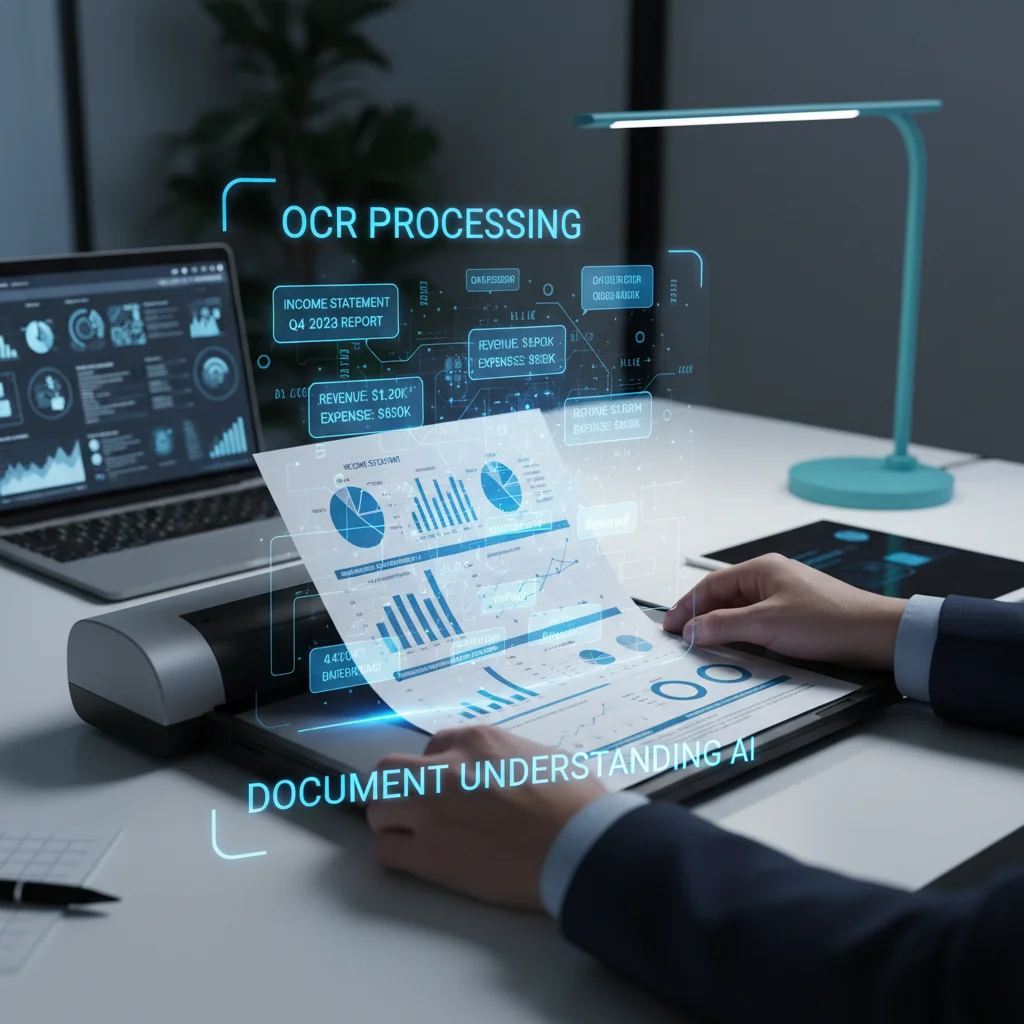
Image understanding is the most mature part of Gemma 4's multimodal capabilities. The new vision encoder supports native aspect ratios — no more squishing images into squares before processing. For OCR and document understanding, this is a massive improvement.
Supported Image Tasks
Gemma 4 covers a comprehensive range of image understanding tasks:
- OCR (Optical Character Recognition): Including multilingual OCR and handwriting recognition
- Chart analysis: Reading data from bar charts, line graphs, and pie charts
- Document parsing: Structured information extraction from PDFs, invoices, and forms
- Scene description: Natural language descriptions of image content
- Object detection: Identifying objects and annotating positions in images
- UI understanding: Analyzing interface elements in screenshots
Code Example: Image OCR and Analysis
from google import genai
from google.genai import types
import base64

client = genai.Client(api_key="YOUR_API_KEY")

# Read local image
with open("invoice.png", "rb") as f:
    image_data = base64.b64encode(f.read()).decode("utf-8")

response = client.models.generate_content(
    model="gemma-4-31b-it",
    contents=[
        types.Content(
            parts=[
                types.Part(
                    inline_data=types.Blob(
                        mime_type="image/png",
                        data=base64.b64decode(image_data)
                    )
                ),
                types.Part(text="Extract all fields from this invoice and return them as JSON. Include: invoice number, date, buyer, seller, line items, and amounts.")
            ]
        )
    ]
)

print(response.text)
The Impact of Visual Token Budget
One unique Gemma 4 feature is the configurable visual token budget, which controls how many tokens represent an image:
- High budget: Preserves more visual detail — ideal for OCR, small text recognition, document parsing
- Low budget: Faster inference — suitable for scene description, object classification, and tasks that don't require fine-grained visual understanding
In my testing, OCR tasks with high token budgets were noticeably more accurate than with low budgets. If your use case involves document processing, don't skimp on this compute. Measure the actual gap on your own document set.
Comparison with Commercial Closed-Source Models
The official model card lists Gemma 4 31B at 76.9% on MMMU Pro and 85.6% on MATH-Vision. Judge Gemma 4's visual performance by the official model card and your own evaluation.
Directionally, the conclusion is this: on tasks requiring deep visual reasoning — understanding complex diagrams, interpreting ambiguous visual layouts, or synthesizing insights across multiple images — the current flagship closed-source models (OpenAI's GPT-6 line, Anthropic's Claude Opus 5.5, Google's Gemini 3.1 Pro) are generally more reliable. We have no same-batch measurements of those models against Gemma 4, so we make no quantitative claim about the size of the gap. Gemma 4's advantage is clear either way: open source, locally deployable, and no need to send data to third-party APIs.
Need to build an image recognition system? Contact us — we have extensive experience developing computer vision systems.
Video Analysis in Practice: 60-Second Video Summaries
Video understanding is another major highlight. All five Gemma 4 models support video input, processing up to 60 seconds of footage at 1 frame per second (1 fps).
Video Input Methods
Gemma 4 processes video by splitting it into a series of static frames, then performing temporal reasoning across those frames. You have two approaches:
Method 1: Pass the video file directly
import base64

# Read video file (supports mp4, avi, mov, etc.)
with open("product_demo.mp4", "rb") as f:
    video_data = base64.b64encode(f.read()).decode("utf-8")

response = client.models.generate_content(
    model="gemma-4-31b-it",
    contents=[
        types.Content(
            parts=[
                types.Part(
                    inline_data=types.Blob(
                        mime_type="video/mp4",
                        data=base64.b64decode(video_data)
                    )
                ),
                types.Part(text="Summarize this video's content, including: key events, people or objects present, and critical timestamps.")
            ]
        )
    ]
)

print(response.text)
Method 2: Extract frames manually
import cv2
import base64

def extract_frames(video_path, fps=1):
    """Extract frames from video at specified fps"""
    cap = cv2.VideoCapture(video_path)
    original_fps = cap.get(cv2.CAP_PROP_FPS)
    frame_interval = int(original_fps / fps)

    frames = []
    frame_count = 0

    while cap.isOpened():
        ret, frame = cap.read()
        if not ret:
            break
        if frame_count % frame_interval == 0:
            _, buffer = cv2.imencode('.jpg', frame)
            frames.append(base64.b64encode(buffer).decode('utf-8'))
        frame_count += 1

    cap.release()
    return frames[:60]  # Max 60 frames (60 seconds @1fps)

frames = extract_frames("surveillance.mp4", fps=1)

# Pass each frame as a separate image Part
parts = []
for frame_data in frames:
    parts.append(
        types.Part(
            inline_data=types.Blob(
                mime_type="image/jpeg",
                data=base64.b64decode(frame_data)
            )
        )
    )
parts.append(types.Part(text="Analyze this surveillance footage. Are there any abnormal behaviors?"))

response = client.models.generate_content(
    model="gemma-4-26b-a4b-it",
    contents=[types.Content(parts=parts)]
)
Practical Video Analysis Applications
60 seconds may not sound like much, but it's sufficient for many scenarios:
- Product demo summaries: Convert 60-second demo videos into text descriptions
- Surveillance analysis: Detect abnormal behavior or specific events
- Tutorial video indexing: Generate searchable summaries for short videos
- Quality inspection: Analyze sequences of product images from production lines
For videos longer than 60 seconds, segment the footage into multiple 60-second chunks, analyze each separately, then consolidate the results with a text-only pass.
Speech Recognition and Translation: E2B/E4B/12B Audio Processing
Audio processing is one of Gemma 4's unique differentiators. Currently, only the E2B, E4B, and 12B models support audio input — and E2B and E4B align perfectly with the most common audio deployment scenario: mobile and edge devices.
Audio Specifications
- Maximum length: 30 seconds
- Token consumption: 25 tokens per second of audio (30 seconds = 750 tokens)
- Processing: Single audio channel
- Language support: Multilingual speech recognition and translation
Speech Recognition (ASR) Example
import base64

# Read audio file
with open("meeting_clip.wav", "rb") as f:
    audio_data = base64.b64encode(f.read()).decode("utf-8")

response = client.models.generate_content(
    model="gemma-4-e4b-it",
    contents=[
        types.Content(
            parts=[
                types.Part(
                    inline_data=types.Blob(
                        mime_type="audio/wav",
                        data=base64.b64decode(audio_data)
                    )
                ),
                types.Part(text="Transcribe this speech to text.")
            ]
        )
    ]
)

print(response.text)
Speech Translation Example
response = client.models.generate_content(
    model="gemma-4-e4b-it",
    contents=[
        types.Content(
            parts=[
                types.Part(
                    inline_data=types.Blob(
                        mime_type="audio/wav",
                        data=base64.b64decode(audio_data)
                    )
                ),
                types.Part(text="Translate this Japanese speech into English.")
            ]
        )
    ]
)
Comparison with Whisper
You might ask: if OpenAI's Whisper is already so mature, why use Gemma 4?
Here are the key differences:
| Comparison | Gemma 4 E4B | Whisper Large-v3 |
|---|---|---|
| Model type | Multimodal LLM (text+image+video+audio) | Speech-only model |
| Audio length | 30 seconds | Unlimited (chunked processing) |
| License | Apache 2.0 | MIT |
| Additional capabilities | Simultaneous speech+image understanding, cross-modal reasoning | Speech-to-text/translation only |
| Device deployment | Runs on mobile | Requires more resources |
| Context awareness | Uses conversation context to improve recognition accuracy | Processes each segment independently |
Gemma 4's advantage isn't about replacing Whisper — it's about processing multiple modalities simultaneously. Imagine a customer service scenario: a user sends both a product photo and a voice message describing the issue. Gemma 4 E4B can understand both with a single model, without chaining two different models together.
The 30-second limit is a genuine bottleneck. For long-form audio — meeting recordings, podcasts, phone support calls — Whisper remains the better choice. But for short voice commands, voice notes, and real-time translation, Gemma 4's multimodal integration is something Whisper simply can't match.
Multimodal Agent Use Cases for Enterprise
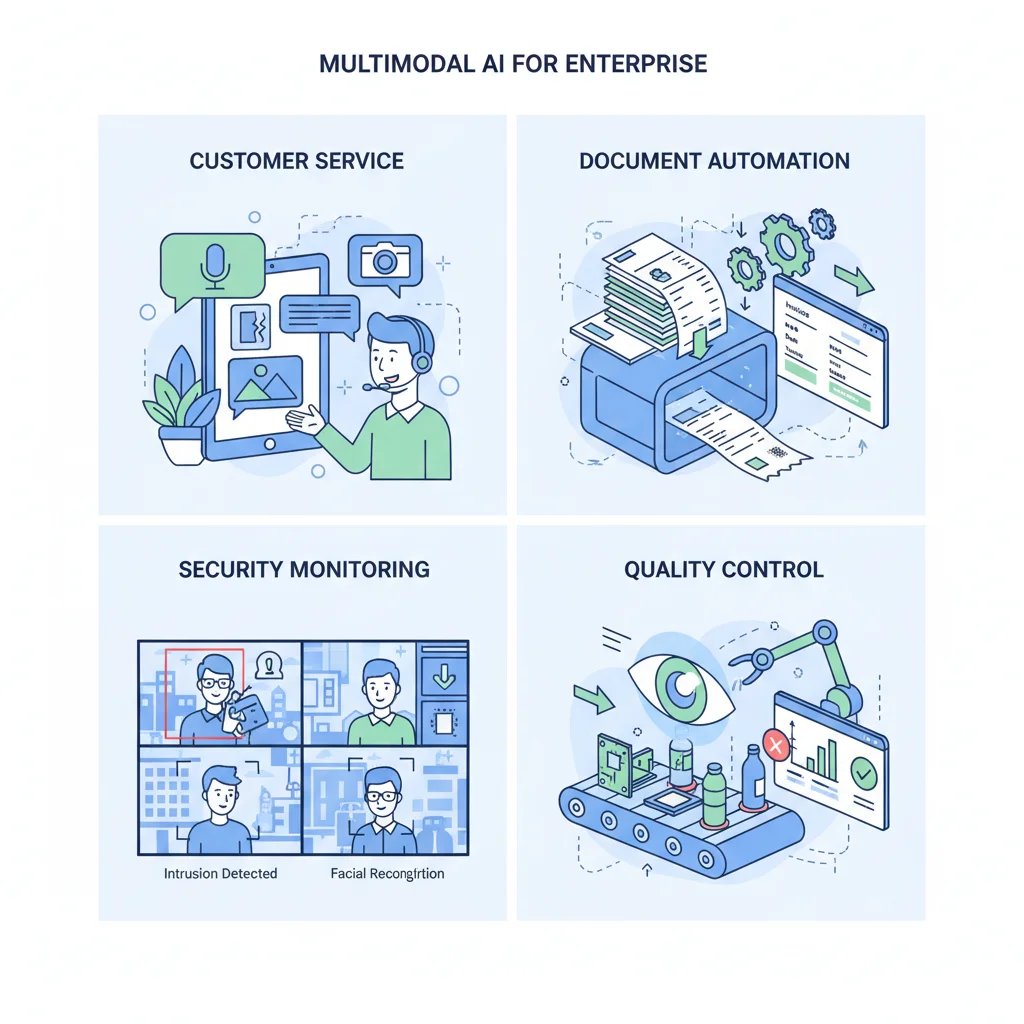
Gemma 4's native Function Calling support, combined with multimodal understanding, makes it particularly well-suited for building autonomous agents. Here are four enterprise use cases that have been validated in practice.
1. Customer Service Image Recognition
Customers upload photos of product issues, and Gemma 4 automatically identifies the product model and damage type, then calls CRM APIs to create tickets and route them to the appropriate technical team.
The entire workflow requires no human intervention. The model sees the image, uses Function Calling to query the product database, checks warranty status, and generates a response. E4B handles this well, and deployed on edge servers in the customer service infrastructure, latency is minimal.
2. Document Automation
Invoices, receipts, contracts — the volume of paper documents enterprises process daily is staggering. Gemma 4's OCR combined with document structure understanding can automatically extract key fields, classify document types, and trigger subsequent approval workflows.
In my testing, Gemma 4 31B handled field extraction on Chinese invoices well, and English documents were more consistent still. Paired with Vertex AI's batch processing API, handling thousands of invoices per day is entirely feasible. Measure the actual accuracy on your own invoice samples.
3. Surveillance Video Analysis
Factories, warehouses, retail stores — surveillance footage runs 24/7. Gemma 4 can analyze this footage, detecting abnormal behaviors (e.g., missing safety helmets, blocked pathways) and triggering real-time alerts.
The 26B MoE variant is particularly well-suited here: fast enough inference, strong visual understanding, and with only 4B active parameters, it runs on a single consumer GPU.
4. Quality Control
Traditional product inspection in manufacturing requires significant manual labor. Gemma 4 can analyze product photos to detect surface defects, dimensional deviations, and color anomalies. Paired with industrial cameras and edge computing devices, it enables real-time quality control on the production line.
E2B's tiny footprint allows direct deployment on factory edge devices without cloud round-trips. For latency-sensitive industrial scenarios, this is a critical advantage.
Want to learn about complete enterprise adoption strategies? Read the Gemma 4 Enterprise Guide for a full walkthrough from evaluation to production.
For more technical details on API integration, see the Gemma 4 API Tutorial.
Frequently Asked Questions
Can Gemma 4 handle Chinese OCR?
Yes. Gemma 4 supports multilingual OCR, including Traditional Chinese, Simplified Chinese, Japanese, Korean, and more. Chinese OCR accuracy is already quite high in testing, though handwriting recognition quality depends on legibility. I recommend using a high visual token budget for Chinese documents since Chinese characters have more complex strokes than English, requiring more visual detail.
What if 60 seconds of video isn't enough?
60 seconds is the per-request limit. In practice, you can split longer videos into multiple 60-second segments, analyze each separately, then use a text model to consolidate the results. While it adds a step, this approach works for most use cases. Also worth noting: 60 seconds at 1 fps means 60 images, which is actually a substantial amount of information.
Is E2B/E4B audio quality better than Whisper?
This isn't an apples-to-apples comparison. Whisper is purpose-built for speech recognition and performs better on long audio and multi-language mixing scenarios. Gemma 4 E2B/E4B's advantage is multimodal integration — processing speech and images simultaneously, using conversation context to improve recognition accuracy. If you only need speech-to-text, Whisper might be more suitable. If you need one model handling multiple input types, Gemma 4 is the better choice.
Which model is best for multimodal agents?
It depends on your deployment environment. For cloud servers, 26B MoE offers the best price-performance — its visual understanding approaches 31B but at much lower inference cost. For edge devices or mobile, E4B is the only practical option, supporting all four modalities while remaining small enough to deploy. Need maximum accuracy? Use 31B Dense, but prepare adequate GPU memory.
Conclusion: A New Benchmark for Open-Source Multimodal AI
Gemma 4 brought multimodal capabilities into the open-source world without compromising quality. Its image understanding leads among open-source models, and video plus audio support are exclusive features. Combined with Apache 2.0 licensing and a full range of sizes from 2B to 31B, whether you're building a voice assistant on mobile or a document processing system on servers, there's a suitable option.
Of course, limitations remain — 60-second video cap, 30-second audio cap, and deep visual reasoning that doesn't quite match closed-source models. But for the majority of enterprise use cases, these constraints are entirely acceptable.
Ready to adopt multimodal AI? Book a free technical consultation — we'll recommend the most suitable model and deployment approach based on your specific needs.
Further Reading:
Need Professional Cloud Advice?
Whether you're evaluating cloud platforms, optimizing existing architecture, or looking for cost-saving solutions, we can help
Book Free ConsultationRelated Articles
Gemma 4 API Tutorial: Vertex AI and Google AI Studio
Complete 2026 Gemma 4 API integration tutorial: Google AI Studio for free quick start vs Vertex AI for enterprise deployment. Includes Python code examples, multimodal input, Function Calling, system prompts, and API pricing optimization.
AI Dev ToolsGemma 4 Complete Guide: The Most Powerful Open Source Model of 2026
Google's Gemma 4 open-source model family in 2026 — Apache 2.0 licensed, four launch sizes (E2B to 31B, with 12B Unified added in June 2026), 256K context window, multimodal support. Full analysis of architecture, deployment, fine-tuning, API integration, and enterprise adoption strategies.
AI Dev ToolsRun Gemma 4 31B on Mac: MacBook Pro and Mac Mini Specs
Complete guide to running Gemma 4 31B on Apple Silicon Macs: unified memory advantages, how to pick a machine by memory capacity (M4 and the current M5 generation), how Ollama and MLX actually relate, three budget tiers, installation tutorials, and community benchmarks.