
Gemma 4 Fine-Tuning Guide: LoRA/QLoRA on Consumer GPUs
TL;DR: You don't need an A100 or H100 to fine-tune Gemma 4. With QLoRA and Unsloth, a single RTX 4090 can fine-tune the 31B Dense model. You only train 0.2% of parameters, and 31B memory drops from 62GB to about 22GB, and training finishes in hours. But before you start — make sure you actually need fine-tuning. For many use cases, prompt engineering is enough.
You have a specific problem: you need Gemma 4 to respond in your company's tone, accurately classify domain-specific documents, or generate reports in a strict format. You've tried every prompting trick in the book, and the results are close but not quite there.
That's when fine-tuning becomes your answer.
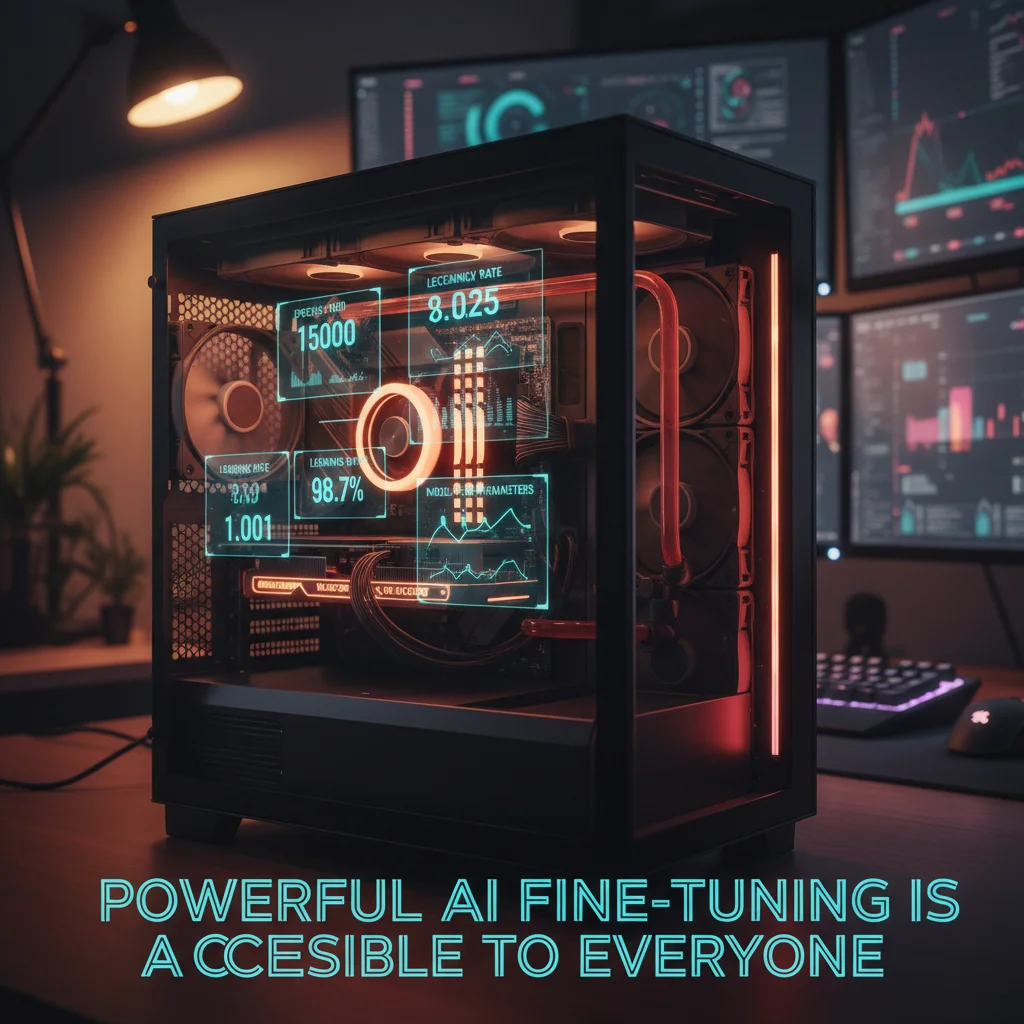
The good news? In 2026, the fine-tuning toolchain is remarkably mature. You don't need to rent a cloud GPU cluster or write complex training scripts. A consumer graphics card plus Unsloth is all it takes to turn Gemma 4 into your custom model.
Not sure whether your project needs fine-tuning or RAG? Book a free AI architecture consultation and let our team help you evaluate the best approach.
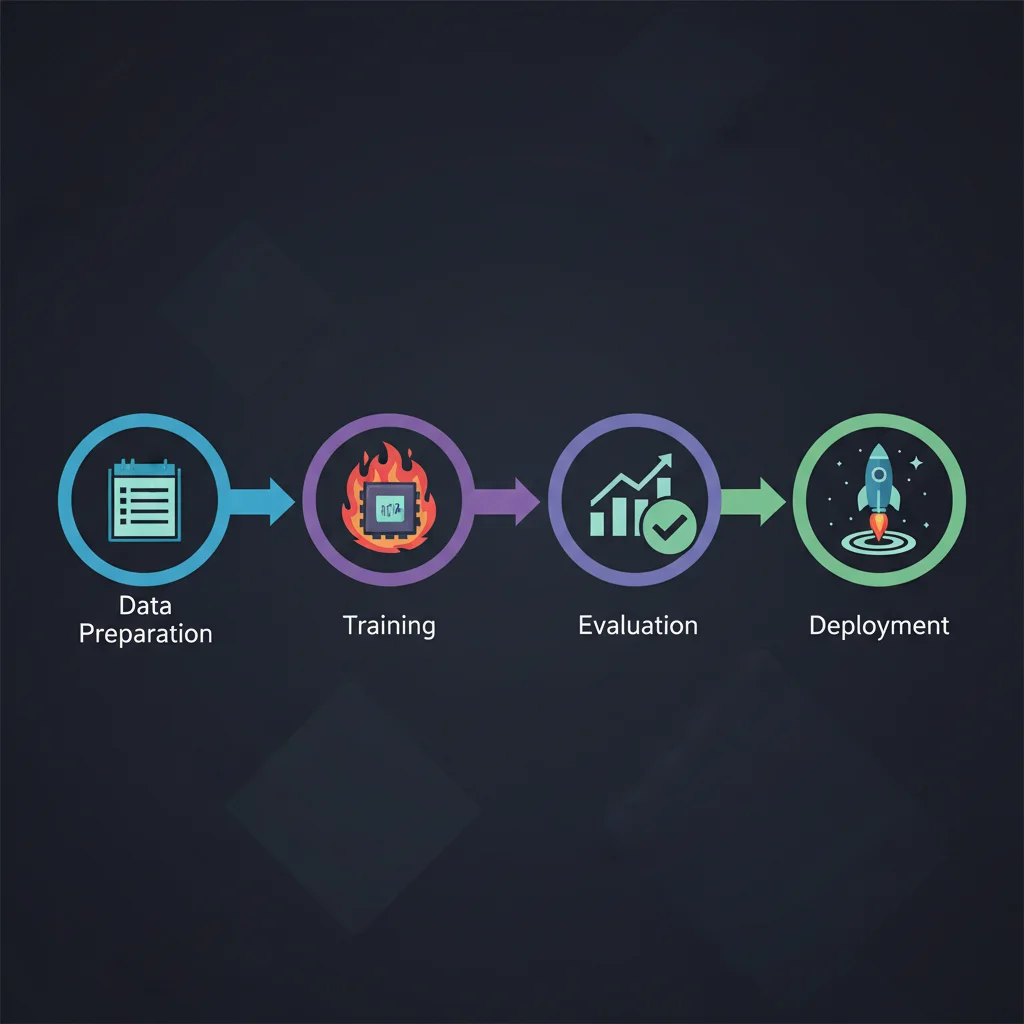
This tutorial walks you through the entire process end to end: deciding when to fine-tune, choosing the right method, preparing training data, running the fine-tuning job, evaluating results, and deploying your model. Every step includes production-ready code examples.
For a broader overview of the Gemma 4 model family, see the Gemma 4 Complete Guide.
When Should You Fine-Tune Gemma 4?
This is the most important question — and the one most often skipped. Many developers reach for fine-tuning the moment they get a new model, but here's the reality: Gemma 4 in 2026 is so capable out of the box that most scenarios people think require fine-tuning can actually be solved with good prompt engineering.
Scenarios Where Fine-Tuning Makes Sense
Domain-specific language — Your industry has extensive jargon, abbreviations, or concepts that general models don't understand well. Think semiconductor process documentation or medical record abbreviations. Fine-tuning lets the model "internalize" this knowledge rather than requiring it in every prompt.
Consistent output formatting — You need the model to produce identically structured JSON, XML, or specific report formats every single time. Prompt engineering gets you to 90%, but fine-tuning pushes it to 99%+ consistency.
Style and tone transfer — Adapting the model to your brand voice, like customer support replies that are slightly humorous but remain professional.
Reducing inference latency — RAG introduces latency through retrieval steps and longer context lengths. A fine-tuned model has already "memorized" the knowledge and can respond directly, with lower latency.
Matching large-model performance on smaller models — A fine-tuned Gemma 4 E4B (4.5B) can outperform an un-tuned 26B MoE on specific tasks. That means lower deployment costs and faster inference.
When You Don't Need Fine-Tuning
General knowledge Q&A — Gemma 4's pretraining data already covers most common knowledge.
Real-time information — Fine-tuned knowledge is static. If you need answers about today's stock price, RAG is the right approach.
Too little data — Fewer than 50 examples rarely produce meaningful improvements. Try few-shot prompting first.
Requirements still in flux — Fine-tuning "crystallizes" behavior. If your needs are still evolving, iterate quickly with prompt engineering first.
My rule of thumb: Use prompt engineering to get to 80%, then use fine-tuning to close the last 20%. If prompt engineering can't even reach 50%, the problem likely isn't with the model — it's with how the task is defined.
LoRA vs QLoRA vs Full Fine-Tuning: A Complete Comparison
Choosing a fine-tuning method is the second critical decision. Each approach has distinct trade-offs.
Full Fine-Tuning
Updates all model parameters. Best results, but extremely expensive — full fine-tuning of Gemma 4 31B requires 4x A100 80GB GPUs or more, with training times measured in days. Unless you're a large organization with a dedicated ML team and GPU cluster, this isn't practical.
LoRA (Low-Rank Adaptation)
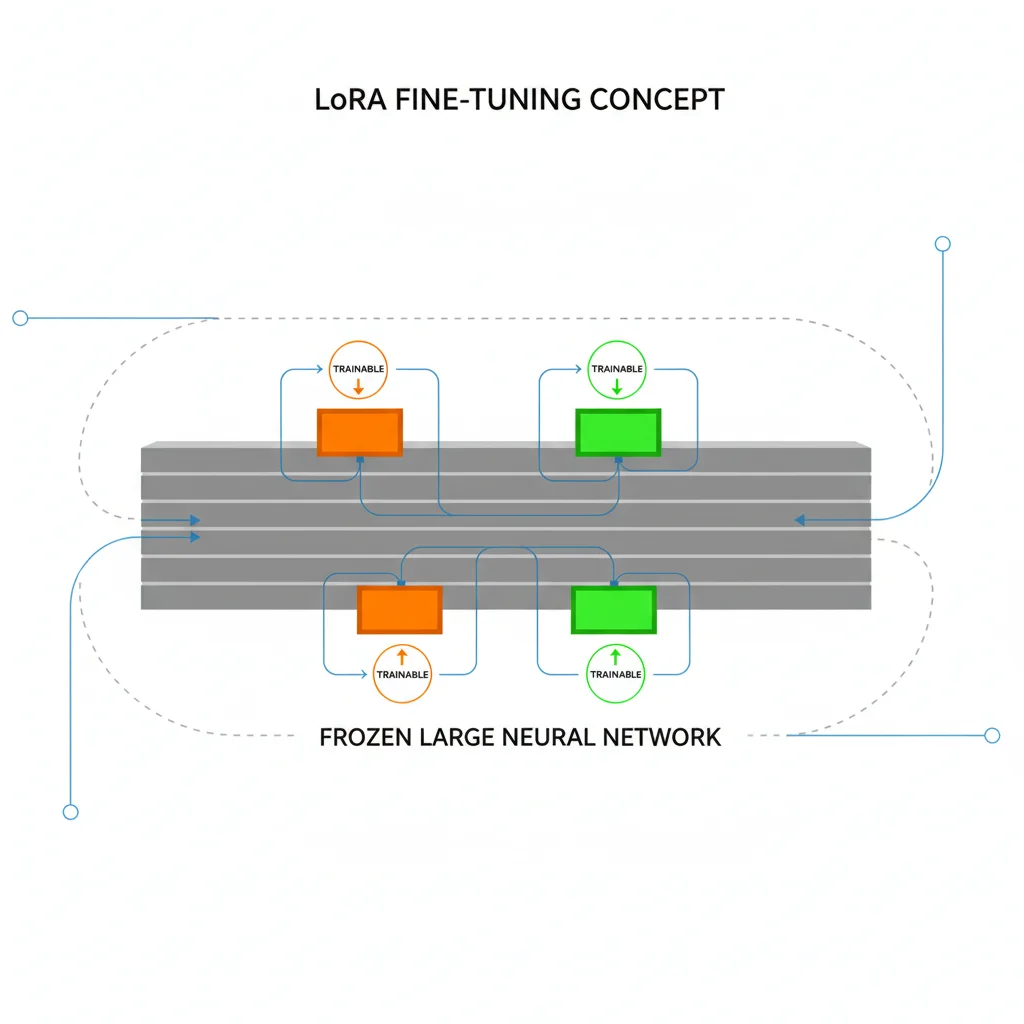
Freezes the original model and attaches small "adapter matrices" to specific layers for training. In typical configurations, only 0.2-1% of parameters are trainable, drastically reducing memory requirements. Gemma 4 26B MoE with LoRA needs more than 40GB VRAM.
QLoRA (Quantized LoRA)
Builds on LoRA by quantizing the base model to 4-bit precision. This is the most popular fine-tuning method in 2026 because it cuts memory requirements by more than half again. Gemma 4 31B with QLoRA needs about 22GB VRAM — a single RTX 4090 handles it (Unsloth doesn't recommend QLoRA for the 26B MoE).
| Comparison | Full Fine-Tuning | LoRA | QLoRA |
|---|---|---|---|
| Trainable Parameters | 100% | 0.2-1% | 0.2-1% |
| Gemma 4 31B VRAM | ~250 GB (4x A100) | ~64-76 GB (estimated from Unsloth's general requirements table; loading in BF16 alone needs 62 GB) | ~22 GB |
| Gemma 4 26B MoE VRAM | ~200 GB (4x A100) | >40 GB | Not recommended |
| Gemma 4 E4B VRAM | ~35 GB | ~17 GB | ~10 GB |
| Training Speed (relative) | 1x | 2-3x | 2-4x (with Unsloth) |
| Quality (relative) | Best | Near-Full | Near-LoRA |
| Hardware Required | Multi-GPU A100/H100 | A100 80GB / H100 80GB | Single RTX 4090 / 3090 |
| Recommendation | Only with ample resources | 80GB-class VRAM available | Best choice for most |
Bottom line: QLoRA is the right choice for 99% of developers. It strikes the best balance between quality, cost, and accessibility. The rest of this tutorial focuses on QLoRA with Unsloth.
For detailed hardware requirements across all Gemma 4 models, see the Gemma 4 Hardware Requirements Guide.
Environment Setup: Unsloth + QLoRA
Why Unsloth?
Unsloth is the most popular fine-tuning framework in 2026, purpose-built to optimize LoRA/QLoRA training efficiency. Compared to standard Hugging Face Transformers + PEFT, Unsloth delivers:
- ~1.5x faster training (via custom CUDA kernels)
- ~60% less VRAM (intelligent gradient checkpointing)
- Native support for all Gemma 4 variants (E2B through 31B)
Hardware Requirements
| Model | Minimum VRAM | Recommended VRAM | Suggested GPU |
|---|---|---|---|
| E2B (2.3B) | ~8 GB | 8 GB+ | RTX 3060 / T4 |
| E4B (4.5B) | ~10 GB | 10 GB+ | RTX 3060 12GB / T4 |
| 26B MoE | QLoRA not recommended (16-bit LoRA needs >40 GB) | — | A100 80GB etc. |
| 31B Dense | ~22 GB | 24 GB | RTX 4090 / A6000 |
Requirements are for QLoRA 4-bit with gradient checkpointing enabled.
Installation
# Create a virtual environment
python -m venv gemma4-finetune
source gemma4-finetune/bin/activate

# Install Unsloth (auto-installs compatible PyTorch, Transformers, PEFT)
pip install unsloth

# Verify installation
python -c "from unsloth import FastModel; print('Unsloth ready!')"
For Google Colab or Kaggle, Unsloth provides a one-liner:
# Colab / Kaggle
%%capture
!pip install unsloth
Verify GPU Availability
import torch
print(f"CUDA available: {torch.cuda.is_available()}")
print(f"GPU: {torch.cuda.get_device_name(0)}")
print(f"VRAM: {torch.cuda.get_device_properties(0).total_memory / 1024**3:.1f} GB")
Considering bringing AI fine-tuning capabilities to your team? Book an architecture consultation — we can help you plan everything from hardware procurement to model deployment.
Data Preparation: How to Format Your Training Data
Data quality makes or breaks fine-tuning. Garbage in, garbage out — and this is especially true when training with small datasets.
Gemma 4 Conversation Format
Gemma 4 uses a standard messages format with three roles: system, user, and assistant:
{
  "messages": [
    {
      "role": "system",
      "content": "You are a professional semiconductor process engineer. Respond in clear, technical English."
    },
    {
      "role": "user",
      "content": "What is EUV lithography?"
    },
    {
      "role": "assistant",
      "content": "EUV (Extreme Ultraviolet Lithography) is an advanced patterning technology that uses 13.5nm wavelength light..."
    }
  ]
}
Note: Gemma 4's chat template uses the standard assistant role name (the template maps it to the model turn marker internally). Unsloth and TRL handle the chat template conversion automatically — you just need to prepare the JSON format.
Dataset Size Guidelines
Different tasks require vastly different amounts of data:
| Task Type | Recommended Size | Notes |
|---|---|---|
| Style/tone transfer | 200-1,000 | Quality over quantity; each sample must demonstrate target style |
| Classification | 500-5,000 | At least 50-100 samples per class, balanced distribution |
| Domain knowledge | 10,000-50,000 | Cover main concepts and edge cases in the domain |
| Instruction following | 5,000-20,000 | Diverse instructions and responses |
Data Cleaning Script
import json

def validate_and_clean(dataset_path):
    clean_data = []
    with open(dataset_path, 'r', encoding='utf-8') as f:
        data = json.load(f)

    for i, item in enumerate(data):
        # Check required fields
        if 'messages' not in item:
            print(f"Warning: Row {i} missing 'messages' field, skipped")
            continue

        messages = item['messages']

        # Ensure at least one user + model turn
        roles = [m['role'] for m in messages]
        if 'user' not in roles or 'assistant' not in roles:
            print(f"Warning: Row {i} missing user or model turn, skipped")
            continue

        # Remove empty responses
        messages = [m for m in messages if m['content'].strip()]

        # Check response length (too short = low training value)
        model_responses = [m for m in messages if m['role'] == 'assistant']
        if any(len(m['content']) < 10 for m in model_responses):
            print(f"Warning: Row {i} model response too short, skipped")
            continue

        clean_data.append({'messages': messages})

    print(f"Passed: {len(clean_data)}/{len(data)} samples")
    return clean_data
Converting from Alpaca Format
If you have data in Alpaca format (instruction / input / output), conversion is straightforward:
def alpaca_to_gemma4(alpaca_data):
    converted = []
    for item in alpaca_data:
        messages = []

        user_content = item['instruction']
        if item.get('input'):
            user_content += f"\n\n{item['input']}"

        messages.append({"role": "user", "content": user_content})
        messages.append({"role": "assistant", "content": item['output']})

        converted.append({"messages": messages})
    return converted
Step-by-Step Fine-Tuning: From Model Loading to Training Completion
Ready? Here's the complete QLoRA fine-tuning workflow, using Gemma 4 31B Dense as the example (QLoRA isn't recommended for the 26B MoE — see the comparison table above).
Step 1: Load the Model with QLoRA Configuration
from unsloth import FastModel
from unsloth.chat_templates import get_chat_template

# Load Gemma 4 31B Dense with 4-bit quantization
model, tokenizer = FastModel.from_pretrained(
    model_name="unsloth/gemma-4-31B-it",  # Unsloth-optimized version
    max_seq_length=4096,      # Adjust based on your data length
    load_in_4bit=True,        # QLoRA core: 4-bit quantization
    dtype=None,               # Auto-detect optimal dtype
)

# Set up chat template
tokenizer = get_chat_template(tokenizer, chat_template="gemma-4")

print(f"Model loaded! VRAM used: {torch.cuda.memory_allocated()/1024**3:.1f} GB")
Step 2: Attach LoRA Adapters
model = FastModel.get_peft_model(
    model,
    r=16,                     # LoRA rank — 16 is a good starting point
    lora_alpha=32,            # Typically 2x the rank
    lora_dropout=0.05,        # Light dropout to prevent overfitting
    target_modules=[          # Layers to apply LoRA to
        "q_proj", "k_proj", "v_proj", "o_proj",
        "gate_proj", "up_proj", "down_proj",
    ],
    use_gradient_checkpointing="unsloth",  # Saves 30% VRAM
)

# Check trainable parameters
trainable = sum(p.numel() for p in model.parameters() if p.requires_grad)
total = sum(p.numel() for p in model.parameters())
print(f"Trainable: {trainable:,} / {total:,} ({100*trainable/total:.2f}%)")
# Prints the trainable count, total count, and percentage (exact numbers depend on the model and rank)
Step 3: Load Training Data
from datasets import load_dataset

# Load from a local JSON file
dataset = load_dataset("json", data_files="train_data.json", split="train")

# Or load from Hugging Face Hub
# dataset = load_dataset("your-username/your-dataset", split="train")

# Format as Gemma 4 chat
def format_chat(example):
    text = tokenizer.apply_chat_template(
        example["messages"],
        tokenize=False,
        add_generation_prompt=False,
    )
    return {"text": text}

dataset = dataset.map(format_chat)
print(f"Dataset size: {len(dataset)} samples")
Step 4: Configure Training and Start
from trl import SFTTrainer, SFTConfig

trainer = SFTTrainer(
    model=model,
    tokenizer=tokenizer,
    train_dataset=dataset,
    args=SFTConfig(
        output_dir="./gemma4-finetuned",

        # Training parameters
        num_train_epochs=3,              # 3 epochs is usually sufficient
        per_device_train_batch_size=2,   # RTX 4090 can handle 2
        gradient_accumulation_steps=4,   # Effective batch size = 2 x 4 = 8

        # Learning rate
        learning_rate=2e-4,              # QLoRA sweet spot: 1e-4 to 3e-4
        lr_scheduler_type="cosine",      # Cosine decay works well
        warmup_ratio=0.05,               # 5% warmup

        # Precision and performance
        fp16=not torch.cuda.is_bf16_supported(),
        bf16=torch.cuda.is_bf16_supported(),

        # Saving and logging
        logging_steps=10,
        save_strategy="steps",
        save_steps=100,
        save_total_limit=3,              # Keep only the latest 3 checkpoints

        # Misc
        seed=42,
        optim="adamw_8bit",             # 8-bit Adam saves memory
        weight_decay=0.01,
        max_grad_norm=1.0,
        dataset_text_field="text",
        max_length=4096,
    ),
)

# Start training!
print("Starting training...")
trainer.train()
print("Training complete!")
Recommended Hyperparameters
| Parameter | Suggested Value | Notes |
|---|---|---|
LoRA rank (r) | 8-32 | Higher = better quality but more memory; 16 is the sweet spot |
lora_alpha | 2x rank | Controls the scaling of LoRA updates |
| Learning rate | 1e-4 to 3e-4 | QLoRA requires higher LR than full fine-tuning |
| Epochs | 1-5 | Small data (<1000): use 3-5; large data (>10000): use 1-2 |
| Batch size | As large as possible | Limited by VRAM; use gradient accumulation to compensate |
max_seq_length | Depends on data | Too long wastes memory; too short truncates data |
Tip: If training loss drops to near-zero in the first few steps and stalls, your learning rate may be too high or the data too simple. If loss oscillates without converging, try lowering the learning rate or increasing warmup.
Evaluating Fine-Tuning Results: How to Know Your Model Improved
Finishing training doesn't mean success. Without rigorous evaluation, you won't know whether the model genuinely learned useful knowledge or just memorized the training set (overfitting).
Basic Evaluation: Training Loss Curve
import matplotlib.pyplot as plt

# Extract training logs
logs = trainer.state.log_history
steps = [log['step'] for log in logs if 'loss' in log]
losses = [log['loss'] for log in logs if 'loss' in log]

plt.figure(figsize=(10, 5))
plt.plot(steps, losses)
plt.xlabel('Steps')
plt.ylabel('Training Loss')
plt.title('Gemma 4 Fine-tuning Loss Curve')
plt.savefig('training_loss.png')
A healthy loss curve should: drop quickly at first, then converge smoothly. If loss approaches zero, overfitting is almost certain.
Advanced Evaluation: Manual Quality Checks
Automated metrics have limits. The most reliable method is still manual inspection:
# Load the fine-tuned model
from unsloth import FastModel

model, tokenizer = FastModel.from_pretrained(
    "gemma4-finetuned/checkpoint-300",
    max_seq_length=4096,
    load_in_4bit=True,
)

# Test inference
test_prompts = [
    "Your test question 1",
    "Your test question 2",
    "Your edge case test",
]

for prompt in test_prompts:
    messages = [{"role": "user", "content": prompt}]
    inputs = tokenizer.apply_chat_template(
        messages, tokenize=True, add_generation_prompt=True,
        return_tensors="pt"
    ).to("cuda")

    outputs = model.generate(inputs, max_new_tokens=512, temperature=0.7)
    response = tokenizer.decode(outputs[0], skip_special_tokens=True)
    print(f"Q: {prompt}")
    print(f"A: {response}\n")
Common Pitfalls
Signs of overfitting — The model answers questions from the training data perfectly but performs poorly on slightly different inputs. Fix: increase dataset size, reduce epochs, increase dropout.
Catastrophic forgetting — The model loses general capabilities after fine-tuning. Fix: mix in 10-20% general instruction-following data during training.
Format degradation — The model starts producing garbled formatting or repetitive content. Fix: inspect your training data for format anomalies; lower the learning rate.
Exporting and Deploying Your Fine-Tuned Model
Once fine-tuning is done and evaluation looks good, the next step is exporting the model into a deployable format.
Save the LoRA Adapter
The lightest approach is saving only the LoRA adapter (typically just a few tens of MB):
# Save LoRA adapter
model.save_pretrained("gemma4-lora-adapter")
tokenizer.save_pretrained("gemma4-lora-adapter")

# Optionally push to Hugging Face Hub
# model.push_to_hub("your-username/gemma4-custom-adapter")
Merge Into a Standalone Model
If you want a single self-contained model file, merge the LoRA adapter back into the base model:
# Merge LoRA into base model
model.save_pretrained_merged(
    "gemma4-merged",
    tokenizer,
    save_method="merged_16bit",  # or "merged_4bit"
)
Export to GGUF Format (for Ollama / llama.cpp)
This is the most common format for local deployment:
# Export as GGUF Q4_K_M quantization
model.save_pretrained_gguf(
    "gemma4-finetuned-gguf",
    tokenizer,
    quantization_method="q4_k_m",
)
The exported GGUF file can be loaded directly into Ollama:
# Create a Modelfile
echo 'FROM ./gemma4-finetuned-gguf/unsloth.Q4_K_M.gguf' > Modelfile

# Create a custom model in Ollama
ollama create my-gemma4 -f Modelfile

# Test it
ollama run my-gemma4 "Your test prompt here"
For the complete guide to deploying Gemma 4 locally — including Ollama, vLLM, Docker, and more — see Gemma 4 Local Deployment Guide.
Ready to deploy your fine-tuned model to production? Contact our AI architecture team — from GPU selection to API serving, we provide expert guidance.
Frequently Asked Questions
Q1: How long does it take to fine-tune Gemma 4 31B Dense?
On an RTX 4090 with QLoRA, 1,000 training samples over 3 epochs typically finishes within a few hours. More data, longer sequences, and smaller batch sizes increase training time. The E4B (4.5B) under the same conditions takes about 30-60 minutes.
Q2: How much quality do you lose with QLoRA compared to full fine-tuning?
There's no single universal number — the gap depends on your task and data. As a rule of thumb, QLoRA lands close to LoRA, and LoRA lands close to full fine-tuning, so benchmark on your own validation set. Unless you have abundant GPU resources, QLoRA's cost-effectiveness far exceeds full fine-tuning.
Q3: Can I fine-tune on the free tier of Google Colab?
Yes, but with limitations. Free Colab provides a T4 GPU (16GB VRAM), which is sufficient for E2B (2.3B) and E4B (4.5B). Larger models won't fit on a T4: 31B Dense QLoRA needs about 22GB VRAM, so consider Colab Pro (A100 40GB) or a local RTX 4090. Neither option suits the 26B MoE, since Unsloth lists >40GB for its 16-bit LoRA and doesn't recommend QLoRA for it.
Q4: Can I use fine-tuned Gemma 4 models commercially?
Absolutely. Gemma 4 is released under the Apache 2.0 license — one of the most permissive open-source licenses available. You're free to use fine-tuned models for any commercial purpose, including selling, embedding in products, or offering API services, with no restrictions.
Ready to start fine-tuning? If you need advanced guidance — multi-GPU distributed training, DPO/RLHF alignment, or production-grade model serving — book an AI development consultation.
Further Reading
Need Professional Cloud Advice?
Whether you're evaluating cloud platforms, optimizing existing architecture, or looking for cost-saving solutions, we can help
Book Free ConsultationRelated Articles
Gemma 4 Complete Guide: The Most Powerful Open Source Model of 2026
Google's Gemma 4 open-source model family in 2026 — Apache 2.0 licensed, four launch sizes (E2B to 31B, with 12B Unified added in June 2026), 256K context window, multimodal support. Full analysis of architecture, deployment, fine-tuning, API integration, and enterprise adoption strategies.
AI Dev ToolsHow to Run Gemma 4 Locally: Ollama, LM Studio, and Unsloth Complete Guide
How to run Gemma 4 locally in 2026: three complete deployment methods — Ollama for quick setup, LM Studio for GUI simplicity, Unsloth for advanced inference and fine-tuning. Includes hardware requirements, quantization choices, and troubleshooting.
AI Dev ToolsGemma 4 vs Llama 4 vs Qwen: The Open Source Model Showdown
Complete comparison of three open-source model giants — Gemma 4, Llama 4, and Qwen: benchmarks, inference speed, licensing (Apache 2.0 vs Llama License), Chinese language capability, hardware requirements, and a selection decision guide.