
AI Crawlers Blocked Despite robots.txt? 2026 Live Audit
robots.txt Says Yes — But Can AI Actually Crawl You? The Three-Layer Gap and How to Test It
You put GPTBot, ClaudeBot and PerplexityBot on Allow in your robots.txt. And then? AI crawlers may still be unable to reach your site, and that file will never show you a single sign of it.
The reason is simple. robots.txt is a notice you taped to the door; the CDN and the WAF are the person actually standing at that door deciding who gets in. The two things do not live in the same system at all — one is a plain text file in your web root, the other is a set of rules in a CDN dashboard. They can contradict each other completely, and no mechanism will ever proactively tell you.
This article takes apart the three gates a request has to clear on its way from the internet to your page: the policy layer (robots.txt), the edge layer (CDN/WAF), and the origin layer (your own server). Then it gives you a copy-paste test method — the crawler's official full User-Agent against a real content page, plus an ordinary browser UA control group fired in the same time window — and a decision table telling you which layer to go back to for each of four outcomes: 403, 429, 503, and "200 but the body is an empty shell". Every number below was measured against our own site, cloudinsight.cc, on 2026-08-05; the commands are included so you can rerun them yourself.

Figure: A request has three gates to clear — (1) the policy layer, robots.txt (2) the edge layer, CDN/WAF (3) the origin server. What actually stops it is almost always gate two.
robots.txt Is a Policy Declaration, Not an Enforcement Layer: Three Gates Every Request Must Clear
For an AI crawler's request to read your content, it has to pass three independent gates in sequence, and robots.txt only governs the first one. This is the most common structural reason behind "robots.txt clearly says Allow, yet the content never makes it into AI answers."
What each gate actually is, who controls it, and whether it can really stop a request — straight to the table:
| Layer | What it actually is | Who controls it | Can it block a request? | Visible in robots.txt? |
|---|---|---|---|---|
| Policy layer | The robots.txt plain text file in your web root | You (whoever edits the file) | No. It only declares intent; honoring it is the crawler's choice | It is the file |
| Edge layer | CDN/WAF bot protection, rate rules, geo and ASN rules, JS challenges | The CDN dashboard (possibly another colleague, possibly an outside contractor) | Yes. The request is answered before it ever touches your code | Completely invisible |
| Origin layer | Your server, application, and framework redirect and rendering logic | The development team | Yes, but usually unintentionally (redirects, rendering, permissions) | Invisible |
Once that table clicks, the key realization follows: however clean the robots.txt file is, it reflects nothing about what the edge layer is doing.
This is not our interpretation; it is what the standard itself says. The formal specification for robots.txt is IETF RFC 9309, "Robots Exclusion Protocol" (Standards Track, September 2022). Section 1 states that these are the rules "that crawlers are requested to honor when accessing URIs," and immediately follows with a single sentence: "These rules are not a form of access authorization." Section 3, Security Considerations, drives the point home: "The Robots Exclusion Protocol is not a substitute for valid content security measures." If you want to genuinely control access, you need a real security mechanism at the application layer.
So when you write Allow in robots.txt, what that means at the level of the standard is "I have no objection to you coming," not "I guarantee you can get in." The first one is yours to decide. The second one is not.
And these are not merely two different settings screens — they are two different systems. The person editing robots.txt might be marketing or whoever owns SEO; the person touching CDN rules might be operations, or the contractor who built the site three years ago. There is no synchronization mechanism between them, and neither side will ever pipe up to say "that Allow line of yours is actually being blocked by me."
What the Policy Layer Looks Like: An Example That Is Clean All the Way Down
Start with a sample where the policy layer is unquestionably fine. On 2026-08-05 we pulled the robots.txt from our own site, cloudinsight.cc, and every mainstream AI crawler has a green light — GPTBot, ClaudeBot, PerplexityBot, OAI-SearchBot, Claude-SearchBot and Google-Extended are all on Allow: /.
curl -s https://cloudinsight.cc/robots.txt
Every AI crawler block in the output looks like this:
User-Agent: GPTBot
Allow: /

User-Agent: ClaudeBot
Allow: /

User-Agent: Google-Extended
Allow: /
What does this file prove? Exactly one thing: the site owner has not expressed refusal at the policy layer. It cannot prove that any AI can actually read a single page. To prove that, you have to go one layer down.
Worth noting in passing: any check that hands you a green light after reading only robots.txt — whether a tool ran it or a human eyeballed it — deserves a discount. That green light means "gate one is clear," not "all three gates are clear." If you want to firm up where the CDN sits on the request path in the first place, start with our complete guide to what a CDN is and how it works; everything that follows will read much more easily afterwards.
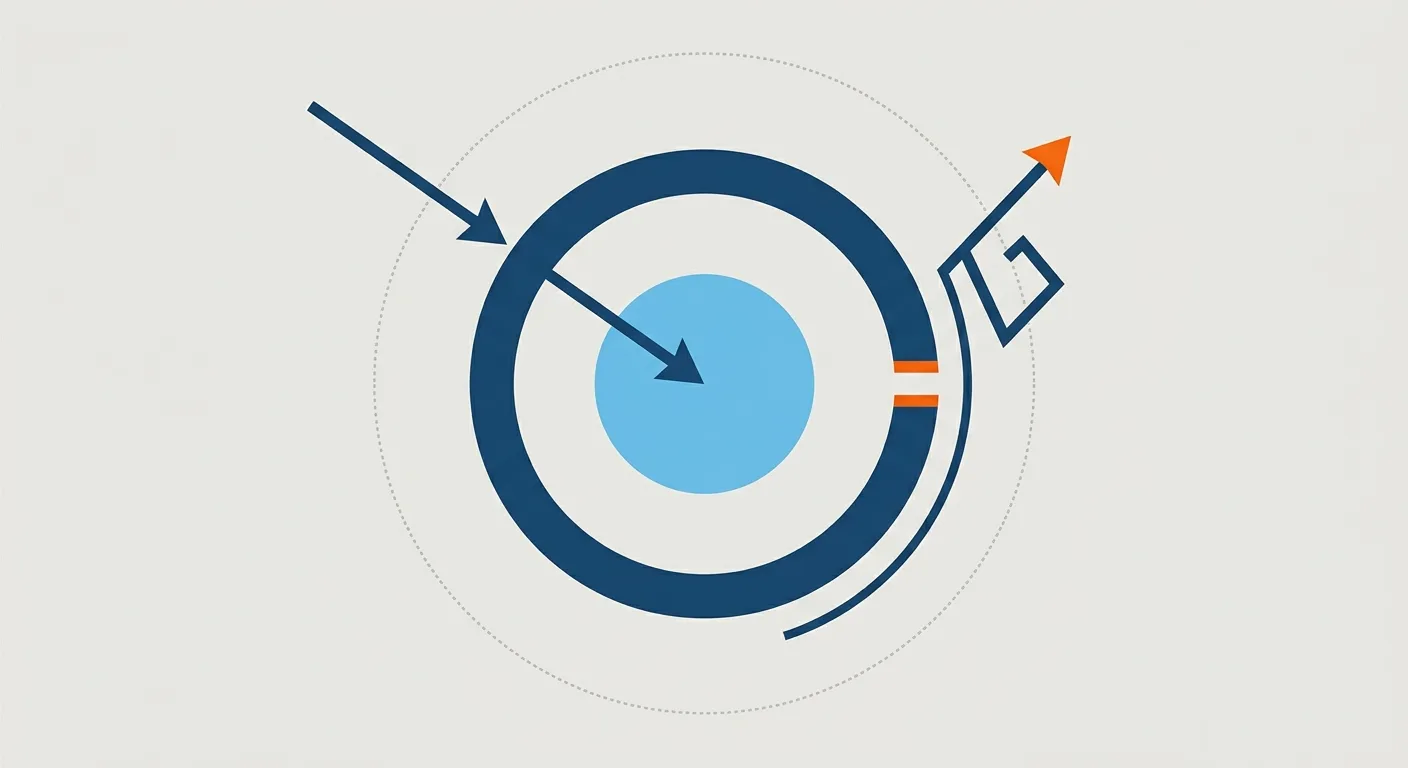
Figure: From the outside in — (1) the policy layer, robots.txt (dashed, stops nothing) (2) the edge layer, CDN/WAF (solid thick ring, the one that actually decides) (3) the origin server (the core).
What the Middle Layer Is Doing: How Bot Protection, Rate Rules and Fake Bot Detection Become 403 and 429
When the edge layer blocks a crawler, it is usually not because someone deliberately configured "block AI." It is the side effect of a few general-purpose protection rules sweeping it up. That is also exactly why it is so hard to notice — nobody ever made that decision, so who would think to go back and check?
Here are the four common mechanisms and their typical effect on crawlers:
| Mechanism | What it is actually judging | Typical result for an AI crawler |
|---|---|---|
| Bot challenge mode | Whether the request looks like automation (UA, TLS fingerprint, behavioral signals) | 403, or a JS challenge page |
| Rate limiting rules | How many times a single source hit you inside a time window | 429 |
| Geo / ASN rules | Whether the source country or autonomous system number is on the allow list | 403 |
| JS challenge | Whether the client can execute JavaScript | Status code 200, but what comes back is the challenge page rather than your content |
The first row is the one worth stopping on. Cloudflare's documentation on its fake bot managed rules puts it bluntly: "If the User-Agent matches a known bot but the source cannot be verified, the rule flags the request as a fake bot" (Cloudflare).
That sentence gets interesting when you read it backwards. The rule judges "can the source be verified," not "is this crawler real." A genuine, card-carrying AI crawler only needs its verification chain to break at one link — an egress IP that just rotated, a vendor list that has not propagated yet, a missing reverse DNS record — and it lands in the same basket as impersonation traffic. And in robots.txt, you will see no trace of it.
"Verified" Has a Bar, and the Bar Is Not in Your Hands
Cloudflare's Verified bots documentation (the page is marked Last updated 2026-07-01) lists two requirements: first, honest self-identification — declaring who it is deterministically through a cryptographic Web Bot Auth signature, a published IP list with a stable user-agent, or reverse DNS; and second, non-abusive behavior — obeying robots.txt and crawl directives, maintaining reasonable request rates, and not having been observed evading website owner preferences or attacking sites (Cloudflare).
Notice that the subject of both requirements is the crawler operator, not you. Which means whether a given crawler holds "verified" status is something you, as the site owner, can neither decide nor be notified about. So what can a site owner do? Exactly one thing: test it, and see whether it actually gets through.
The Category Your Rule Sits On Decides Your Blast Radius
Granularity is another variable. In its announcement on AI bot categories, Cloudflare split bots into 10 categories: Search Engine Crawler, Aggregator, AI Crawler, Page Preview, Advertising, Academic Research, Accessibility, Feed Fetcher, Security and Webhooks (Cloudflare, a 2023 announcement). The current Verified bots documentation keeps those original categories as legacy categories that still work in WAF custom rules, now expanded to 17 (adding AI Search, AI Assistant and others), and since 2026-07-01 it also uses a new behavior-based taxonomy (Search, Agent, Training and more) (Cloudflare).
Why does that matter? A rule hung on "AI Crawler" and a rule hung on a broader bot category further up have very different blast radii. The former only affects AI crawling; the latter can sweep up Search Engine Crawler along with it — and then it is not just AI that cannot read you, it is your traditional search indexing taking damage too. In practice, the case we see most often is a rule that was originally opened to stop scanners, opened one level higher than it needed to be, and then never looked at again.
To confirm your own bot protection level and where your custom rules actually sit, cross-reference the setup locations in our complete Cloudflare CDN tutorial, from signup to advanced settings; if your site runs on Google Cloud and your protection is a different WAF, the corresponding rule layers and how to read their logs are covered in the complete guide to GCP security and Cloud Armor. The logs from these two layers are what you will come back to when you start interpreting status codes later on.
Following the same path forward: if your protection was opened to stop attack traffic in the first place, how CDN DDoS protection works and how to configure it explains what those rules are doing day to day — understand their actual job and you will understand why they sweep up crawlers along the way.
Running a Three-Layer Audit on Our Own Site: Six UAs, One Content Page, Identical Status Codes and Byte Counts
Before explaining the method, let's run it once so you can see it — what does the output of a clean audit round actually look like? On 2026-08-05 we took our own site, cloudinsight.cc, as the target and used five AI crawler User-Agents plus one ordinary Chrome browser UA (the control group) to hit the same Chinese content page inside the same time window.
The commands look like this, ready to copy:
UA_GPT='Mozilla/5.0 AppleWebKit/537.36 (KHTML, like Gecko); compatible; GPTBot/1.4; +https://openai.com/gptbot'
UA_BROWSER='Mozilla/5.0 (Macintosh; Intel Mac OS X 10_15_7) AppleWebKit/537.36 (KHTML, like Gecko) Chrome/128.0.0.0 Safari/537.36'
URL='https://cloudinsight.cc/zh/blog/cdn-settings'

curl -sS -A "$UA_GPT"     -o /dev/null -w '%{http_code}  %{size_download}\n' "$URL"
curl -sS -A "$UA_BROWSER" -o /dev/null -w '%{http_code}  %{size_download}\n' "$URL"
-A sets the User-Agent you send, -o /dev/null throws the body away instead of printing it, and -w '%{http_code} %{size_download}' leaves you with nothing but the status code and the number of response bytes. Do not leave a long gap between the two lines — that is what makes them "the same time window."
Results for all six UAs (measured 2026-08-05, 02:05 UTC):
| User-Agent sent | Status code | Response size |
|---|---|---|
| GPTBot (official full string) | 200 | 133,173 bytes |
| OAI-SearchBot (official full string) | 200 | 133,173 bytes |
| ChatGPT-User (official full string) | 200 | 133,173 bytes |
| ClaudeBot | 200 | 133,173 bytes |
| PerplexityBot | 200 | 133,173 bytes |
| Ordinary Chrome browser (control group) | 200 | 133,173 bytes |
Six rows, identical status codes, and response sizes that do not differ by a single byte. The conclusion is clean: on this URL, the edge layer is not treating requests differently based on User-Agent.
Worth adding: this site definitely does have an edge layer — the response headers from the same requests carry server: cloudflare and cf-cache-status: DYNAMIC, with the origin sitting on a different platform. So this is not "nothing went wrong because there is no CDN"; it is "there is a CDN, and its rules are not causing collateral damage." Those two statements carry completely different weight in an audit report.
What Does a Gap Look Like? An Illustrative Failure Case
Six UAs all returning 200 with byte-identical responses is what passing looks like. What does failing look like? The table below is illustrative, not measured data — it simply spells out what you would see in your terminal when there is a gap, so you have something to compare your own output against:
| User-Agent sent | Status code | Response size | What it means |
|---|---|---|---|
| Crawler's official full UA | 403 | A few hundred bytes | The edge layer is refusing based on UA |
| Ordinary browser UA (control group) | 200 | A hundred-odd KB | The site itself is alive and the content is there |
As long as the control group is 200 and the crawler group is not, the difference lands on the UA variable — and UA is precisely what the edge layer is judging. At that point you no longer have to guess whether the site is down: the control group has already eliminated that possibility for you. That is the single, entire value of a control group.
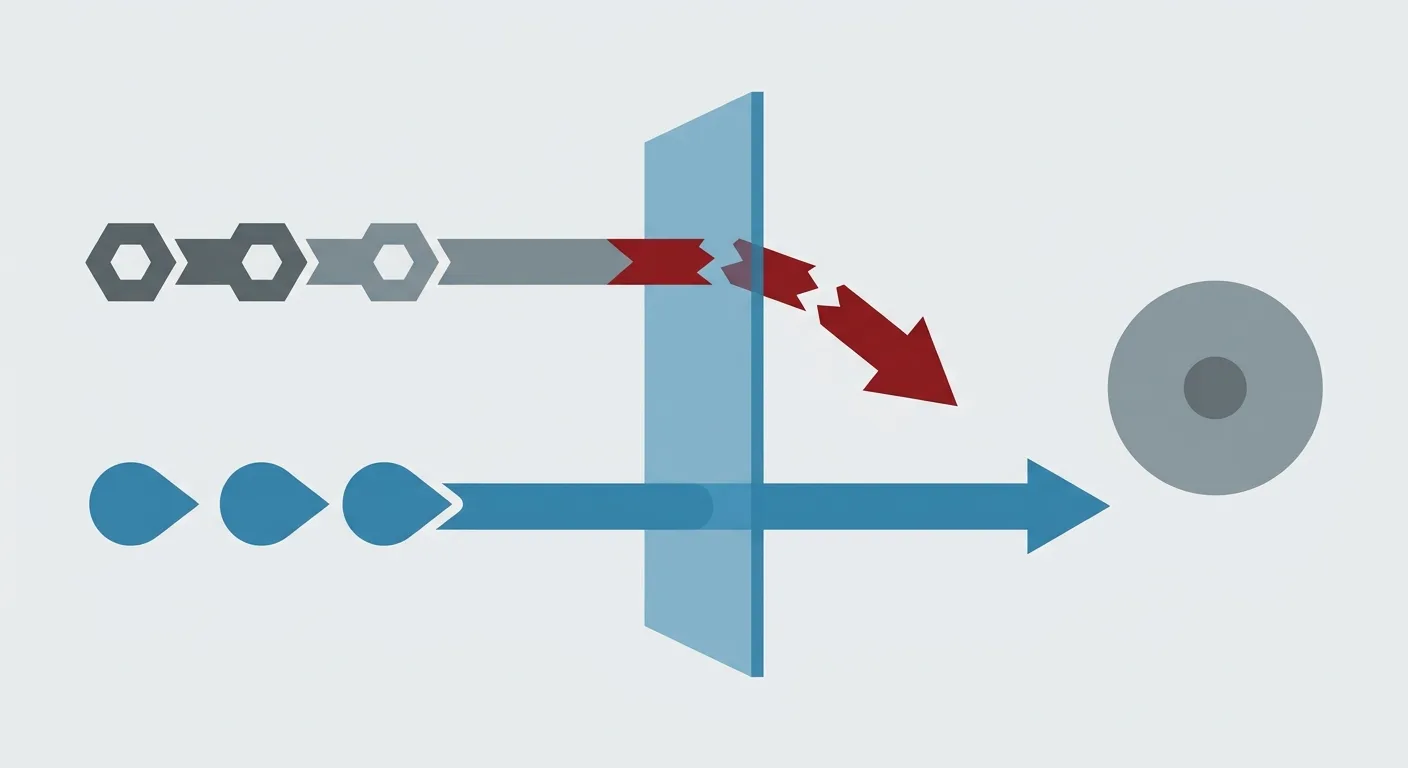
Figure: Top = the crawler UA, stopped by the edge layer; bottom = the browser UA control group, which gets the content. Both hit the same URL in the same time window.
Not Sure Which Rules Your CDN and WAF Actually Stack Up?
Most site owners have no idea this gap exists, because nobody can see both the robots.txt and the CDN dashboard rules at the same time. The CloudInsight technical team can help you map out how your cloud and CDN configuration is distributed and confirm exactly which rules the edge layer has stacked.
The Test Method: Official Full UA Against a Content Page, Plus a Same-Window Browser UA Control
The method itself has only four points, but every one of them has been learned the hard way. We have written our own scars into them.
Point 1: Use the Official Full UA String, Not a Half Token
Rules often match on the full string, not on a keyword. If you test with just the three syllables GPTBot, the result cannot tell you what happens when the real crawler shows up — it might pass while the real crawler is blocked, or the other way around.
That distinction between "token" and "full string" is written into RFC 9309 Section 2.2.1 itself: the name a crawler is matched on inside robots.txt is called a product token, and the standard only requires that this token be a substring of the identification string the crawler actually sends ("The product token SHOULD be a substring of the identification string that the crawler sends to the service."). In other words, a token like GPTBot is by design nothing more than a fragment of the full UA. Use it as your test string and you are not testing the same thing at all.
OpenAI's official documentation lists the full UA of all three of its bots verbatim (OpenAI):
| Crawler | Official full User-Agent | IP list |
|---|---|---|
| GPTBot (training) | Mozilla/5.0 AppleWebKit/537.36 (KHTML, like Gecko); compatible; GPTBot/1.4; +https://openai.com/gptbot | https://openai.com/gptbot.json |
| OAI-SearchBot (search) | Mozilla/5.0 (Macintosh; Intel Mac OS X 10_15_7) AppleWebKit/537.36 (KHTML, like Gecko) Chrome/131.0.0.0 Safari/537.36; compatible; OAI-SearchBot/1.4; +https://openai.com/searchbot | https://openai.com/searchbot.json |
| ChatGPT-User (user-triggered) | Mozilla/5.0 AppleWebKit/537.36 (KHTML, like Gecko); compatible; ChatGPT-User/1.0; +https://openai.com/bot | https://openai.com/chatgpt-user.json |
What almost nobody mentions, though, is that vendors publish at wildly different levels of granularity. Anthropic's official page lists only the names of its three bots — ClaudeBot (training), Claude-User (user-triggered) and Claude-SearchBot (search) — without giving full UA strings (Anthropic); Cloudflare's AI crawler reference likewise lists only tokens (Cloudflare).
So what do you do when all you get is a token? Dig it out of your own server access logs. Search the log for requests containing that token, copy the entire UA string from that line, and use it as your test string — that is what actually knocked on your door, and it beats any documentation for accuracy.
There is one more thing worth remembering along the same line: in that same article, Anthropic states explicitly that blocking by IP may not achieve opt-out correctly or durably, because it prevents the crawler from reading your robots.txt (Anthropic). Anyone planning to govern crawlers via IP lists should write that sentence down.
And the IP lists themselves move. On 2026-08-05 we pulled all four official lists and counted them: GPTBot had 21 prefixes, OAI-SearchBot 35, Anthropic 20 — and ChatGPT-User had 289, with that list's creationTime set to that very day. The egress ranges of training crawlers are as steady as rock; the egress of user-triggered traffic changes constantly. Hand-maintaining an IP allow list has a cost structure that is not the one you imagine.
curl -s https://openai.com/gptbot.json | python3 -c "import sys,json;print(len(json.load(sys.stdin)['prefixes']))"
Point 2: Hit a Real Content Page, Not the Homepage and Not robots.txt
This is the most concrete trap we have fallen into ourselves. Plenty of rules are attached to specific paths, and the homepage is very often the least representative page on the site.
In that same 2026-08-05 run, we widened the sample, and the spread was too big to leave unexplained:
| Test target | Status code | Response size | What you actually get back |
|---|---|---|---|
https://cloudinsight.cc/ (homepage) | 307 | 3 bytes | A locale redirect, not content |
/blog/cdn-settings (no locale prefix) | 307 | 21 bytes | Redirects to /zh/blog/cdn-settings |
/zh/blog/cdn-settings (Chinese content page) | 200 | 133,173 bytes | The full article HTML |
/zh/blog/cloudflare-cdn (another Chinese content page) | 200 | 134,708 bytes | The full article HTML |
/en/blog/cdn-settings (English content page) | 200 | 141,575 bytes | The full article HTML |
Look at the first row. If your entire audit only ever hit the homepage, you would have collected a 307 and 3 bytes — not an error, not content, proof of nothing. And since all six UAs get identical results on the homepage, you might even walk away thinking "tested, all good."
To see content, curl needs -L so it follows the redirect:
curl -sSL -A "$UA_GPT" -o /dev/null \
  -w 'final=%{url_effective} code=%{http_code} size=%{size_download}\n' \
  'https://cloudinsight.cc/blog/cdn-settings'
Point 3: You Must Have an Ordinary Browser UA Control Group in the Same Time Window
This is the core of the whole method. Without the control group, the other three points are wasted effort.
Without a control, a 403 has two possible readings: the edge layer is blocking crawlers, or the site simply happens to be broken at this moment. You cannot tell them apart. Add an ordinary browser UA in the same time window and the answer converges immediately — control 200 and crawler 403 means UA is the cause; both 403 means it is the site's problem and has nothing to do with crawlers.
Take "same time window" literally, too. Two sets of results ten minutes apart cannot be compared, because in between there might have been a deployment, a cache purge, or a traffic spike. Our approach is to run them in a single loop, seconds apart at most.
Point 4: Sample Across Page Types, Especially Every Locale
Testing one page is the same as testing nothing. Your sample should cover at minimum the homepage, listing pages, content pages, paginated pages, and every locale version. When was the last time anyone actually hit your English site?
Take cloudinsight.cc itself as the example: on 2026-08-05 the site had 365 Chinese articles and 369 English ones, 734 in total. Chinese and English sit behind two different path prefixes, and even the response sizes differ (133,173 versus 141,575 bytes). Testing only the Chinese homepage cannot surface any problem on an English content page — and for many sites, the English edition is the one AI actually pulls from when it cites you.
One last note: recording status codes alone is not enough; you must record response size alongside them. A 200 paired with a 3 KB response is usually a JS challenge page or empty-shell HTML, not your article. The "Reading the Results" section below makes the importance of this clearer.
Reading the Results: Which Layer 403, 429, 503 and an Empty-Shell 200 Each Point To
Once you have tested, the status code is your map. Each outcome points at a different layer, and to a different next step.
| What you see | What it means | Which layer it most likely came from | Which setting to go look at next |
|---|---|---|---|
| 403 | Access denied | Edge layer (WAF / bot rules) | Bot protection level, custom WAF rules, exceptions for fake bot detection |
| 429 | Rate limit exceeded | Edge layer (rate limiting) | The threshold and counting window of your rate rules; check whether the crawler's request frequency falls inside that window |
| 503 | Origin unavailable, or a challenge page | Could be either the edge layer or the origin | First check whether the CDN logged origin errors, then check the origin's health |
| 200, but you get a JS challenge page or empty-shell HTML | Beautiful status code, content never delivered | The edge layer's JS challenge, or the origin's front-end rendering approach | The JS / managed challenge toggles; confirm whether the page needs JavaScript to render its body text |
| 3xx | Redirect | Origin layer (usually locale or normalization logic) | Confirm the redirect target is reachable, and add the final URL to your sample set |
The fourth row is the hardest one to notice, and deserves its own paragraph.
If the dashboard is all green, does that mean the crawler really read your content? Automated monitoring that only watches status codes will show this row as green across the board — 200 is 200, and the dashboard registers nothing unusual. But what the crawler received was a page of challenge script or a hollow shell, without a single word of body text. By the time you notice something is off, it is typically months later, when you cannot find your own content anywhere in AI answers.
How do you tell them apart? Pull response size into the comparison. Article pages built from the same template should land in the same order of magnitude; the run that comes back at a few KB is your culprit. A more robust approach is to grep for a fixed string from the body:
curl -sSL -A "$UA_GPT" 'https://cloudinsight.cc/zh/blog/cdn-settings' \
  | grep -c '<h1'
A return of 0 means the page's heading never rendered at all, however good the status code looks.
Once You Have the Result, Which Setting Do You Change?
Which knob to turn after you measure a 403 or a 429 depends on which cloud your site sits on and which plan you are using. CloudInsight resells AWS, GCP, Azure, Alibaba Cloud and Tencent Cloud, so when your configuration is scattered across several platforms we can bring it into one view — with Chinese-language technical support in the Taiwan time zone.
👉 Consult on enterprise plans now|Join us on LINE for real-time consultation
Making the Audit Routine: When to Rerun It, and What Evidence to Keep
A one-off audit only proves "nothing was wrong at that moment." So how often should you rerun it? Edge-layer rules change, and so do crawler UAs and egress IPs, which means this belongs on a fixed cadence.
The triggers are easy to remember, because they are all "somebody touched one of the layers":
- You switch CDN providers, or change plan tier with the same one
- You adjust any WAF or bot rule — including the kind you assume "only affects one path"
- Your provider ships a new protection feature, or flips something to on-by-default
- The site adds a locale, changes its routing structure, or publishes a large batch of new pages
- It has been a quarter since the last audit
As for what evidence to keep, all six of these fields are mandatory:
| Field to keep | Why it cannot be skipped |
|---|---|
| Timestamp (with time zone) | Rule changes and cache purges all happen at a point in time; without one you cannot line anything up |
| Full UA string | Recording just "GPTBot" makes the same request impossible to reproduce later |
| Full URL | Rules are often attached to specific paths; a different page gives a different result |
| Status code | The primary basis for interpretation |
| Response size | The only cheap way to catch "200 but the body is an empty shell" |
| Control group result | Without it there is no attribution, and the record is worthless after the fact |
That last row is the one we most want to emphasize. A record without the control group tells you, three months later, only that "the crawler got a 403 that day" — not whether the site itself was healthy that day. The attribution chain breaks right there, which makes keeping the record pointless.
One caveat: passing the audit only means "you can be crawled," not "you will be cited" — crawlability is a precondition, not an outcome. AI SEO Hacker, run by the same team as CloudInsight, specializes in what still has to happen on the content side once crawlability is fixed; clean up this server-side layer first, and only then does moving to the next one make sense — do it in the reverse order and you will waste the effort.
For which items need re-verification after you adjust CDN rules, work down the list in 8 CDN configuration tweaks that speed up your site and then run the accessibility audit at the end of it, so the two form a single fixed routine. Extend that track forward and two more things come looking for you: how to calculate the bandwidth and traffic cost crawlers add to your bill (see what AI crawlers cost you in bandwidth), and how to confirm that a visiting "crawler" really is the one it claims to be (see how to verify an AI crawler's identity). Accessibility, cost and identity verification are three faces of the same server-side homework.
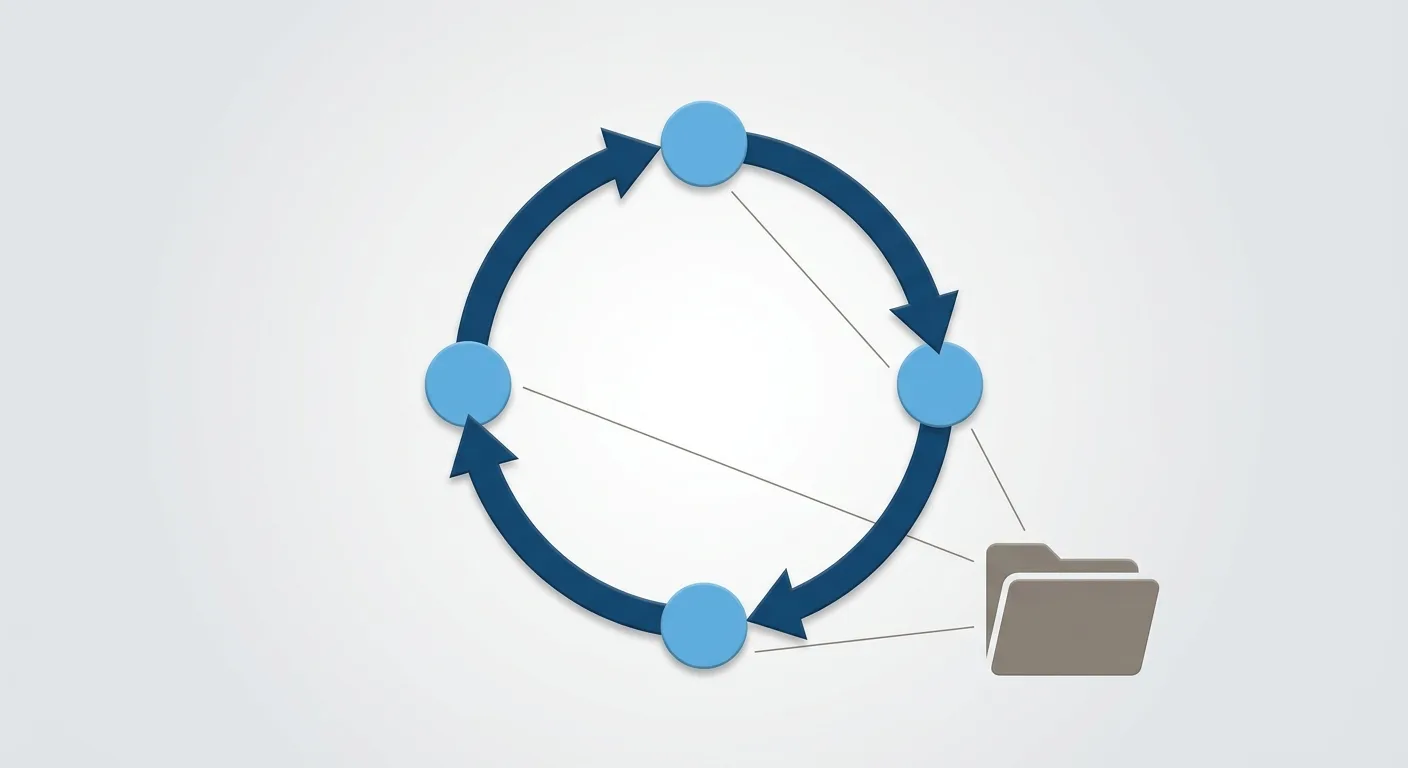
Figure: The audit runs as a loop — rerun it on a CDN switch, a rule change, a new protection release or a batch of new pages, and archive the same six evidence fields every round.
Frequently Asked Questions
Q: robots.txt does not block AI crawlers, so why can't they reach my content?
A: robots.txt is a policy-layer declaration with no enforcement power; the layer that can actually return a 403 or 429 before the request touches your code is the CDN/WAF, and its rules are never reflected in the robots.txt file. They are different systems maintained by different people. The only way to confirm the situation is to hit a content page with the crawler's official full UA and add an ordinary browser UA control group in the same time window, then compare status codes.
Q: Does Cloudflare's bot protection block AI crawlers by default?
A: It depends which category the rule is hung on. Cloudflare's verified bot categories (17 usable in WAF custom rules, including Search Engine Crawler, AI Crawler and AI Search) mean that the higher up the rule sits, the wider the collateral damage. Its fake bot managed rules state it outright: if the User-Agent matches a known bot but the source cannot be verified, the request is flagged as a fake bot — so a real crawler whose verification chain fails gets caught too. Rather than speculating, test it.
Q: Will testing with curl and a UA give the same result as a real crawler visit?
A: Not exactly the same, but it is enough to catch differential treatment at the UA layer, which is the most common source of the gap. The difference is that a real crawler's source IP is on the official list and can pass reverse verification, while curl cannot. So a 403 from curl almost certainly means you have a problem; a 200 means "at least the UA gate is not blocking you," and the IP and verification-chain layer still has to be confirmed separately.
Q: Are 403 and 429 handled the same way?
A: No. A 403 is access denied, usually from a WAF or bot rule, so you go check your bot protection level and custom rules and add an exception if needed. A 429 is a rate limit exceeded, coming from edge-layer throttling, so what you check is the threshold and counting window of the rate rules, not a block list. Both happen at the edge layer, but the settings you have to change are completely different, and changing the wrong one has no effect.
Q: The status code is 200 — why do you say the content was not delivered?
A: Because 200 only means the server responded, not that what it returned is your article. JS challenge pages and empty-shell HTML both return 200 without a single word of body text. The way to tell is to record response size at the same time: in the 2026-08-05 measurements, a normal Chinese content page was 133,173 bytes, while the homepage's redirect response was only 3 bytes. Monitoring that watches status codes alone will show this class of problem as green the entire time.
Conclusion: A Clean robots.txt Does Not Mean You Are Crawlable — Only a Test Counts
Back to the question we opened with: does robots.txt saying yes mean AI can actually crawl you? The answer is not necessarily, and that file will never tell you which. It governs the policy layer; the layer that decides whether to let anyone through is the edge layer, and the two do not talk to each other.
Getting the real answer takes three steps.
Step one, hit a real content page with the official full UA — not the homepage, not robots.txt. Where a vendor has not published the full string, dig it out of your own access logs.
Step two, add an ordinary browser UA control group in the same time window, and compare status codes as well as response sizes. If neither gets through, it is the site's problem; only when the crawler group alone fails is the edge layer doing the blocking.
Step three, use the status code to go back to the matching layer's settings — 403 and 429 send you to bot protection and rate rules, 503 sends you to origin error logs first, and a 200 with an empty shell sends you to JS challenges and rendering.
The cost of doing this is almost unreasonably low: a few lines of curl, a few minutes. Compare that with having your content quietly blocked at the edge for months without knowing — the price of that is far higher. Rather than trusting a file, trust a measurement.
Of course, accessibility is not the only piece of server-side homework — once crawlers can get in, whether your server can absorb that automated traffic, and whether you should adjust your capacity planning for it, is another road to walk (see preparing your servers for AI agent traffic). But the order never changes: confirm you can be crawled first, and everything else follows.
🎯 Take Action Now
robots.txt is what you wrote for crawlers to read; CDN rules are what actually gets enforced — and when the two disagree, you are the one who pays.
👉 Consult now to get the plan that fits you best 👉 Join our official LINE account for real-time technical support
References
- IETF RFC 9309, "Robots Exclusion Protocol" (Standards Track, September 2022; the formal specification for robots.txt, accessed 2026-08-05)
- OpenAI official bots documentation: full User-Agents and IP lists for GPTBot, OAI-SearchBot and ChatGPT-User (accessed 2026-08-05)
- Anthropic: Does Anthropic crawl data from the web, and how can site owners block the crawler (accessed 2026-08-05)
- Cloudflare: Troubleshooting fake bot managed rules
- Cloudflare: Verified bots concepts and verification bar (page marked Last updated 2026-07-01)
- Cloudflare Blog: new AI bot categories and the 10 bot classes
- Cloudflare AI Crawl Control: AI crawler user-agent token reference
Need Professional Cloud Advice?
Whether you're evaluating cloud platforms, optimizing existing architecture, or looking for cost-saving solutions, we can help
Book Free ConsultationRelated Articles
How to Verify GPTBot Is Real: 3 Checks (2026 Data)
Verifying GPTBot in 2026 needs more than a User-Agent match — the client writes it. IP lists, FCrDNS, Cloudflare's two bars, a 403/200 test, measured 2026-08-05.
CDNCDN and DDoS Protection: 3 Layers of Mechanisms to Protect Your Website Security
How does CDN protect against DDoS attacks? Complete analysis of CDN security mechanisms, from traffic scrubbing and WAF to Bot protection, learn how to strengthen website security through CDN.
Tencent CloudEdgeOne Review: Price and Speed vs Cloudflare
EdgeOne is Tencent Cloud's edge acceleration product integrating CDN, DDoS protection, and WAF. Using the latest official pricing (including the free plan), we reassess: EdgeOne's advanced-protection Standard tier costs $590/month — more than Cloudflare Business at $200. EdgeOne's value is Asia-Pacific and China coverage, not price.