
How to Verify GPTBot Is Real: 3 Checks (2026 Data)
How to Verify GPTBot Is Real: Three Checks for AI Crawler Identity
On 2026-08-05 we pulled all four official crawler IP lists at once and counted them. OpenAI's training crawler, GPTBot, uses only 21 prefixes. ChatGPT-User, the user-triggered fetcher, uses 289. Same company, same website, and the two lists differ in size by more than a factor of ten.
What does a gap that wide tell you? It tells you that "AI crawler" is not one kind of traffic at all — and that the User-Agent string sitting in your logs is, when you get down to it, just a string. It can be genuine. It can also be typed by anyone.
So if the question is whether GPTBot is real, comparing User-Agents is nowhere near enough. This article is about what happens after the request lands on your server: how to turn "who it says it is" into "who it actually is" — three checks, namely matching official IP lists, forward-confirmed reverse DNS, and Cloudflare's two bars for Verified Bots. Every number below was measured on 2026-08-05, with commands you can rerun, and these values move — run them yourself and you may well get something different from what is written here. That is part of the point.

Figure: A request has to clear three checks in order — official IP lists, forward-confirmed reverse DNS, behavioural bars — before its identity is settled
The User-Agent Is a String Anyone Can Type: Why Matching It Is Not Verification
The User-Agent is one line the client writes into the HTTP headers itself. The server can only take it at face value; there is no way to disprove it. That is a property of the protocol design, not an oversight in somebody's implementation. So between "I say I am GPTBot" and "I am GPTBot" there is not a weak bridge — there is no bridge.
This has formal backing. The standard behind robots.txt is the IETF's RFC 9309 "Robots Exclusion Protocol" (Standards Track, September 2022), and §2.2.1 opens with "Crawlers set their own name, which is called a product token" — the crawler's name is something it picks for itself. The only requirement the standard places on that name is that it "SHOULD be a substring of the identification string that the crawler sends to the service." Nowhere in that chain does a third party have to confirm anything. Section 1 of the same document puts it even more bluntly: "These rules are not a form of access authorization."
That may sound theoretical. So let us demonstrate it a different way — not by showing how to impersonate anyone, but by showing how much weight that one string carries.
A Test You Can Run Yourself Right Now (measured 2026-08-05)
On 2026-08-05 we did something very simple: sent three requests to the same URL, not changing a single character of it, swapping only the User-Agent. The URL was https://claude.com/crawling/bots.json — the list on which Anthropic publishes its own crawlers' IP ranges.
Here is what came back:
| User-Agent | HTTP status |
|---|---|
Python-urllib/3.13 | 403 |
curl/8.7.1 | 200 |
Mozilla/5.0 ... Chrome/128.0 Safari/537.36 | 200 |
(Measured 2026-08-05, source: https://claude.com/crawling/bots.json)
Three lines to reproduce it — paste them straight into a terminal:
curl -s -o /dev/null -w "%{http_code}\n" \
  -A "Python-urllib/3.13" https://claude.com/crawling/bots.json
# 403

curl -s -o /dev/null -w "%{http_code}\n" \
  -A "curl/8.7.1" https://claude.com/crawling/bots.json
# 200

curl -s -o /dev/null -w "%{http_code}\n" \
  -A "Mozilla/5.0 (Macintosh; Intel Mac OS X 10_15_7) AppleWebKit/537.36 (KHTML, like Gecko) Chrome/128.0.0.0 Safari/537.36" \
  https://claude.com/crawling/bots.json
# 200
If you would rather not use curl, run it from the Python standard library instead — which is closer to how this actually shows up in production:
import urllib.request, urllib.error

# No User-Agent set: urllib sends its default, Python-urllib/<version>
try:
    urllib.request.urlopen("https://claude.com/crawling/bots.json", timeout=20)
except urllib.error.HTTPError as e:
    print("HTTPError", e.code)      # → HTTPError 403

# Set an explicit User-Agent of your own
req = urllib.request.Request(
    "https://claude.com/crawling/bots.json",
    headers={"User-Agent": "MyCompany-BotListSync/1.0"},
)
print(urllib.request.urlopen(req, timeout=20).status)   # → 200
Same file, same server, same moment in time; the only variable is that one line of text. We have not seen this written up anywhere else, so we have spelled out the reproduction steps in full — verify it once yourself, then decide whether to believe us.
What the Test Actually Proves
It does not prove that "Anthropic has a configuration problem." It proves something far more basic: if a UA can decide how you get treated, it can equally be used to pretend to be someone else.
A string important enough to trigger an allow or a block is a key — and the right to copy that key belongs to whoever is knocking. Treating the UA as verification hands the lock to the person at the door for safekeeping.
In security terms this has a broader name: it is the problem of authentication and falsifiability. Information supplied by the claimant, if the verifier cannot independently check it, does not constitute verification. The principle holds for traffic decisions on a website and it holds just as firmly in API scenarios — firmly enough to have its own entry in the vulnerability catalogues. To see how it goes wrong at the integration layer, compare the broken authentication entry in the OWASP API Security Top 10; to understand from first principles why falsifiability is the bedrock of security work, our complete guide to information security gives you the wider context.
So how do you tell whether a visitor is a bot, and whether it is the bot it claims to be? The answer can only come from something the client does not control. And there are exactly two such things: which IP it came from, and what that IP looks like in DNS.

Figure: On the left, the client's self-declaration (the User-Agent); on the right, facts the server can check independently (source IP, DNS records) — there was never a bridge between them
Check One: Match the Official IP Lists (where the four stood on 2026-08-05)
The most direct form of verification is to look up whether the source IP falls inside an officially published prefix. Both OpenAI and Anthropic publish lists like this, as JSON, and anyone can fetch them.
On 2026-08-05 we pulled all four and counted them. The results are below. These values move — particularly the last column, creationTime, which is the generation timestamp the list carries about itself:
| Crawler | Purpose | List URL | Prefixes | creationTime |
|---|---|---|---|---|
| GPTBot | Training data collection | https://openai.com/gptbot.json | 21 | 2025-10-30 |
| OAI-SearchBot | Search indexing | https://openai.com/searchbot.json | 35 | 2026-01-02 |
| ChatGPT-User | User-triggered live fetches | https://openai.com/chatgpt-user.json | 289–290 | 2026-08-05 01:03 |
| ClaudeBot / Claude-User / Claude-SearchBot (all three share one list) | Training / user-triggered / search | https://claude.com/crawling/bots.json | 20 (20 IPv4, 0 IPv6; 19 of them /32 single IPs) | 2026-05-01 |
(All measured 2026-08-05. The numbers you get will very likely differ — why they differ, and what to do about it, is exactly what the section "Fetching the Official List Is Itself a Step That Fails" below is about.)
The command to count them yourself:
curl -s -A "curl/8.7.1" https://openai.com/gptbot.json | python3 -c \
  "import sys,json; d=json.load(sys.stdin); print(d['creationTime'], len(d['prefixes']))"
Swap in the other three URLs and you can rebuild the whole table.
Three Things You Can Read Off That Table
First, training crawlers have extremely stable egress IPs. GPTBot's list has a creationTime frozen at 2025-10-30 — nine months untouched as of the day we measured. That is good news for operations: an allowlist you set once will hold for a long time.
Second, user-triggered traffic churns its egress hard. The ChatGPT-User list was updated on the very day we measured, timestamped down to 2026-08-05 01:03. Better still: our two calls were only minutes apart and the prefix count moved from 290 to 289. Copy something like that into your WAF by hand and it is stale by tomorrow.
Third, the two vendors write prefixes in different styles, so the maintenance cost is structured differently. OpenAI's three lists use ranges that cover a whole block of addresses (/24, /28 and so on); of Anthropic's 20 entries, 19 are /32 — a single IP each. Why does that matter? With ranges, the vendor can swap machines inside its own block and your rules never move. With single addresses, every machine they swap is a rule you have to edit. So although Anthropic's list updates rarely (nothing since 2026-05-01), when it does move, maintenance looks less like "adjusting a range" and more like "replacing the batch."
Worth noting in passing: that "289 versus 21" gap is not just a curiosity. It decides outright whether hand-maintaining an allowlist is viable at all — something we take apart specifically in what your server needs before AI agents start showing up on their own.
Where This Check Stops Working
IP-list matching is clean, but it only works for crawlers that publish a list. What about the ones that do not? They never reach this check at all — that is what the second one is for.
There is also a practical precondition people skip: since the lists change, you have to sync them automatically. And syncing is precisely where Anthropic's list has a trap buried in it.
Fetching the Official List Is Itself a Step That Fails: Python's Silent 403
Back to that 403 on the Anthropic list. It is not a fun piece of trivia. It is a landmine that can take your entire allowlist down with it.
Picture the standard approach: a small script that runs in the small hours, fetches the four official lists, parses out the prefixes and updates the WAF allowlist. Written in what? Most people reach for Python — and when Python's standard-library urllib is not given a User-Agent, the default it sends is Python-urllib/<version>.
And then? Anthropic's list returns 403.
Why This Particular Failure Is So Dangerous
Because it is silent.
If the script never checks the HTTP status code and hands the response straight to a JSON parser, both outcomes are bad. Either parsing fails, the script dies mid-run with an exception, and the allowlist keeps its previous version (which is the better case) — or worse, the script has a try/except around it, treats the failure as "no data this time," and writes out an empty or partial allowlist.
What happens when you write an empty allowlist? You have blocked every real crawler. Not the fake ones, the real ones. And this failure raises no alarm at all, because the script "finished," the exit code was zero, and there is no red text in the log. You find out weeks later when your site's AI visibility has fallen off, and then spend days working backwards to find out where it broke.
Our experience is that debugging this class of failure costs far more than the failure itself — because nobody's first instinct is to suspect the sync script that has been running "fine" for six months.
The Fix Is Three Things
- Set the User-Agent explicitly. Do not rely on the default. Use a string that identifies your organisation, such as
MyCompany-BotListSync/1.0, so the other side can also see who was fetching when something goes wrong. We tested it: the sameurllibscript, with only that header added, turned 403 into 200. - Check the HTTP status code before parsing. Treat anything other than 200 as a failure and never let it reach the parsing step. That line of code takes three seconds to write and is the only gatekeeper on the entire chain.
- Compare the entry counts and abort with an alert on anomalies. When the new version differs from the old beyond a threshold — the count halves, or drops straight to 0 — do not ship it; keep the old version and raise an alert. ChatGPT-User going from 290 to 289 is normal drift. Going from 289 to 0 is a disaster.
Item 3 is the real insurance. The first two defend against known failure modes; the third defends against the ones you have not met yet.
import json, urllib.request

UA = "MyCompany-BotListSync/1.0"

def fetch_prefixes(url: str) -> list:
    req = urllib.request.Request(url, headers={"User-Agent": UA})
    resp = urllib.request.urlopen(req, timeout=20)
    if resp.status != 200:                      # ← gatekeeper: anything but 200 is a failure
        raise RuntimeError(f"{url} returned {resp.status}")
    return json.load(resp)["prefixes"]

def safe_update(url: str, previous: list) -> list:
    fresh = fetch_prefixes(url)
    if not fresh or len(fresh) < len(previous) * 0.5:   # ← do not ship if the count halves
        raise RuntimeError(f"suspicious shrink: {len(previous)} -> {len(fresh)}")
    return fresh
Is Anyone in Your Company Actually Watching That Sync Script?
A sync script that fails silently gets noticed by nobody when it breaks — all you see is crawler traffic suddenly hitting zero. The CloudInsight technical team can help you inventory this kind of "automation nobody owns" across your cloud environment and put the alerting back in.
Check Two: How to Run Forward-Confirmed Reverse DNS (FCrDNS)
How do you verify a crawler that publishes no IP list but does have a stable domain? With a reverse DNS round trip — FCrDNS (Forward-Confirmed reverse DNS). This is Google's official method for verifying Googlebot, and its documentation spells out both steps: a reverse DNS lookup and a forward DNS lookup. It is not a fringe trick; it is the established practice in this space.
Three steps, and dropping any one of them invalidates the result:
- Reverse: look up the PTR record for the source IP to get a hostname.
- Check the domain: confirm that hostname sits under the vendor's official domain (Googlebot, for example, lives under
googlebot.comorgoogle.com). - Forward again: resolve the hostname from step 2 back to an IP and confirm it matches the source IP from step 1.
In practice it looks like this:
# Step 1: reverse lookup to get the hostname
dig -x 66.249.66.1 +short
# → crawl-66-249-66-1.googlebot.com.

# Step 3: resolve the hostname forward and compare with the original source IP
dig +short crawl-66-249-66-1.googlebot.com
# → 66.249.66.1   (identical to the source IP in step 1 → the loop closes, pass)
That output was measured on 2026-08-05. Step 2 is eyeball-verifiable in this example: the hostname ends in googlebot.com, which is inside Google's official domain.
Why Both Directions Are Mandatory
This is where most people stop halfway, and it is the most fatal place to stop.
The reverse lookup reads a PTR record, and PTR records are configured by whoever owns that block of IPs. In other words, anyone who controls the reverse DNS for their own addresses can make the hostname look thoroughly official. Doing only the reverse lookup, seeing googlebot.com in the string and waving the request through is back to trusting the other side's self-declaration — the declaration has merely moved to a different field.
The forward lookup is the part that counts, because forward DNS records are controlled by the domain owner. An attacker can set any PTR they like for their own IP, but they cannot change the A record for googlebot.com. So the closed loop — "the hostname from the reverse lookup must resolve forward to the original IP" — is what actually takes the power of verification back from the client and puts it in your hands.
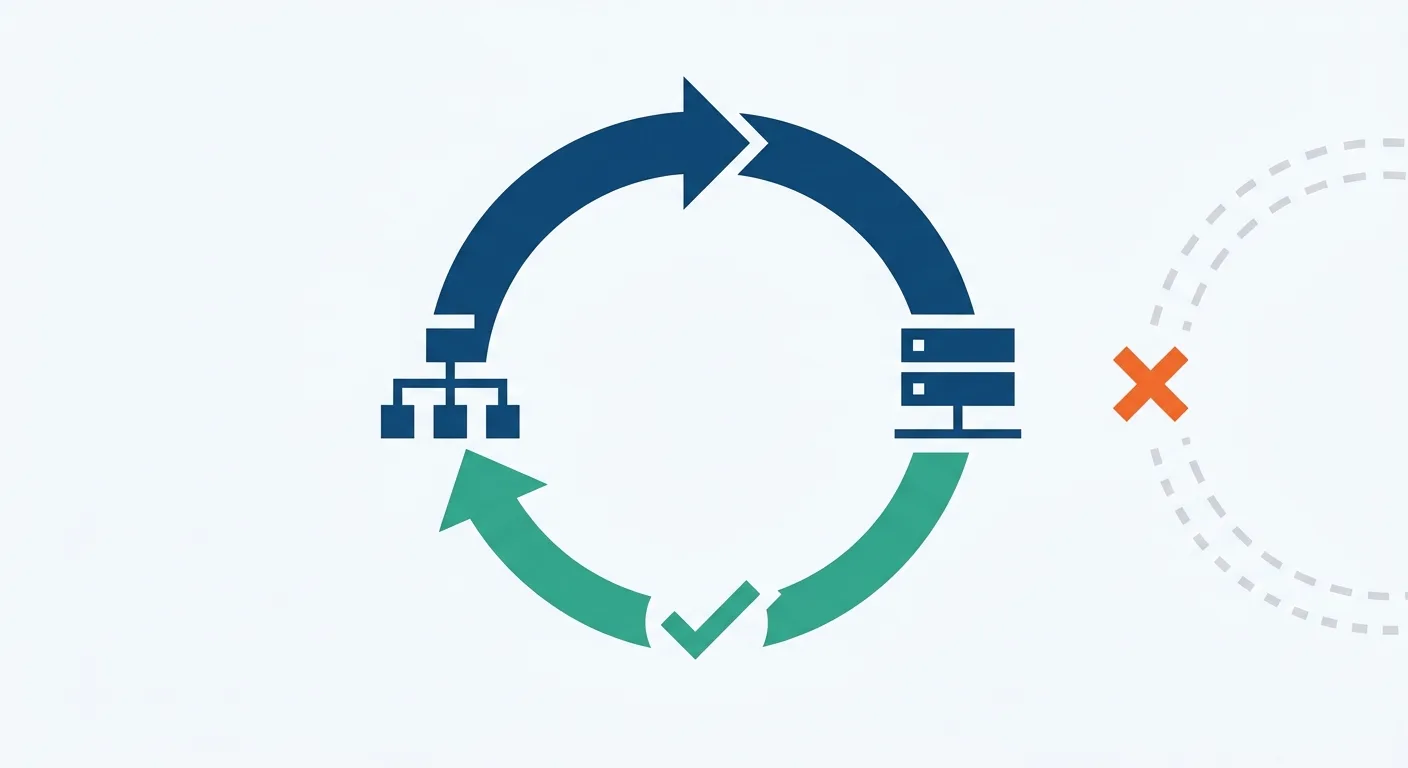
Figure: Only a closed loop passes — the source IP resolves in reverse to a hostname, and the hostname resolves forward to the same IP; do only the reverse half and the ring stays open
Where This Check Applies
The upside of FCrDNS is that it does not require the other side to publish an IP list — only to have a consistent domain naming convention. The downsides are equally plain: it adds two DNS lookups, which need caching under load, and if a given crawler's PTR records are scattered or simply absent, this route is closed too.
So checks one and two are not an either/or; they are complementary. Use the list where there is a list (fast, definitive); use FCrDNS where there is not (slower, but universal).
Cloudflare's Two Bars for Verified Bots: Honest Self-Identification and Non-Abusive Behaviour
If Cloudflare sits in front of your site, there is a ready-made decision framework you can borrow. Per the Cloudflare Verified bots documentation (page marked Last updated 2026-07-01), a bot has to clear two bars at the same time to be listed as verified:
| Bar | What it means | What it means for you as a site owner |
|---|---|---|
| 1. Honest self-identification | Cryptographic signatures via Web Bot Auth, a published IP list paired with a stable UA, or reverse DNS — anything that lets the other side confirm the identity independently | This is the official version of the first two checks in this article: identity has to be checkable by a third party, not asserted by the claimant |
| 2. Non-abusive behaviour | Honours robots.txt, keeps request rates reasonable, does not circumvent stated site owner preferences | A genuine identity is not enough; the behaviour has to pass too. A bot that violates this should not get an exemption even if its identity verifies |
(Source: Cloudflare Verified bots documentation, page marked Last updated 2026-07-01)
The Second Bar Gets Overlooked, and It Is the Dividing Line
Most discussions of bot verification only cover the first bar — "is it real?" By listing the second alongside it, Cloudflare is making a different point: whether an identity is genuine and whether it should be let through are two independent questions.
A crawler with a completely valid identity that hammers your origin server hard enough to bring it down and ignores robots.txt while doing so — should you block it? Obviously. Passing verification only earns the right not to be treated as an impostor. It is not an unlimited pass.
How a Fake Bot Gets Flagged
Cloudflare also has a set of fake bot managed rules whose logic is refreshingly simple: the UA matches a known bot, but the origin cannot be verified, so it is flagged as a fake bot.
The shape of that rule is worth copying. It is not "the UA looks odd, so block it" — it is "the UA makes a very specific claim, and the facts do not line up." The latter is the real signal. A script that honestly identifies itself as MyCompany-Scraper/1.0 never gets flagged; a request claiming to be Googlebot from an unverifiable IP does.
If your Cloudflare dashboard is not configured this deep yet, or you are not sure which menus the bot settings live under, start with our complete Cloudflare CDN tutorial to locate the basic settings first, then come back.
Wiring the Three Checks into One Auditable Decision Flow
Each of the three checks stands on its own, but they are only useful strung into a sequence. The order we use in production is this:
- First, does the UA match a known bot list? Anything that does not match is out of scope for this flow and goes through normal traffic handling.
- If it matches, look up whether the source IP falls inside that crawler's official IP list. Inside it → pass, mark as verified.
- Not in the list (or that crawler publishes no list) → run the FCrDNS round trip instead. All three steps — reverse, domain check, forward — pass → pass.
- Neither check passed → mark as "unverified" and send it to the rate-limit queue.
Translated into rule language, roughly like this (illustrative; actual syntax depends on your WAF platform):
# Pseudo-code: the order of the three checks
if ua_matches_known_bot(request.user_agent):
    bot = identify(request.user_agent)
    if bot.has_official_ip_list and ip_in_prefixes(request.ip, bot.prefixes):
        verdict = "verified"                  # check one: IP list
    elif fcrdns_ok(request.ip, bot.dns_domains):
        verdict = "verified"                  # check two: FCrDNS round trip
    else:
        verdict = "unverified"                # → rate limit, not block
else:
    verdict = "not_a_known_bot"
"Unverified" Does Not Mean "Malicious" — Hold This Line
Step 4 says rate limit, not block, and that is deliberate.
An unverified source can be several things: a genuine impostor; a crawler that just changed its egress IP while your list has not caught up; or your sync script, having failed silently yesterday (see "Fetching the Official List Is Itself a Step That Fails" above). All three look identical in your logs.
The cost of blocking outright is asymmetric. Block an impostor and you have lost one harmless fetch. Block a real crawler and your content vanishes from that AI system's pool of sources — and nobody sends you a notification. So our recommendation is this: unverified traffic goes into a rate-limit queue, keep samples, leave a path for human review, watch it for a while, and only then decide whether to escalate to a block.
If you want to see the enforcement layer as a whole at the same time — where rate limiting, challenges and blocks each belong — read on in the three layers of CDN and DDoS protection. And if you suspect you are "open in theory, blocked in practice," the thing to check is one layer up, in the gap between your policy and your CDN/WAF; we lay out the full three-layer method in robots.txt says yes, but can AI actually crawl you?.
A Rule-Design Reality: Some Crawlers Cannot Be Told Apart at the IP Layer
There is one more thing that shapes how you write the rules.
Look back at that 2026-08-05 table. OpenAI splits GPTBot, OAI-SearchBot and ChatGPT-User into three separate lists, so you can route them at the IP layer — training crawlers and user-triggered traffic on different rules with different budgets is entirely workable.
Anthropic is different. ClaudeBot, Claude-User and Claude-SearchBot all share the one list at https://claude.com/crawling/bots.json. What does that mean in practice? It means that once a request passes verification you know "this really is an Anthropic crawler," but you cannot tell from the IP whether it is training, user-triggered or search. To distinguish them you have to fall back to the UA layer — the very layer this whole article says cannot stand alone as verification.
That is not a contradiction; it is a division of labour. The IP layer answers "is it real"; the UA layer answers "which one is it." The two do different jobs, and the order cannot be reversed. Confirm the source is genuine with an IP list or FCrDNS first, and only then use the UA to classify — at which point the UA is trustworthy, because any request that clears the first check came from an address the vendor controls in the first place.
Why is the difference between training crawlers and search crawlers worth handling separately? Because they are worth different amounts to you. Search and user-triggered fetches usually come with citations and traffic; training fetches are a one-way export of your content. To quantify what each of them costs you in resources, use the method in how much bandwidth AI crawlers actually consume.
Which Layer Should This Decision Flow Live In?
Which layer this belongs in, and where the rules go on which platform, differs from cloud to cloud. CloudInsight resells AWS, GCP, Azure, Alibaba Cloud and Tencent Cloud, with Chinese-language live support and technical support in the Taiwan time zone — no waiting until the next day for an email reply.
👉 Consult on enterprise plans now|Join us on LINE for real-time consultation
After Verification: Getting In Is Not the Same as Getting Cited
Once the three checks have run, the question you have answered is "who came in." That half matters — but it is only half.
The other half is: after these crawlers take your content away, does the AI's answer actually use any of it? And when it is cited, what does that look like? That track examines something entirely different — not WAF rules, not IP prefixes, but the structure of the content itself: whether a passage can be understood standing alone, whether a claim has a verifiable source, how close a question sits to its answer.
As for what happens once they are in — whether your content gets picked up in AI answers, and what a citation looks like when it does — that is a separate track altogether, governed by content structure rather than WAF rules. AI SEO Hacker, run by the same team as CloudInsight, has written up the full path by which content gets cited in AI search; pick it up when you want to close that other half. This article stops at identity.
Keeping the two apart makes operations much cleaner: identity problems live in your logs and your rules, citation problems live in the article. A WAF rule will not fix your citation rate, and rewriting articles will not stop a spoofed crawler.
Frequently Asked Questions
Q: Can I confirm something is GPTBot just by matching the User-Agent?
A: No. The User-Agent is a string the client writes into the HTTP headers itself, and the server has no mechanism to disprove it. We tested this on 2026-08-05: the same URL returned either 403 or 200 depending purely on the UA — which shows both how much weight that line of text carries and how easily it can be used to impersonate someone else. Confirming identity has to rely on the source IP or reverse DNS.
Q: How often do the official IP lists change, and how often should I sync?
A: It varies enormously by vendor. When we measured on 2026-08-05, GPTBot's list had a creationTime of 2025-10-30 — nine months untouched; ChatGPT-User, by contrast, was updated that same day, and two calls minutes apart returned prefix counts of 290 and then 289. Sync automatically, run it daily, and abort the write with an alert whenever the entry count moves abnormally. Do not maintain it by hand.
Q: Reverse DNS verification or IP-list matching — can I do just one?
A: They are complementary; do both. IP-list matching is fast and definitive but only works for crawlers that publish a list; reverse DNS (FCrDNS) needs no published list and suits crawlers with consistent domain naming, at the cost of two extra DNS lookups. The practical order is: check the list first, run FCrDNS when the list does not answer, and mark as unverified only when both fail.
Q: Is traffic flagged as a fake bot by Cloudflare necessarily malicious?
A: Not necessarily. Cloudflare's fake bot managed rules flag on the condition "the UA matches a known bot but the origin cannot be verified," and an origin can fail verification because the crawler just changed its egress IP or because your list sync failed. So send unverified traffic to a rate-limit queue first, keep samples and leave a path for human review rather than blocking outright — blocking a real crawler by mistake never raises an alarm.
Q: Why do Claude's training crawler and its user-triggered traffic share one IP list?
A: As measured on 2026-08-05, ClaudeBot, Claude-User and Claude-SearchBot do indeed share the single list at https://claude.com/crawling/bots.json, 20 prefixes in total, 19 of them /32 single IPs. The practical consequence: at the IP layer you can only confirm "this is an Anthropic crawler." To tell training, user-triggered and search apart, you have to fall back to the UA layer after verification has passed.
Conclusion: Two Bars, Neither Optional, and Automate Them
If you remember only three sentences about verifying AI crawler identity, remember these.
One: a UA is never an identity. It is one line the client writes itself. On 2026-08-05 we got both 403 and 200 out of the same URL by changing nothing but the UA, and you can reproduce that test yourself — what it proves is not that someone's bot protection is broken, but how much that line of text weighs.
Two: getting the list sync right matters more than writing elegant rules. Set the User-Agent explicitly, check the HTTP status code, compare entry counts and abort with an alert on anomalies. Those three things add up to under twenty lines of code, and they cover the only place on the whole verification chain that can collapse silently. The ChatGPT-User list was updated on the very day we measured, and two calls minutes apart returned different counts — a copy transcribed into your WAF by hand will not survive the week.
Three: unverified traffic gets rate limited, not blocked outright. Keep the rate-limit queue, keep samples, keep a path for human review. What happens if you skip verification altogether? Not that you get crawled into the ground — it is that you think you blocked the bad ones while what you actually blocked was the real ones, with no alert to tell you so.
If you want to start today, the order is: get automatic syncing of the four official lists working first (with status-code checking), add FCrDNS as the second check, and only then tune the enforcement policy. None of the three steps requires changing platform, and none of them requires waiting for budget.

🎯 Take Action Now
What happens if you skip verification: not that you get crawled into the ground, but that you think you blocked the bad ones while what you actually blocked was the real ones.
👉 Consult now to get the plan that fits you best 👉 Join our official LINE account for real-time technical support
References
- IETF RFC 9309 "Robots Exclusion Protocol" (Standards Track, September 2022; the formal specification behind robots.txt, retrieved 2026-08-05)
- Cloudflare — Verified bots (page marked Last updated 2026-07-01)
- Cloudflare — Fake bot managed rules
- Anthropic — Does Anthropic crawl data from the web, and how can site owners block the crawler? (confirmed accessible 2026-08-05)
- Google — Verify Google crawlers and fetchers (confirmed accessible 2026-08-05)
- OpenAI official crawler IP lists:
https://openai.com/gptbot.json,https://openai.com/searchbot.json,https://openai.com/chatgpt-user.json(first-hand, measured 2026-08-05) - Anthropic official crawler IP list:
https://claude.com/crawling/bots.json(first-hand, measured 2026-08-05)
Need Professional Cloud Advice?
Whether you're evaluating cloud platforms, optimizing existing architecture, or looking for cost-saving solutions, we can help
Book Free ConsultationRelated Articles
AI Agent Traffic 2026: Server Readiness and IP List Sync
AI Agent traffic is not crawler traffic. Measured 2026-08-05: ChatGPT-User publishes 289 prefixes, GPTBot 21, frozen 9 months. Server prep and a 403 trap.
DevOpsAI Crawlers Blocked Despite robots.txt? 2026 Live Audit
AI crawlers blocked in 2026? robots.txt never shows it — the 403 comes from your CDN and WAF. Three layers, curl audit commands, status-code decision table.
CDNAI Crawler Bandwidth Cost 2026: Measure It in Your CDN Logs
AI crawler bandwidth cost has no industry average to copy: in 2026 the only credible number is on your own bill. Measure it from your CDN and origin logs.