
Terraform AWS Lambda Deployment Complete Tutorial: IaC Best Practices
Manually creating Lambda in AWS Console is simple, but when you have 10, 50, or even 100 Lambda functions to manage, things get out of control.
Not to mention manually clicking through each deployment, configuration inconsistencies between environments, and inability to track who changed what. Terraform solves all these problems.
This article will teach you from basics to advanced how to manage AWS Lambda with Terraform, building repeatable, traceable, and collaborative infrastructure.
To first understand Lambda concepts and features, see AWS Lambda Complete Guide.
Why Use Terraform to Manage Lambda
Core Advantages of IaC
Infrastructure as Code (IaC) defines infrastructure as code, bringing these benefits:
| Advantage | Traditional Manual Deployment | Terraform IaC |
|---|---|---|
| Version Control | Cannot track changes | Complete Git history |
| Environment Consistency | Easy to have config differences | Same code, same results |
| Collaboration Review | Verbal communication, error-prone | Pull Request Code Review |
| Disaster Recovery | Manually reconfigure | terraform apply to rebuild |
| Documentation | Write docs separately, easily outdated | Code is documentation |
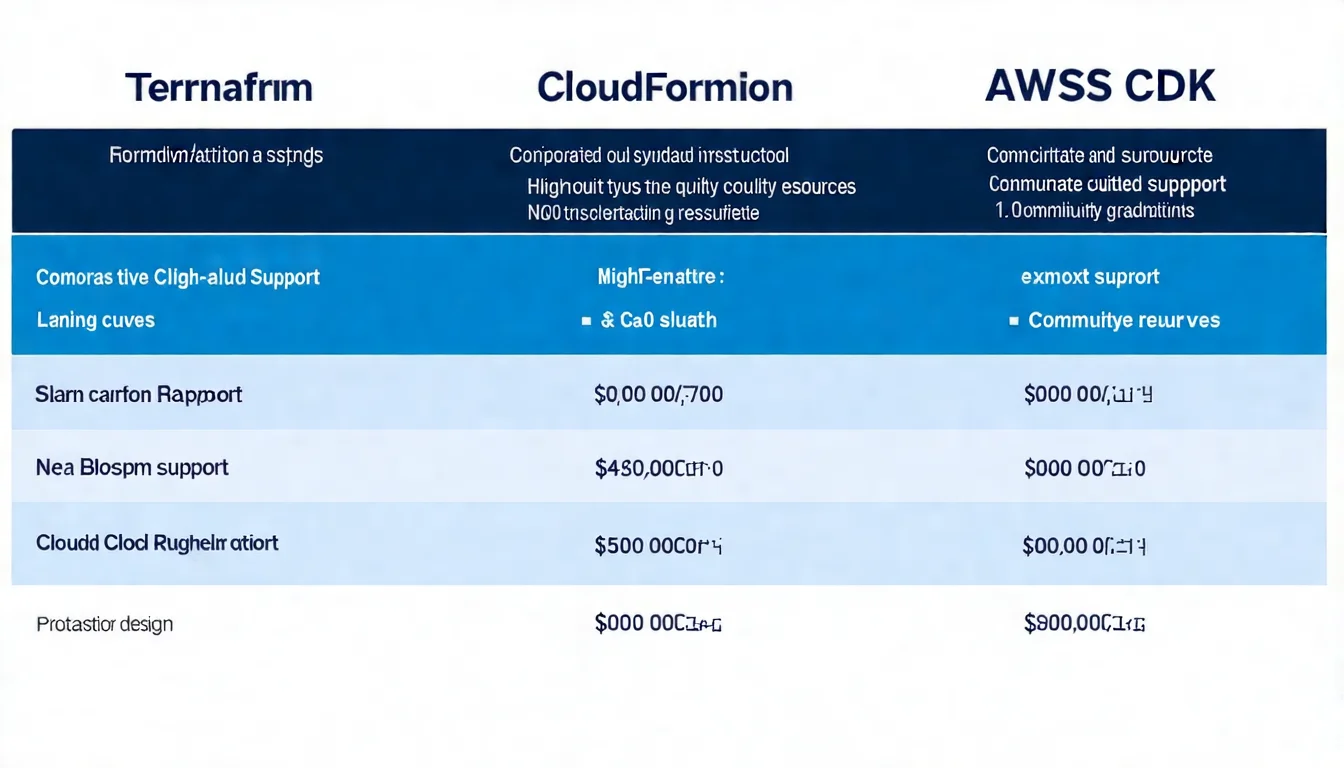
Terraform vs CloudFormation vs CDK Comparison
| Feature | Terraform | CloudFormation | AWS CDK |
|---|---|---|---|
| Syntax | HCL (Declarative) | YAML/JSON | TypeScript/Python/Java |
| Multi-cloud Support | Supported | AWS only | AWS only |
| Learning Curve | Medium | Medium | Steeper (need programming language) |
| Community Resources | Very rich | AWS official | Growing rapidly |
| State Management | Self-manage State | AWS auto-manages | Based on CloudFormation |
| Debugging Experience | Better | Error messages harder to understand | Better |
Selection Recommendations:
- Multi-cloud environment or team familiar with Terraform → Choose Terraform
- Pure AWS and team familiar with TypeScript/Python → Choose CDK
- Enterprise environment needing AWS official support → Choose CloudFormation
Basic Setup
Provider Configuration
First create provider.tf:
terraform {
  required_version = ">= 1.0"

  required_providers {
    aws = {
      source  = "hashicorp/aws"
      version = "~> 5.0"
    }
  }

  # Recommended: Use remote State storage
  backend "s3" {
    bucket = "my-terraform-state"
    key    = "lambda/terraform.tfstate"
    region = "ap-northeast-1"
  }
}

provider "aws" {
  region = "ap-northeast-1"

  default_tags {
    tags = {
      Environment = var.environment
      ManagedBy   = "terraform"
      Project     = "my-lambda-project"
    }
  }
}
Lambda Required Resources
A complete Lambda deployment requires three core resources:
1. IAM Execution Role
# IAM Role - Lambda's execution identity
resource "aws_iam_role" "lambda_role" {
  name = "${var.function_name}-role"

  assume_role_policy = jsonencode({
    Version = "2012-10-17"
    Statement = [
      {
        Action = "sts:AssumeRole"
        Effect = "Allow"
        Principal = {
          Service = "lambda.amazonaws.com"
        }
      }
    ]
  })
}

# Attach basic execution policy (CloudWatch Logs permissions)
resource "aws_iam_role_policy_attachment" "lambda_basic" {
  role       = aws_iam_role.lambda_role.name
  policy_arn = "arn:aws:iam::aws:policy/service-role/AWSLambdaBasicExecutionRole"
}
2. Lambda Function
resource "aws_lambda_function" "this" {
  function_name = var.function_name
  role          = aws_iam_role.lambda_role.arn
  handler       = "index.handler"
  runtime       = "nodejs20.x"

  filename         = data.archive_file.lambda_zip.output_path
  source_code_hash = data.archive_file.lambda_zip.output_base64sha256

  memory_size = 256
  timeout     = 30

  environment {
    variables = {
      NODE_ENV = var.environment
    }
  }
}
3. Code Packaging
data "archive_file" "lambda_zip" {
  type        = "zip"
  source_dir  = "${path.module}/src"
  output_path = "${path.module}/dist/lambda.zip"
}
Complete Examples
Simple Lambda Function
Complete single Lambda deployment example:
# main.tf
locals {
  function_name = "hello-world-${var.environment}"
}

# Code packaging
data "archive_file" "lambda_zip" {
  type        = "zip"
  source_dir  = "${path.module}/src"
  output_path = "${path.module}/dist/lambda.zip"
}

# IAM Role
resource "aws_iam_role" "lambda" {
  name = "${local.function_name}-role"

  assume_role_policy = jsonencode({
    Version = "2012-10-17"
    Statement = [{
      Action = "sts:AssumeRole"
      Effect = "Allow"
      Principal = {
        Service = "lambda.amazonaws.com"
      }
    }]
  })
}

resource "aws_iam_role_policy_attachment" "lambda_logs" {
  role       = aws_iam_role.lambda.name
  policy_arn = "arn:aws:iam::aws:policy/service-role/AWSLambdaBasicExecutionRole"
}

# Lambda Function
resource "aws_lambda_function" "hello" {
  function_name = local.function_name
  role          = aws_iam_role.lambda.arn
  handler       = "index.handler"
  runtime       = "nodejs20.x"

  filename         = data.archive_file.lambda_zip.output_path
  source_code_hash = data.archive_file.lambda_zip.output_base64sha256

  memory_size = 128
  timeout     = 10

  environment {
    variables = {
      ENVIRONMENT = var.environment
    }
  }
}

# Outputs
output "function_arn" {
  value = aws_lambda_function.hello.arn
}

output "function_name" {
  value = aws_lambda_function.hello.function_name
}
Lambda + API Gateway
Create HTTP API integration:
# API Gateway HTTP API
resource "aws_apigatewayv2_api" "api" {
  name          = "${var.project_name}-api"
  protocol_type = "HTTP"

  cors_configuration {
    allow_origins = ["*"]
    allow_methods = ["GET", "POST", "PUT", "DELETE"]
    allow_headers = ["Content-Type", "Authorization"]
    max_age       = 300
  }
}

# Lambda integration
resource "aws_apigatewayv2_integration" "lambda" {
  api_id           = aws_apigatewayv2_api.api.id
  integration_type = "AWS_PROXY"

  integration_uri    = aws_lambda_function.api.invoke_arn
  integration_method = "POST"
  payload_format_version = "2.0"
}

# Route configuration
resource "aws_apigatewayv2_route" "default" {
  api_id    = aws_apigatewayv2_api.api.id
  route_key = "$default"
  target    = "integrations/${aws_apigatewayv2_integration.lambda.id}"
}

# Stage deployment
resource "aws_apigatewayv2_stage" "default" {
  api_id      = aws_apigatewayv2_api.api.id
  name        = "$default"
  auto_deploy = true
}

# Lambda execution permission
resource "aws_lambda_permission" "apigw" {
  statement_id  = "AllowAPIGatewayInvoke"
  action        = "lambda:InvokeFunction"
  function_name = aws_lambda_function.api.function_name
  principal     = "apigateway.amazonaws.com"
  source_arn    = "${aws_apigatewayv2_api.api.execution_arn}/*/*"
}

output "api_endpoint" {
  value = aws_apigatewayv2_stage.default.invoke_url
}
For more API Gateway integration details, see API Gateway Integration Concepts.
Lambda + EventBridge Scheduled Tasks
Create hourly scheduled task:
# CloudWatch Event Rule (using EventBridge)
resource "aws_cloudwatch_event_rule" "schedule" {
  name                = "${var.function_name}-schedule"
  description         = "Trigger once per hour"
  schedule_expression = "rate(1 hour)"

  # Or use Cron expression
  # schedule_expression = "cron(0 * * * ? *)"
}

# Event Target
resource "aws_cloudwatch_event_target" "lambda" {
  rule      = aws_cloudwatch_event_rule.schedule.name
  target_id = "TriggerLambda"
  arn       = aws_lambda_function.scheduled.arn
}

# Lambda execution permission
resource "aws_lambda_permission" "eventbridge" {
  statement_id  = "AllowEventBridgeInvoke"
  action        = "lambda:InvokeFunction"
  function_name = aws_lambda_function.scheduled.function_name
  principal     = "events.amazonaws.com"
  source_arn    = aws_cloudwatch_event_rule.schedule.arn
}
For more event-driven architecture content, see EventBridge Event-Driven Architecture.
Want to design a more robust IaC architecture? Book architecture consultation and let experts help you plan.
Terraform Lambda Module
Using Existing Modules
The community-maintained terraform-aws-modules/lambda is the most popular Lambda Module:
module "lambda_function" {
  source  = "terraform-aws-modules/lambda/aws"
  version = "~> 6.0"

  function_name = "my-lambda-function"
  description   = "My awesome lambda function"
  handler       = "index.handler"
  runtime       = "nodejs20.x"

  source_path = "./src"

  # VPC configuration
  vpc_subnet_ids         = var.private_subnet_ids
  vpc_security_group_ids = [aws_security_group.lambda.id]

  # Environment variables
  environment_variables = {
    DATABASE_URL = var.database_url
    NODE_ENV     = var.environment
  }

  # CloudWatch Logs
  cloudwatch_logs_retention_in_days = 14

  # Performance settings
  memory_size = 512
  timeout     = 60

  # Concurrency limit
  reserved_concurrent_executions = 100

  tags = var.common_tags
}
Module Advantages:
- Automatically creates IAM Role and Policy
- Built-in code packaging functionality
- Supports Layers, VPC, Alias and other advanced features
- Continuously maintained and updated
Custom Module Structure
When you need more customized logic, you can build your own Module:
modules/
└── lambda/
    ├── main.tf
    ├── variables.tf
    ├── outputs.tf
    └── iam.tf
variables.tf
variable "function_name" {
  description = "Lambda function name"
  type        = string
}

variable "handler" {
  description = "Lambda handler"
  type        = string
  default     = "index.handler"
}

variable "runtime" {
  description = "Runtime environment"
  type        = string
  default     = "nodejs20.x"
}

variable "source_dir" {
  description = "Code directory"
  type        = string
}

variable "memory_size" {
  description = "Memory size (MB)"
  type        = number
  default     = 256
}

variable "timeout" {
  description = "Execution timeout (seconds)"
  type        = number
  default     = 30
}

variable "environment_variables" {
  description = "Environment variables"
  type        = map(string)
  default     = {}
}

variable "tags" {
  description = "Resource tags"
  type        = map(string)
  default     = {}
}
outputs.tf
output "function_arn" {
  description = "Lambda function ARN"
  value       = aws_lambda_function.this.arn
}

output "function_name" {
  description = "Lambda function name"
  value       = aws_lambda_function.this.function_name
}

output "invoke_arn" {
  description = "Lambda invoke ARN"
  value       = aws_lambda_function.this.invoke_arn
}

output "role_arn" {
  description = "IAM role ARN"
  value       = aws_iam_role.lambda.arn
}
Variable and Output Design Principles
- Required parameters have no defaults: Force callers to provide
- Reasonable defaults: Common settings have defaults to reduce repeated code
- Clearly defined types: Use
typeto enforce type checking - Clear descriptions: Every variable has a
description - Output useful information: ARN, Name, Invoke URL and other commonly used attributes
Advanced Techniques
Managing Lambda Code
Method 1: archive_file (small projects)
data "archive_file" "lambda" {
  type        = "zip"
  source_dir  = "${path.module}/src"
  output_path = "${path.module}/dist/lambda.zip"
  excludes    = ["node_modules", "*.test.js"]
}
Method 2: S3 Storage (large projects)
resource "aws_s3_object" "lambda_code" {
  bucket = aws_s3_bucket.deployment.id
  key    = "lambda/${var.function_name}/${var.code_version}.zip"
  source = "${path.module}/dist/lambda.zip"
  etag   = filemd5("${path.module}/dist/lambda.zip")
}

resource "aws_lambda_function" "this" {
  function_name = var.function_name
  role          = aws_iam_role.lambda.arn
  handler       = "index.handler"
  runtime       = "nodejs20.x"

  s3_bucket = aws_s3_bucket.deployment.id
  s3_key    = aws_s3_object.lambda_code.key

  # ...
}
Method 3: Container Image (complex dependencies)
resource "aws_lambda_function" "container" {
  function_name = var.function_name
  role          = aws_iam_role.lambda.arn
  package_type  = "Image"
  image_uri     = "${aws_ecr_repository.lambda.repository_url}:${var.image_tag}"

  memory_size = 1024
  timeout     = 300
}
Version and Alias Management
Versions and aliases let you implement blue-green deployment and traffic switching. For detailed version management concepts, see Lambda Version and Alias Explanation.
# Publish new version
resource "aws_lambda_function" "this" {
  # ...
  publish = true  # Auto-publish new version on each update
}

# Create alias
resource "aws_lambda_alias" "live" {
  name             = "live"
  description      = "Production traffic"
  function_name    = aws_lambda_function.this.function_name
  function_version = aws_lambda_function.this.version

  # Traffic switching (canary deployment)
  routing_config {
    additional_version_weights = {
      "${aws_lambda_function.this.version}" = 0.1  # 10% traffic to new version
    }
  }
}
Environment Variables and Secrets Management
Method 1: SSM Parameter Store
# Create parameter
resource "aws_ssm_parameter" "api_key" {
  name  = "/${var.environment}/lambda/api-key"
  type  = "SecureString"
  value = var.api_key
}

# Lambda permission to get parameter
resource "aws_iam_role_policy" "ssm_read" {
  name = "ssm-read"
  role = aws_iam_role.lambda.id

  policy = jsonencode({
    Version = "2012-10-17"
    Statement = [{
      Effect = "Allow"
      Action = [
        "ssm:GetParameter",
        "ssm:GetParameters"
      ]
      Resource = aws_ssm_parameter.api_key.arn
    }]
  })
}

# Pass parameter name to Lambda
resource "aws_lambda_function" "this" {
  # ...
  environment {
    variables = {
      API_KEY_PARAM = aws_ssm_parameter.api_key.name
    }
  }
}
Method 2: Secrets Manager
data "aws_secretsmanager_secret" "db_credentials" {
  name = "prod/database/credentials"
}

resource "aws_iam_role_policy" "secrets_read" {
  name = "secrets-read"
  role = aws_iam_role.lambda.id

  policy = jsonencode({
    Version = "2012-10-17"
    Statement = [{
      Effect = "Allow"
      Action = [
        "secretsmanager:GetSecretValue"
      ]
      Resource = data.aws_secretsmanager_secret.db_credentials.arn
    }]
  })
}
Need DevOps process optimization? CI/CD, multi-environment deployment, Secrets management all have many nuances. Book architecture consultation and let us help design the optimal DevOps process.
CI/CD Integration
GitHub Actions Example
# .github/workflows/deploy-lambda.yml
name: Deploy Lambda

on:
  push:
    branches: [main]
    paths:
      - 'lambda/**'
      - 'terraform/**'

env:
  AWS_REGION: ap-northeast-1
  TF_VERSION: 1.6.0

jobs:
  deploy:
    runs-on: ubuntu-latest

    steps:
      - uses: actions/checkout@v4

      - name: Configure AWS Credentials
        uses: aws-actions/configure-aws-credentials@v4
        with:
          aws-access-key-id: ${{ secrets.AWS_ACCESS_KEY_ID }}
          aws-secret-access-key: ${{ secrets.AWS_SECRET_ACCESS_KEY }}
          aws-region: ${{ env.AWS_REGION }}

      - name: Setup Terraform
        uses: hashicorp/setup-terraform@v3
        with:
          terraform_version: ${{ env.TF_VERSION }}

      - name: Build Lambda
        run: |
          cd lambda
          npm ci
          npm run build

      - name: Terraform Init
        run: |
          cd terraform
          terraform init

      - name: Terraform Plan
        id: plan
        run: |
          cd terraform
          terraform plan -no-color -out=tfplan
        continue-on-error: true

      - name: Terraform Apply
        if: github.ref == 'refs/heads/main' && steps.plan.outcome == 'success'
        run: |
          cd terraform
          terraform apply -auto-approve tfplan
GitLab CI Example
# .gitlab-ci.yml
stages:
  - validate
  - plan
  - apply

variables:
  TF_ROOT: ${CI_PROJECT_DIR}/terraform
  AWS_DEFAULT_REGION: ap-northeast-1

.terraform_template: &terraform_template
  image: hashicorp/terraform:1.6
  before_script:
    - cd ${TF_ROOT}
    - terraform init

validate:
  <<: *terraform_template
  stage: validate
  script:
    - terraform validate
    - terraform fmt -check

plan:
  <<: *terraform_template
  stage: plan
  script:
    - terraform plan -out=plan.tfplan
  artifacts:
    paths:
      - ${TF_ROOT}/plan.tfplan
    expire_in: 1 hour

apply:
  <<: *terraform_template
  stage: apply
  script:
    - terraform apply -auto-approve plan.tfplan
  dependencies:
    - plan
  only:
    - main
  when: manual
Auto-deployment Process Design
Recommended Process:
- Development phase: Local development +
terraform planpreview - Code Review: Pull Request + Plan results auto-commented
- After merge: Auto-execute
terraform apply - Monitoring: CloudWatch alerts + Slack notifications
Multi-environment Strategy:
terraform/
├── environments/
│   ├── dev/
│   │   ├── main.tf
│   │   └── terraform.tfvars
│   ├── staging/
│   │   ├── main.tf
│   │   └── terraform.tfvars
│   └── prod/
│       ├── main.tf
│       └── terraform.tfvars
└── modules/
    └── lambda/
Or use Terraform Workspace:
terraform workspace new dev
terraform workspace new prod
terraform workspace select prod
terraform apply -var-file="prod.tfvars"
Common Issues and Solutions
Code Updates Not Taking Effect
Symptom: Modified Lambda code, terraform apply shows no changes.
Cause: Terraform only tracks filename and source_code_hash; if file path doesn't change, it won't detect changes.
Solution: Ensure using source_code_hash:
resource "aws_lambda_function" "this" {
  filename         = data.archive_file.lambda.output_path
  source_code_hash = data.archive_file.lambda.output_base64sha256  # Key!
  # ...
}
IAM Permission Issues
Symptom: Lambda execution shows AccessDenied error.
Solution:
- Confirm IAM Role has correct Trust Policy
- Check if necessary Policies are attached
- Use principle of least privilege, only give necessary permissions
# Additional permission example: Allow DynamoDB access
resource "aws_iam_role_policy" "dynamodb" {
  name = "dynamodb-access"
  role = aws_iam_role.lambda.id

  policy = jsonencode({
    Version = "2012-10-17"
    Statement = [{
      Effect = "Allow"
      Action = [
        "dynamodb:GetItem",
        "dynamodb:PutItem",
        "dynamodb:Query"
      ]
      Resource = aws_dynamodb_table.this.arn
    }]
  })
}
VPC Configuration Issues
Symptom: Lambda placed in VPC cannot access network.
Cause: VPC Lambda has no public internet access capability.
Solution:
resource "aws_lambda_function" "vpc" {
  # ...

  vpc_config {
    subnet_ids         = var.private_subnet_ids  # Use Private Subnet
    security_group_ids = [aws_security_group.lambda.id]
  }
}

# Ensure Private Subnet has NAT Gateway routing
# Or use VPC Endpoints to access AWS services
For in-depth Lambda@Edge Terraform deployment, see Lambda@Edge Terraform Deployment.
FAQ
How long does Terraform Lambda deployment take?
First deployment takes about 1-3 minutes, subsequent updates usually complete within 30 seconds. Main time is spent on code upload and IAM permission propagation. Using S3 to store code can speed up large project deployments.
Where should Terraform State be stored?
Strongly recommend using S3 + DynamoDB as remote Backend. Local State files cause conflicts in team collaboration and have loss risk. See the Provider configuration section of this article for setup method.
How to handle Lambda code and infrastructure version synchronization?
Recommend putting Lambda code and Terraform in the same Repository, using a unified CI/CD Pipeline for deployment. This ensures code changes and infrastructure changes are synchronized, avoiding version inconsistencies.
Is AWS CDK or Terraform more suitable for Lambda deployment?
If the team is familiar with TypeScript/Python and the project only uses AWS, CDK is a good choice—the programming language flexibility can reduce repetitive code. If you need to manage multi-cloud environments or the team already has Terraform experience, Terraform is the better choice.
Conclusion
The core value of managing Lambda with Terraform is repeatability and traceability.
Key takeaways from this article:
- Basic setup: Provider, IAM Role, Lambda Function trio
- Module usage: Leverage community Modules to reduce repetitive code
- Advanced techniques: Version management, Secrets handling, various code deployment methods
- CI/CD integration: Automated deployment process design
Next steps:
- Start implementing with a simple Lambda
- Gradually add Module and CI/CD
- Establish team's Terraform best practices standards
Need Professional IaC Architecture Planning?
If you're:
- Adopting Terraform to manage AWS resources
- Designing CI/CD auto-deployment processes
- Planning multi-environment infrastructure
Book architecture consultation, and we'll respond within 24 hours. Proper IaC design significantly reduces operations costs and risks.
Need Professional Cloud Advice?
Whether you're evaluating cloud platforms, optimizing existing architecture, or looking for cost-saving solutions, we can help
Book Free ConsultationRelated Articles
Lambda@Edge Complete Guide: CDN Edge Computing Applications and Practice
What is Lambda@Edge? Complete analysis of CDN edge computing, including trigger points, limitations, practical applications (URL rewriting, A/B testing, image optimization), helping you implement advanced features on CloudFront.
AWS LambdaAWS Lambda Pricing Complete Guide: Free Tier, Billing Model & Cost-Saving Tips [2026]
How does AWS Lambda charge? This article explains Lambda billing model, Free Tier allowances, Memory Size cost relationships, and provides practical cost-saving tips to help you find the best cost efficiency.
AWS LambdaAWS Lambda + API Gateway Integration Tutorial: Complete Guide to Building REST APIs
How to build REST APIs with Lambda + API Gateway? This tutorial covers Lambda Proxy Integration, Lambda Authorizer setup, and compares when to use Function URLs.