
Complete DDoS Attack and Protection Guide (2026): From Basic Concepts to Enterprise Defense
Has your website ever suddenly become extremely slow or completely inaccessible? If you've ruled out hosting issues, it's likely a DDoS attack.
According to Cloudflare, 47.1 million DDoS attacks were mitigated in 2025, a 121% increase year over year, with the largest single attack reaching 31.4 Tbps (Cloudflare 2025 Q4 DDoS threat report).
(An earlier version of this article cited an "average loss of $220,000 per attack." That figure could not be traced to a reliable source and has been removed. Real losses depend heavily on your business model and outage duration — estimate from your own hourly revenue and SLA terms rather than an unattributable average.)
This article will take you from zero to understanding DDoS attacks, covering attack types, defense methods, and how to choose the right protection solution. Whether you're a technical professional or a business decision-maker, you'll gain complete knowledge of DDoS protection after reading this.

What is DDoS? Complete Basic Concept Analysis
Definition and Operating Principles of DDoS
DDoS stands for Distributed Denial of Service.
Simply put, hackers use a large number of computers to simultaneously send requests to your website, making the server too busy to handle legitimate user connections.
Imagine this: You run a small coffee shop, and suddenly a thousand people crowd in at once, but none of them order—they just occupy seats. Real customers who want to buy something can't even get in.
How DDoS attacks work:
- Build a botnet: Hackers first compromise many computers or IoT devices, planting malware
- Issue attack commands: Hackers simultaneously activate all controlled devices through a command and control server (C&C Server)
- Launch flood attacks: Thousands or even millions of devices simultaneously send requests to the target
- Paralyze target service: Target server resources are exhausted, unable to respond to legitimate requests
DDoS vs DoS: What's the Difference?
Many people confuse DDoS and DoS. The difference is actually simple:
| Comparison | DoS Attack | DDoS Attack |
|---|---|---|
| Attack source | Single source | Distributed multiple sources |
| Attack scale | Smaller | Can reach Tbps level |
| Tracking difficulty | Easier to trace | Extremely difficult to trace |
| Defense difficulty | Easier to block | Requires professional protection |
Almost all attacks today are DDoS. Single-point attacks are too easy to block, so hackers have long switched to distributed attacks.
Why Do Hackers Launch DDoS Attacks?
Hackers launch DDoS attacks for four main motives:
1. Extortion
First attack to give you a taste, then send threatening emails: "Pay up, or we continue." This is called RDoS (Ransom DDoS).
2. Business Competition
During major shopping events like Singles' Day, competitors might hire hackers to attack your e-commerce site, preventing you from operating during the most critical time.
3. Political Protest
Hacker organizations attack government websites or specific enterprises to express political demands. During the 2022 Russia-Ukraine war, both sides suffered massive DDoS attacks.
4. Cover for Other Attacks
While the security team is busy handling a DDoS attack, hackers might be infiltrating your system through another vulnerability.
Impact and Losses from DDoS Attacks on Enterprises
Losses from DDoS attacks are much larger than you might imagine:
Direct losses:
- Revenue loss during service interruption
- Emergency response personnel costs
- Costs for purchasing additional protection services
Indirect losses:
- Brand reputation damage
- Customer loss to competitors
- SEO ranking decline (Google lowers rankings for frequently inaccessible websites)
According to Ponemon Institute research, enterprises lose an average of $9,000 per minute of downtime. A 2-hour DDoS attack could result in losses exceeding $1 million.
Complete Analysis of DDoS Attack Types
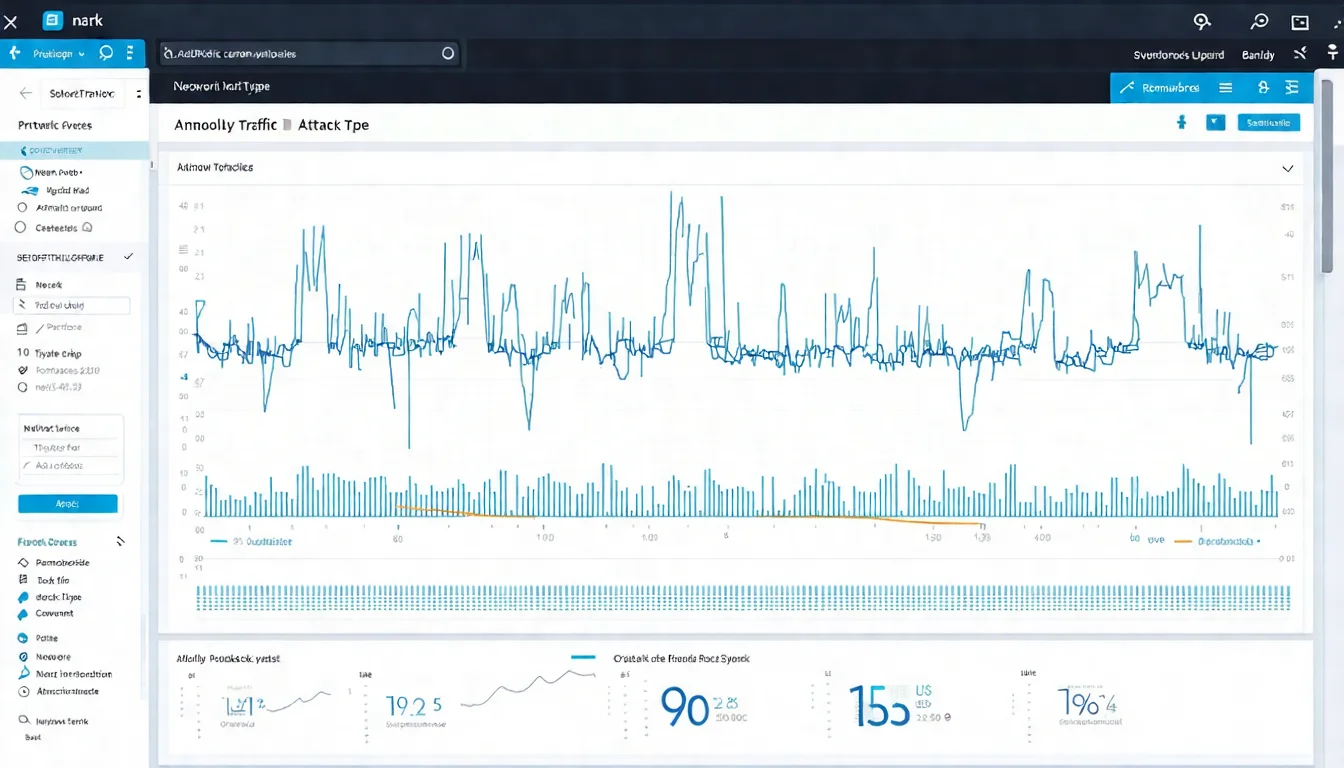
DDoS attacks can be categorized into three types based on the network layer they target. Understanding these types helps you choose the correct defense strategy.
L3/L4 Network Layer Attacks (UDP Flood, SYN Flood)
These attacks target the Network Layer (Layer 3) and Transport Layer (Layer 4), aiming to consume bandwidth and connection resources.
UDP Flood Attack
Attackers send massive UDP packets to random ports on the target server. The server must respond to each request and quickly becomes exhausted.
SYN Flood Attack
Exploits the TCP three-way handshake mechanism. Attackers send massive SYN requests but never complete the handshake, filling the server's connection queue.
ICMP Flood (Ping Flood)
Overwhelms the target server's bandwidth with massive ICMP Echo Requests (pings).
L7 Application Layer Attacks (HTTP Flood, Slowloris)
Application layer attacks are more stealthy because they appear like normal web requests.
HTTP Flood Attack
Simulates real users sending massive HTTP requests. Because each request looks normal, traditional firewalls have difficulty identifying them.
Slowloris Attack
Each connection sends very slow HTTP requests, intentionally never completing. This can fill up server connections with very little bandwidth.
CC Attack (Challenge Collapsar)
Targets the most resource-intensive pages on a website (like search functions) with massive requests, overwhelming the backend database.
Reflection Amplification Attacks (DNS Amplification, NTP Amplification)
This is currently the most powerful attack type.
Attackers spoof the source IP (filling in the target's IP) and send requests to public DNS or NTP servers. These servers send responses (usually 50-100 times larger than requests) to the target server.
The 1.35 Tbps attack on GitHub in 2018 used Memcached amplification.
Hybrid DDoS Attacks
Modern DDoS attacks are typically hybrid:
- First use L3/L4 attacks to consume bandwidth
- Simultaneously launch L7 attacks to paralyze applications
- Attack patterns dynamically switch, increasing defense difficulty
→ For detailed understanding, see "Complete DDoS Attack Analysis: L3/L4/L7 Attack Types, Principles, and Real Cases"
DDoS Defense Methods and Best Practices
After understanding attack methods, let's discuss defense. Effective DDoS defense requires multi-layered strategies.
Finding these threats concerning? Schedule a security assessment and let us help you evaluate your current defense capabilities.
Network Architecture Defense Strategies
1. Expand Bandwidth Capacity
While you can't expand infinitely, larger bandwidth can absorb small-scale attacks.
2. Distributed Architecture
- Use multiple data centers to distribute risk
- Configure Anycast DNS to distribute traffic to different nodes
- Deploy load balancers
3. Configure Traffic Limits
Set at router and firewall levels:
- Rate Limiting
- Maximum connections per IP
- SYN Cookie protection
Application Layer Defense Measures
1. Optimize Application Performance
- Use caching to reduce database queries
- Optimize resource-intensive functions (search, reports)
- Set request timeout mechanisms
2. Verification Mechanisms
- CAPTCHA verification
- JavaScript Challenge
- Behavior analysis (identifying bots)
3. WAF (Web Application Firewall)
WAF can filter malicious requests and is key for L7 protection.
CDN's Role in DDoS Defense
CDN (Content Delivery Network) isn't just for speeding up websites—it's also an important DDoS protection tool:
- Distribute traffic: Attack traffic is distributed to nodes worldwide
- Hide origin: Real server IP is never exposed
- Edge filtering: Malicious traffic is blocked at edge nodes
Cloudflare, Akamai, AWS CloudFront, and other CDNs all provide DDoS protection features.
Cloud DDoS Protection vs On-Premise Protection
| Comparison | Cloud Protection | On-Premise Equipment |
|---|---|---|
| Initial cost | Low (monthly fee) | High (equipment purchase) |
| Protection capacity | Virtually unlimited | Limited by equipment specs |
| Deployment speed | Fast (minutes) | Slow (requires procurement and installation) |
| Maintenance cost | Low (vendor maintained) | High (requires dedicated personnel) |
| Suitable for | SMBs | Large enterprises, financial industry |
For most enterprises, cloud protection is the more practical choice. Only enterprises extremely sensitive to latency or with special regulatory requirements need to consider on-premise equipment.
→ For implementation tutorials, see "DDoS Defense Tutorial: From Basic Configuration to Advanced Protection"
Comparison of Mainstream DDoS Protection Services
When choosing DDoS protection services, consider protection capabilities, pricing, and local language support. Here are several mainstream solutions.
Cloudflare DDoS Protection
Advantages:
- Free plan includes basic DDoS protection
- One of the world's largest CDN networks
- Simple setup—switch DNS and it takes effect
Disadvantages:
- Free version has L7 protection limitations
- Advanced features require Enterprise plan
- Support primarily in English
Best for: SMBs, startups, personal websites
Chunghwa Telecom / HiNet DDoS Protection Service
Advantages:
- Local service with complete Chinese support
- ISP-level protection—filters traffic before entering Taiwan
- Meets government procurement requirements
Disadvantages:
- Higher pricing (monthly fees start around NT$10,000-50,000)
- Must be a HiNet customer
- Less configuration flexibility
Best for: Government agencies, financial industry, large enterprises
AWS Shield / Azure DDoS Protection
AWS Shield:
- Standard version is free (basic L3/L4 protection)
- Advanced version costs $3,000 USD/month, includes L7 protection and 24/7 support
Azure DDoS Protection: (the old Basic / Standard tiers have been retired)
- Platform-level protection is free and on by default for every Azure resource
- DDoS IP Protection: $199 USD per public IP per month (official list price)
- DDoS Network Protection (formerly Standard): Microsoft does not publish a figure on its official pricing page—ask your account team
Best for: Enterprises already using AWS or Azure
Akamai / Imperva Enterprise Solutions
These two are leaders in enterprise-grade DDoS protection:
- Strongest protection capabilities (Tbps level)
- Provides SOC services and 24/7 dedicated monitoring
- Also highest pricing (annual fees typically start at six figures USD)
Best for: Financial industry, large e-commerce, multinational enterprises
→ For complete comparison, see "DDoS Protection Service Comparison: Cloudflare, Chunghwa Telecom, AWS Shield Complete Review"

DDoS Defense Equipment and Software
Besides cloud services, some enterprises choose to build their own protection equipment.
FortiGate DDoS Protection Features
FortiGate firewalls include basic DDoS protection:
- SYN Flood protection
- ICMP Flood protection
- Rate Limiting
Sufficient for small-scale attacks, but large-scale attacks still require dedicated equipment.
F5 / Arbor Networks Hardware Solutions
F5 BIG-IP AFM:
- Integrated load balancing and DDoS protection
- Hardware acceleration with excellent performance
- Pricing starts around NT$500,000-1,000,000
Arbor Networks (NETSCOUT):
- Carrier-grade DDoS protection
- Global threat intelligence integration
- Suitable for ISPs and large enterprises
Open Source DDoS Defense Software
For limited budgets, consider open source solutions:
- iptables + fail2ban: Basic Linux protection
- nginx rate limiting: HTTP layer rate limiting
- ModSecurity: Open source WAF
Note that open source solutions require technical expertise to maintain, and protection limits are constrained by server specifications.
How to Test Your Website's DDoS Defense Capabilities
After implementing protection, how do you know it's actually effective? You need to test.
Legal DDoS Testing Methods
Important reminder: Conducting stress tests on others' websites without authorization is illegal! Only test your own websites or client websites with written authorization.
Pre-test preparation:
- Obtain written authorization
- Notify ISP and cloud service providers
- Choose off-peak hours
- Prepare a recovery plan
Stress Testing Tools Introduction
Apache JMeter:
- Free and open source
- Can simulate massive HTTP requests
- Medium learning curve
Locust:
- Python-based stress testing tool
- Can write complex test scripts
- Distributed architecture
LoadRunner:
- Enterprise-grade tool
- Most complete features
- Higher pricing
DDoS Defense Effectiveness Metrics
Focus on these metrics when testing:
- Maximum sustainable traffic: At what Mbps/Gbps level does service begin to be affected
- Response time changes: How much does latency increase during attacks
- Service availability: How many legitimate requests are blocked during attacks
- Recovery time: How long until normal operations resume after attack stops
→ For detailed guide, see "DDoS Testing Guide: How to Legally Test Your Website's DDoS Defense Capabilities"
Enterprise DDoS Protection Implementation Guide
For enterprises, DDoS protection isn't as simple as just buying a service. It requires complete planning.
Assessing Enterprise DDoS Risk
Ask yourself these questions:
- How much money would you lose from one hour of service interruption?
- Have you been attacked in the past?
- Are there factors that easily trigger attacks (political sensitivity, highly competitive industry)?
- How much traffic can your current architecture handle?
Choosing the Right Protection Solution
Choose based on risk assessment results:
| Risk Level | Recommended Solution | Budget Reference |
|---|---|---|
| Low | Cloudflare Free/Pro | $0-$20/month |
| Medium | Cloudflare Business or AWS Shield Standard | $200-$500/month |
| High | Chunghwa Telecom DDoS + CDN | NT$10,000-50,000/month |
| Very High | Hybrid architecture (cloud + on-premise) | NT$50,000+/month |
DDoS Protection Pricing and Budget Planning
Common pricing models:
- Monthly fee: Fixed monthly fee including certain traffic allowance
- Traffic-based: Charged by actual cleaned traffic
- Event-based: Low fees normally, additional charges during attacks
Recommended budget: 10-20% of IT security budget, or 0.1-0.5% of annual revenue.
Emergency Response Plan
No matter how complete your protection is, prepare for "what if":
- Establish response team: Clear division of labor—who monitors, who decides
- Prepare backup solutions: Backup website, backup IP, backup DNS
- Establish communication mechanisms: How to notify team and customers during attacks
- Regular drills: At least once per quarter
→ For complete implementation process, see "Enterprise DDoS Protection Solutions: From Risk Assessment to Implementation"
Worried About DDoS Attacks on Your Website?
Once a DDoS attack occurs, losses can reach tens of thousands per minute. Prevention is better than remediation.
If you are:
- Worried about website or service being paralyzed by attacks
- Unsure if current defenses are sufficient
- Want to evaluate the cost of implementing DDoS protection
Schedule a free security assessment, and we'll respond within 24 hours.
All consultations are completely confidential with no sales pressure.
DDoS Protection FAQ
What is a DDoS attack? How is it different from DoS?
DDoS is a distributed denial of service attack that uses many computers to attack a target simultaneously. DoS is a single-point attack, DDoS is distributed. The latter is larger in scale and harder to defend against.
How much does DDoS protection cost?
Ranges from free (Cloudflare Free) to hundreds of thousands monthly (enterprise solutions). For typical SMBs, Cloudflare Pro ($20/month) or Business ($200/month) is usually sufficient.
Should I enable DoS protection on my router?
Recommended. Home router DoS protection can block basic attacks but cannot resist large-scale DDoS attacks.
What should I do if I'm being DDoS attacked?
- Immediately contact your ISP for assistance
- Enable CDN or cloud protection service
- Switch to backup IP
- If you have a protection subscription, contact the vendor to activate traffic cleaning
How long do DDoS attacks last?
From minutes to days. According to statistics, most attacks last less than 30 minutes, but extortion-type attacks can last several days.
Do small websites need DDoS protection?
Yes. Small websites are more vulnerable—small-scale attacks can paralyze them. We recommend at least using Cloudflare's free version for basic protection.
Can Cloudflare's free version protect against DDoS?
It can protect against L3/L4 attacks with no traffic limits. However, L7 protection and advanced features require paid versions. For personal websites and small businesses, the free version is usually sufficient.
How do I apply for Chunghwa Telecom DDoS protection service?
You must be a HiNet enterprise customer. Apply through your account manager or call the enterprise customer service hotline. A specialist will evaluate your needs and provide a quote.
Next Steps: Building Your DDoS Protection Strategy
DDoS attacks are a constant threat in modern networking. The good news is that with the right protection strategy, most attacks can be effectively resisted.
Recommended action steps:
- Assess risk: Understand the likelihood of your website being attacked and potential losses
- Choose a solution: Select appropriate protection services based on risk level and budget
- Deploy and test: Test after implementing protection to confirm effectiveness
- Establish processes: Create emergency response SOPs and conduct regular drills
Further Reading:
- Complete DDoS Attack Analysis: L3/L4/L7 Attack Types, Principles, and Real Cases
- DDoS Defense Tutorial: Complete Implementation Guide from Basic Configuration to Advanced Protection
- DDoS Protection Service Comparison: Cloudflare, Chunghwa Telecom, AWS Shield Complete Review
- DDoS Testing Guide: How to Legally Test Your Website's DDoS Defense Capabilities
- Enterprise DDoS Protection Solutions: Complete Guide from Risk Assessment to Implementation
References
Need Professional Cloud Advice?
Whether you're evaluating cloud platforms, optimizing existing architecture, or looking for cost-saving solutions, we can help
Book Free ConsultationRelated Articles
DDoS Protection Service Comparison: Cloudflare, Chunghwa Telecom, AWS Shield Complete Review (2026)
Complete comparison of Cloudflare, Chunghwa Telecom, AWS Shield, Azure DDoS Protection, and other mainstream DDoS protection services. Includes features, pricing, and use case analysis to help you choose the best DDoS protection solution.
DDoS ProtectionComplete DDoS Attack Analysis: L3/L4/L7 Attack Types, Principles, and Real Cases (2026)
Deep dive into DDoS attack principles and common types. From L3/L4 network layer attacks (UDP Flood, SYN Flood) to L7 application layer attacks (HTTP Flood, Slowloris), understanding attack methods is key to effective defense.
DDoS ProtectionDDoS Defense Tutorial: Complete Implementation Guide from Basic Configuration to Advanced Protection (2026)
Complete DDoS defense implementation tutorial, from network equipment configuration, server hardening to CDN integration, with specific steps and configuration examples. Learn to build multi-layered DDoS defense architecture to effectively protect your website and services.