
Cloud Native Database Selection Guide: PostgreSQL, NoSQL, and Cloud Native Database Comparison (2026)
"Can databases run on Kubernetes?" Five years ago, the answer was "better not to." But now, more and more enterprises are running databases on K8s, and they're running well.
This article covers Cloud Native Database concepts, with emphasis on CloudNativePG (cloud native PostgreSQL), comparisons of various cloud native database solutions, and guidance for making the right selection decisions.
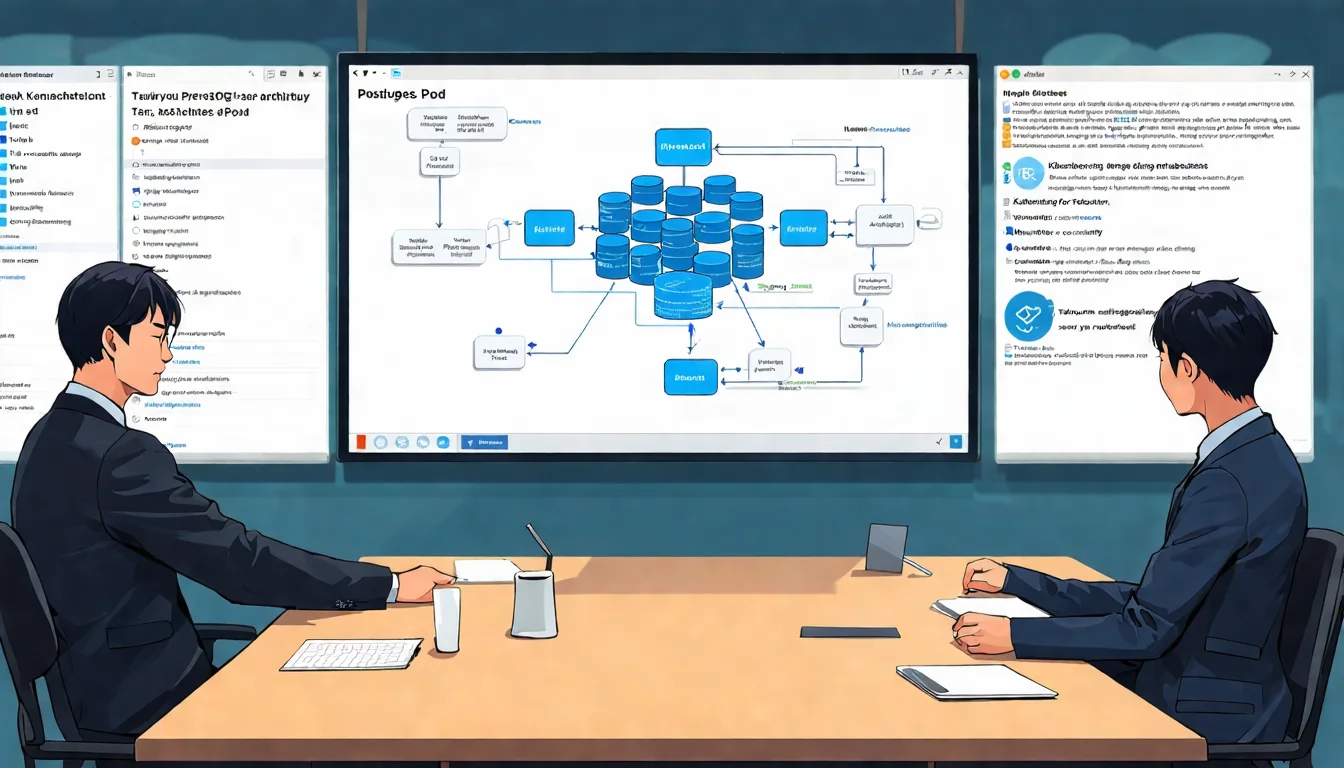
What Is a Cloud Native Database?
Cloud Native Database Definition
A Cloud Native Database is designed specifically for cloud and container environments with these characteristics:
- Containerized: Can be packaged as container images
- Orchestratable: Can be managed by Kubernetes
- Elastically scalable: Can auto-scale based on load
- Self-healing: Automatically recovers from node failures
- Declarative configuration: Define desired state with YAML
This doesn't mean traditional databases (MySQL, PostgreSQL) can't be used in Cloud Native environments. They need Operators and other tools to enable cloud native characteristics.
Traditional Databases vs Cloud Native Databases
| Aspect | Traditional Deployment | Cloud Native |
|---|---|---|
| Deployment method | Install on VMs or physical machines | Containers + Operators |
| High availability | Manual replication setup | Operator auto-manages |
| Backup | Scheduled scripts | Declarative backup policies |
| Scaling | Manually add nodes | Change YAML for auto-scaling |
| Failure recovery | Manual intervention | Automatic failover |
| Monitoring | Separate monitoring systems | Prometheus integration |
Why Do You Need Cloud Native Databases?
1. Unified Management
Applications and databases both run on Kubernetes, managed with the same tools. No need to separately maintain VM and container environments.
2. Environment Consistency
Development, testing, and production environments can use identical database configurations. Follows the 12 Factor Dev/Prod Parity principle.
3. GitOps Support
Database configuration can be stored in Git, with changes managed through PR workflows.
4. Rapid Environment Setup
New projects or environments can have complete databases ready in minutes.
Want to understand complete Cloud Native concepts? Please refer to Cloud Native Complete Guide.
Cloud Native PostgreSQL (CloudNativePG)
CloudNativePG Introduction
CloudNativePG is a CNCF Sandbox project—a PostgreSQL Operator designed specifically for Kubernetes. It lets you manage PostgreSQL clusters in a Kubernetes-native way.
Project Background:
- Developed by EDB (EnterpriseDB)
- Donated to CNCF in 2022
- Currently the most active PostgreSQL Operator
Differences from Other Operators:
| Operator | Pros | Cons |
|---|---|---|
| CloudNativePG | Feature-complete, CNCF backing | Newer |
| Zalando Postgres Operator | Stable, large-scale validation | Complex configuration |
| CrunchyData PGO | Enterprise features | Commercial background |
Core Features
1. High Availability Cluster
apiVersion: postgresql.cnpg.io/v1
kind: Cluster
metadata:
  name: my-postgres
spec:
  instances: 3  # 1 Primary + 2 Standby
  primaryUpdateStrategy: unsupervised
  postgresql:
    parameters:
      max_connections: "200"
      shared_buffers: "256MB"
  storage:
    size: 10Gi
    storageClass: fast-storage
The Operator automatically:
- Creates 1 Primary and 2 Standbys
- Configures Streaming Replication
- Auto-failover when Primary fails
2. Automatic Backup
apiVersion: postgresql.cnpg.io/v1
kind: Cluster
metadata:
  name: my-postgres
spec:
  instances: 3
  backup:
    barmanObjectStore:
      destinationPath: s3://my-bucket/backups
      s3Credentials:
        accessKeyId:
          name: s3-creds
          key: ACCESS_KEY_ID
        secretAccessKey:
          name: s3-creds
          key: SECRET_ACCESS_KEY
    retentionPolicy: "30d"
  # Scheduled backups
  scheduledBackups:
  - name: daily-backup
    schedule: "0 2 * * *"  # Daily at 2 AM
    backupOwnerReference: self
3. Declarative Configuration
PostgreSQL parameters can be set via YAML, changes applied automatically:
spec:
  postgresql:
    parameters:
      max_connections: "300"
      work_mem: "64MB"
      maintenance_work_mem: "256MB"
      effective_cache_size: "1GB"
4. Monitoring Integration
Built-in Prometheus metrics endpoint, can plug directly into existing monitoring systems:
spec:
  monitoring:
    enablePodMonitor: true  # Auto-creates PodMonitor
Architecture Design
CloudNativePG architecture:
┌─────────────────────────────────────────────────────┐
│  CloudNativePG Operator                              │
│  └─ Monitors Cluster CR, maintains desired state     │
└─────────────────────┬───────────────────────────────┘
                      │
┌─────────────────────▼───────────────────────────────┐
│  PostgreSQL Cluster                                  │
│  ┌─────────────┐ ┌─────────────┐ ┌─────────────┐   │
│  │  Primary    │ │  Standby 1  │ │  Standby 2  │   │
│  │  (RW)       │ │  (RO)       │ │  (RO)       │   │
│  └──────┬──────┘ └──────┬──────┘ └──────┬──────┘   │
│         │               │               │           │
│         └───────────────┴───────────────┘           │
│              Streaming Replication                  │
├─────────────────────────────────────────────────────┤
│  Services                                           │
│  ├─ my-postgres-rw  (points to Primary)            │
│  └─ my-postgres-ro  (points to Standby)            │
└─────────────────────────────────────────────────────┘
Use Cases
Suitable for CloudNativePG:
- Already using Kubernetes
- Need PostgreSQL's full functionality
- Want unified application and database management
- Team has K8s experience
Not Suitable:
- Extreme high-performance requirements (consider dedicated hardware)
- Team unfamiliar with Kubernetes
- Already have mature DBA team and processes
Mainstream Cloud Native Database Comparison
Relational Databases
PostgreSQL (CloudNativePG)
- Most complete SQL support
- Rich extensions
- Suitable for complex queries and transaction processing
MySQL (MySQL Operator for Kubernetes)
- Official Oracle support
- Suitable for read-intensive applications
- Mature ecosystem
TiDB
- Distributed SQL database
- MySQL protocol compatible
- Automatic horizontal scaling
CockroachDB
- Distributed, strongly consistent
- PostgreSQL protocol compatible
- Suitable for cross-region deployment
NoSQL Databases
MongoDB (Percona Operator)
- Document database
- Schema flexibility
- Suitable for rapid development
Cassandra (K8ssandra)
- Wide-column database
- Extremely high write performance
- Suitable for time-series data
Redis (Redis Operator)
- In-memory database
- First choice for caching
- Also usable as message queue
Cloud Managed vs Self-Hosted
| Aspect | Cloud Managed (RDS, Cloud SQL) | Self-Hosted (K8s Operator) |
|---|---|---|
| Maintenance burden | Low | Medium |
| Cost | Higher | Lower (but requires personnel) |
| Flexibility | Limited by service features | Full control |
| Portability | Low (cloud lock-in) | High |
| Performance tuning | Limited | Full control |
Comparison Summary
| Database | Type | K8s Support | Use Case |
|---|---|---|---|
| PostgreSQL | Relational | CloudNativePG | General, OLTP |
| MySQL | Relational | MySQL Operator | Read-intensive |
| TiDB | Distributed SQL | TiDB Operator | Large-scale OLTP |
| CockroachDB | Distributed SQL | Native support | Cross-region |
| MongoDB | Document | Percona Operator | Rapid development |
| Cassandra | Wide-column | K8ssandra | Time-series |
| Redis | Key-value | Redis Operator | Caching |
Too many database choices and don't know where to start? Schedule a free consultation and let experts analyze your needs and recommend the best solution.
Cloud Native Database Selection Decision Guide
Decision Process
┌─────────────────────────────────────────┐
│  1. Data Model Requirements              │
│  └─ Structured? Document? Key-value?    │
└──────────────────┬──────────────────────┘
                   │
┌──────────────────▼──────────────────────┐
│  2. Consistency Requirements             │
│  └─ Strong consistency? Eventual?       │
└──────────────────┬──────────────────────┘
                   │
┌──────────────────▼──────────────────────┐
│  3. Scaling Requirements                 │
│  └─ Single node sufficient? Distributed?│
└──────────────────┬──────────────────────┘
                   │
┌──────────────────▼──────────────────────┐
│  4. Team Capabilities                    │
│  └─ K8s experience? DBA experience?     │
└──────────────────┬──────────────────────┘
                   │
┌──────────────────▼──────────────────────┐
│  5. Cost Considerations                  │
│  └─ Personnel costs? Infrastructure?    │
└─────────────────────────────────────────┘
Selection Recommendations
Small Team, Rapid Development:
- Prioritize cloud managed services (RDS, Cloud SQL)
- Reduce operational burden, focus on application development
Medium Team, K8s Experience:
- PostgreSQL + CloudNativePG
- Enjoy the benefits of K8s unified management
Large Enterprise, Scaling Needs:
- Evaluate TiDB or CockroachDB
- Consider hybrid approach (managed for critical business, self-hosted for others)
High Write, Time-Series:
- Cassandra + K8ssandra
- Or specialized time-series databases (TimescaleDB, InfluxDB)
Running Databases on Kubernetes
Storage Considerations
Storage is most critical for databases. Points to note on K8s:
1. Choose Appropriate StorageClass
apiVersion: storage.k8s.io/v1
kind: StorageClass
metadata:
  name: fast-ssd
provisioner: ebs.csi.aws.com
parameters:
  type: gp3
  iops: "10000"
  throughput: "500"
reclaimPolicy: Retain  # Important! Prevent accidental data deletion
volumeBindingMode: WaitForFirstConsumer
2. Performance Testing
Use fio to test storage performance, ensure it meets database requirements:
fio --name=random-write --ioengine=posixaio --rw=randwrite \
    --bs=4k --size=1g --numjobs=4 --iodepth=32 --runtime=60 \
    --time_based --end_fsync=1
3. Backup Strategy
Databases must have backups. Operators typically support:
- Scheduled backups to object storage (S3, GCS)
- WAL archiving (PostgreSQL)
- Point-in-Time Recovery (PITR)
Learn more about K8s storage solutions? Please refer to Cloud Native Tech Stack Introduction.
Resource Configuration
Databases are resource-intensive applications—configure appropriately:
spec:
  resources:
    requests:
      memory: "4Gi"
      cpu: "2"
    limits:
      memory: "8Gi"
      cpu: "4"
Notes:
- Provide sufficient memory, avoid OOM
- Avoid excessive overcommit
- Consider using Node Affinity to pin nodes
Network Configuration
Databases need stable network connections:
spec:
  template:
    spec:
      dnsPolicy: ClusterFirst
      dnsConfig:
        options:
        - name: ndots
          value: "2"
If external access is needed, consider:
- LoadBalancer Service
- NodePort (testing environments)
- VPN or private network
This also follows the 12 Factor Backing Services principle: databases are swappable services.
FAQ
Q1: Are databases really suitable for running on Kubernetes?
It depends. If your team is familiar with K8s and the database doesn't have extreme performance requirements, K8s is a viable option. But for core transaction systems, dedicated hardware or cloud managed services may be more reliable.
Q2: CloudNativePG or Zalando Operator—which is better?
Both are mature. CloudNativePG has newer features and CNCF backing. Zalando Operator has longer production validation history. Choose based on team familiarity.
Q3: If the database container crashes, will data be lost?
No, if PersistentVolumes are used correctly. Data is stored on PVs, separate from container lifecycle. But always set reclaimPolicy: Retain.
Q4: Cloud managed or self-hosted—which is more cost-effective?
Short-term, cloud managed is easier. Long-term, self-hosted may be cheaper, but factor in personnel costs. Small-medium teams should start with managed, then evaluate self-hosting with experience.
Q5: How do you migrate from traditional deployment to Cloud Native?
Recommend gradual migration: (1) Build new test environment on K8s (2) Validate functionality and performance (3) Set up data synchronization (4) Test failover (5) Switch traffic.
Next Steps
Cloud Native Databases make database management more modern. Recommendations:
- Try CloudNativePG in development environments first
- Understand how Operators work
- Plan backup and disaster recovery strategies
- Evaluate if suitable for your production environment
Further reading:
- Back to Core Concepts: Cloud Native Complete Guide
- Understand Architecture Principles: 12 Factor App Complete Analysis
- Deep Dive into Kubernetes: Cloud Native Tech Stack Introduction
Need professional database architecture advice? Schedule a free consultation and let us evaluate your current situation and plan the most suitable database strategy.
References
Need Professional Cloud Advice?
Whether you're evaluating cloud platforms, optimizing existing architecture, or looking for cost-saving solutions, we can help
Book Free ConsultationRelated Articles
5G Cloud Native Architecture: How Telecom Operators Achieve Cloud Native 5G Core Networks [2026]
How do 5G and Cloud Native combine? This article explains 5G Cloud Native Architecture, 5G Core Network cloud native architecture, the relationship between 3GPP standards and Cloud Native, and telecom operator adoption cases.
Cloud NativeCloud Native AI: Building AI/ML Workflows in Cloud Native Environments (2026)
How to build AI/ML workflows in Cloud Native environments? This article covers MLOps integration with cloud native, Kubeflow platform, GPU resource management, and AI model deployment and scaling strategies on Kubernetes.
Cloud NativeCloud Native Java Development Guide: Spring Boot 3 Cloud Native Application Practices (2026)
Cloud Native Java development guide covering Spring Boot 3 cloud native features, Spring Cloud ecosystem, GraalVM Native Image compilation, and Java cloud native application best practices.