
Cloud Native AI: Building AI/ML Workflows in Cloud Native Environments (2026)
The most common problem with AI/ML projects isn't that the model isn't good enough—it's that "the model can't go into production." The gap between models trained in Jupyter Notebooks by data scientists and services running stably in production systems is huge.
Cloud Native principles can help solve this problem. This article covers how to build complete AI/ML workflows in cloud native environments, including MLOps practices, Kubeflow platform, GPU resource management, and model deployment strategies.

The Intersection of AI/ML and Cloud Native
Why Does AI Need Cloud Native?
Traditional AI/ML development has several pain points:
1. Environment Inconsistency
Data scientists' laptop environments differ significantly from production environments. Models run locally but fail when deployed to servers.
2. Too Many Manual Processes
Data processing, model training, evaluation, deployment—each step requires manual execution. Error-prone and irreproducible.
3. Resource Management Difficulties
GPUs are expensive, but utilization is often low. Without good scheduling mechanisms, resource waste is severe.
4. Chaotic Model Versioning
Which model is in production? What data was it trained on? Without tracking, issues can't be traced back.
5. Scaling Difficulties
Inference services need to auto-scale based on traffic—traditional deployment methods can't achieve this.
Challenges in AI Workflows
A complete ML project includes:
Data Collection → Data Processing → Feature Engineering → Model Training → Model Evaluation → Model Deployment → Monitoring Feedback
    ↑                                                                                              │
    └──────────────────────────────────────────────────────────────────────────────────────────────┘
                                          Continuous Improvement
Each step has challenges:
| Step | Challenge |
|---|---|
| Data Processing | Large data volumes, distributed processing |
| Model Training | GPU resource scheduling, long-running jobs |
| Model Evaluation | Automated testing, version comparison |
| Model Deployment | Zero-downtime updates, A/B testing |
| Monitoring | Model performance tracking, data drift detection |
How Cloud Native Solves These Challenges
| Challenge | Cloud Native Solution |
|---|---|
| Environment inconsistency | Containerization ensures consistency |
| Manual processes | Workflow automation (Argo Workflows) |
| Resource management | K8s scheduling + GPU management |
| Version management | Git + Model Registry |
| Scaling | K8s HPA + KServe |
Want to understand complete Cloud Native concepts? Please refer to Cloud Native Complete Guide.
MLOps Practices in Cloud Native
What Is MLOps?
MLOps (Machine Learning Operations) applies DevOps principles to machine learning. The goal is to make ML model development, deployment, and operations automated, reproducible, and trackable.
Core MLOps Principles:
- Automation: Reduce manual steps
- Version control: Track code, data, and models
- Reproducibility: Anyone can reproduce experiment results
- Continuous integration/deployment: Model updates can be deployed quickly and safely
- Monitoring: Continuously track model performance
Core MLOps Processes
┌─────────────────────────────────────────────────────────────────┐
│  Data Layer                                                      │
│  └─ Data Version Control (DVC) → Data Processing → Feature Store │
└─────────────────────────────────────────────────────────────────┘
                                │
┌───────────────────────────────▼─────────────────────────────────┐
│  Training Layer                                                  │
│  └─ Experiment Tracking (MLflow) → Model Training → Model Eval → Model Registry │
└─────────────────────────────────────────────────────────────────┘
                                │
┌───────────────────────────────▼─────────────────────────────────┐
│  Deployment Layer                                                │
│  └─ Model Packaging → Model Deployment (KServe) → A/B Testing → Production │
└─────────────────────────────────────────────────────────────────┘
                                │
┌───────────────────────────────▼─────────────────────────────────┐
│  Monitoring Layer                                                │
│  └─ Performance Monitoring → Data Drift Detection → Feedback Loop │
└─────────────────────────────────────────────────────────────────┘
MLOps vs DevOps
| Aspect | DevOps | MLOps |
|---|---|---|
| Version control | Code | Code + Data + Models |
| Testing | Unit tests, integration tests | + Model performance tests |
| Deployment | Applications | Applications + Models |
| Monitoring | System metrics | + Model performance metrics |
| Continuity | CI/CD | CI/CD + CT (Continuous Training) |
Key difference: MLOps needs to handle data version control and model performance monitoring—aspects traditional DevOps doesn't have.
Kubeflow: ML Platform on Kubernetes
Kubeflow Introduction
Kubeflow is an open-source project initiated by Google, providing a complete machine learning platform for Kubernetes.
Design Philosophy:
- Portable: Runs on any K8s cluster
- Extensible: Supports custom components
- Composable: Use only the components you need
Development History:
- 2017: Google began development
- 2018: Official release
- 2019: Became a CNCF project
- 2020-Present: Continuous evolution
Core Components
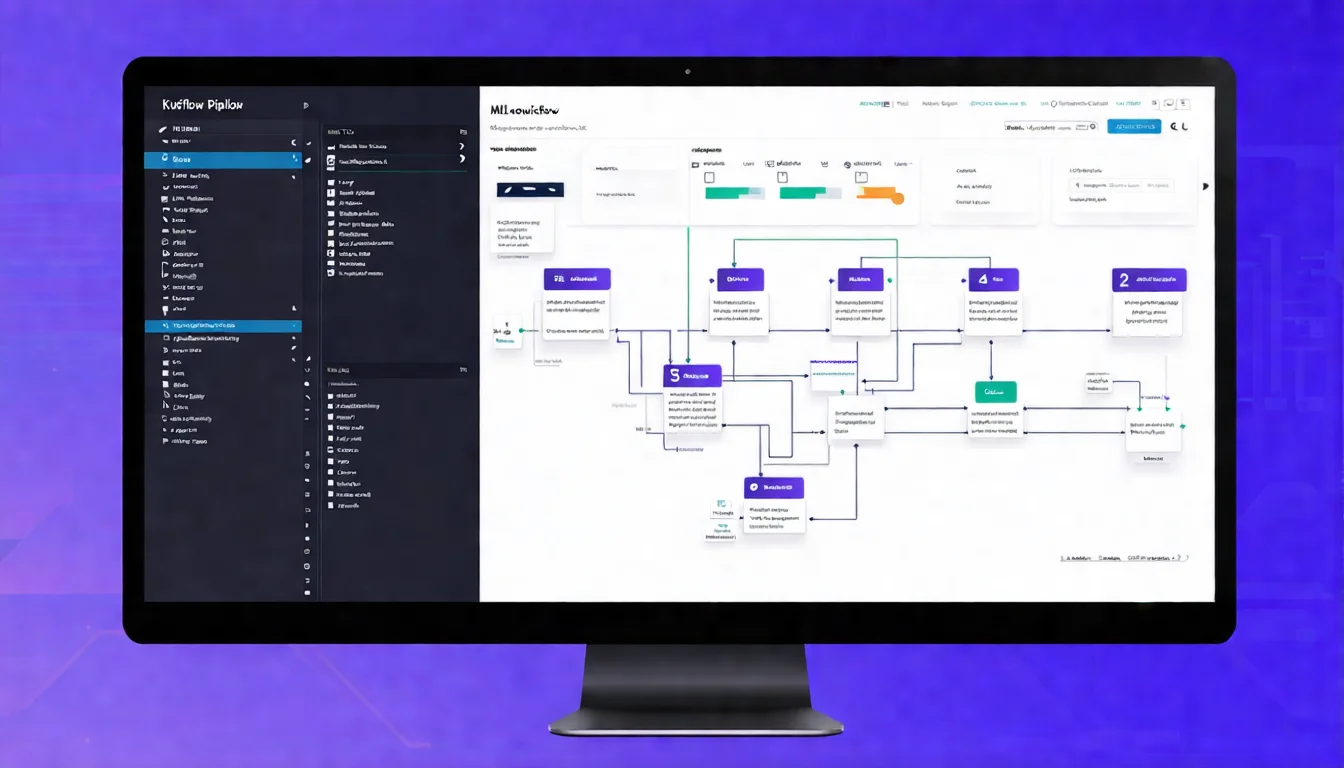
1. Kubeflow Pipelines
Define ML workflows as reproducible Pipelines:
from kfp import dsl

@dsl.component
def train_model(data_path: str) -> str:
    # Training logic
    return model_path

@dsl.component
def evaluate_model(model_path: str) -> float:
    # Evaluation logic
    return accuracy

@dsl.pipeline(name='ml-pipeline')
def ml_pipeline(data_path: str):
    train_task = train_model(data_path=data_path)
    evaluate_task = evaluate_model(model_path=train_task.output)
2. Kubeflow Notebooks
Run Jupyter Notebooks on K8s:
apiVersion: kubeflow.org/v1
kind: Notebook
metadata:
  name: my-notebook
spec:
  template:
    spec:
      containers:
      - name: notebook
        image: kubeflownotebookswg/jupyter-scipy:v1.7.0
        resources:
          limits:
            nvidia.com/gpu: 1
3. Katib (Hyperparameter Tuning)
Automatically search for optimal hyperparameters:
apiVersion: kubeflow.org/v1beta1
kind: Experiment
metadata:
  name: random-search
spec:
  objective:
    type: maximize
    goal: 0.99
    objectiveMetricName: accuracy
  algorithm:
    algorithmName: random
  parameters:
    - name: learning_rate
      parameterType: double
      feasibleSpace:
        min: "0.001"
        max: "0.1"
    - name: batch_size
      parameterType: int
      feasibleSpace:
        min: "32"
        max: "128"
4. Training Operators
Distributed training support:
- TFJob (TensorFlow)
- PyTorchJob
- MPIJob
- XGBoostJob
Kubeflow Pipelines
Kubeflow Pipelines is the core component, allowing you to:
- Define reproducible ML workflows
- Track results of each execution
- Compare different experiments
- Version control Pipelines
Pipeline Execution Flow:
Pipeline Definition (Python DSL)
          │
          ▼
    Compile to YAML
          │
          ▼
    Submit to K8s
          │
          ▼
    Argo Workflows Executes
          │
          ▼
    Results Stored in MySQL/MinIO
KServe Model Deployment
KServe (formerly KFServing) is Kubeflow's model serving component, providing:
- Serverless inference services
- Auto-scaling (including scale to zero)
- Multi-framework support (TensorFlow, PyTorch, XGBoost, etc.)
- A/B testing and canary deployment
Deployment Example:
apiVersion: serving.kserve.io/v1beta1
kind: InferenceService
metadata:
  name: sklearn-iris
spec:
  predictor:
    sklearn:
      storageUri: gs://my-bucket/sklearn/iris
      resources:
        limits:
          cpu: "1"
          memory: "2Gi"
Auto-scaling:
spec:
  predictor:
    minReplicas: 0  # Can scale to 0
    maxReplicas: 10
    scaleMetric: concurrency
    scaleTarget: 10  # Each Pod handles 10 concurrent requests
Learn more Kubernetes concepts? Please refer to Cloud Native Tech Stack Introduction.
Want to deploy AI in your enterprise? From Kubeflow to self-built MLOps, let experienced professionals help you avoid pitfalls. Schedule AI deployment consultation
GPU Resource Management
K8s GPU Support
Kubernetes supports GPUs through Device Plugins:
NVIDIA Device Plugin:
apiVersion: apps/v1
kind: DaemonSet
metadata:
  name: nvidia-device-plugin-daemonset
spec:
  selector:
    matchLabels:
      name: nvidia-device-plugin-ds
  template:
    spec:
      containers:
      - name: nvidia-device-plugin-ctr
        image: nvcr.io/nvidia/k8s-device-plugin:v0.14.0
Pod Using GPU:
apiVersion: v1
kind: Pod
metadata:
  name: gpu-pod
spec:
  containers:
  - name: cuda-container
    image: nvcr.io/nvidia/cuda:12.2.0-runtime-ubuntu22.04
    resources:
      limits:
        nvidia.com/gpu: 1  # Use 1 GPU
GPU Scheduling Strategies
1. Exclusive GPU
One Pod uses the entire GPU—simplest but least efficient.
2. GPU Time-Slicing
Multiple Pods share a GPU, taking turns:
# NVIDIA GPU Operator Configuration
apiVersion: v1
kind: ConfigMap
metadata:
  name: time-slicing-config
data:
  any: |
    version: v1
    sharing:
      timeSlicing:
        replicas: 4  # Each GPU can be shared by 4 Pods
3. MIG (Multi-Instance GPU)
A100/H100 support hardware-level GPU partitioning:
| Partition Mode | Memory | Use Case |
|---|---|---|
| 1g.5gb | 5 GB | Small inference |
| 2g.10gb | 10 GB | Medium training |
| 7g.40gb | 40 GB | Large training |
Cost Optimization
GPU resources are expensive—how to optimize costs?
1. Use Spot/Preemptible Instances
Training jobs can tolerate interruptions—use Spot instances to save 60-90%:
apiVersion: v1
kind: Pod
metadata:
  name: training-job
spec:
  tolerations:
  - key: "cloud.google.com/gke-spot"
    operator: "Equal"
    value: "true"
    effect: "NoSchedule"
  nodeSelector:
    cloud.google.com/gke-spot: "true"
2. Auto-scaling
Automatically adjust GPU nodes based on queue depth:
apiVersion: autoscaling/v2
kind: HorizontalPodAutoscaler
metadata:
  name: gpu-worker
spec:
  scaleTargetRef:
    apiVersion: apps/v1
    kind: Deployment
    name: gpu-worker
  minReplicas: 0
  maxReplicas: 10
  metrics:
  - type: External
    external:
      metric:
        name: queue_depth
      target:
        type: Value
        value: 5
3. Scale Inference Services to Zero
Use KServe's Serverless feature—no resources consumed when there's no traffic:
spec:
  predictor:
    minReplicas: 0
    scaleDownDelay: 600s  # Scale to 0 after 10 minutes
AI Model Deployment and Scaling
Deployment Patterns
1. Batch Inference
Suitable for offline processing of large data volumes:
apiVersion: batch/v1
kind: Job
metadata:
  name: batch-inference
spec:
  template:
    spec:
      containers:
      - name: inference
        image: my-model:v1
        command: ["python", "batch_predict.py"]
        volumeMounts:
        - name: data
          mountPath: /data
2. Real-time Inference (Serving)
Suitable for online services:
- KServe: Serverless, multi-framework support
- Triton Inference Server: High performance, multi-model
- TensorFlow Serving: TensorFlow-specific
3. Edge Inference
Suitable for latency-sensitive or offline scenarios—models deployed to edge devices.
Model Version Management
Model Registry tracks model versions:
import mlflow

# Log model
mlflow.sklearn.log_model(model, "model")

# Register to Registry
mlflow.register_model(
    "runs:/abc123/model",
    "my-model"
)

# Tag version
client = mlflow.tracking.MlflowClient()
client.transition_model_version_stage(
    name="my-model",
    version=1,
    stage="Production"
)
A/B Testing and Canary Deployment
KServe supports traffic splitting:
apiVersion: serving.kserve.io/v1beta1
kind: InferenceService
metadata:
  name: my-model
spec:
  predictor:
    canaryTrafficPercent: 20
    model:
      modelFormat:
        name: sklearn
      storageUri: gs://my-bucket/model-v2
  transformer:
    containers:
    - name: transformer
      image: my-transformer:v2
20% traffic goes to the new version—validate before full rollout.
Cloud Native AI Tool Ecosystem
CNCF AI/ML Projects
| Project | Type | Purpose |
|---|---|---|
| Kubeflow | Platform | Complete ML platform |
| Argo Workflows | Workflow | DAG execution engine |
| KServe | Deployment | Model serving |
| KEDA | Scaling | Event-driven scaling |
Learn more about CNCF projects? Please refer to CNCF and Landscape Guide.
Other Important Tools
Experiment Tracking:
- MLflow
- Weights & Biases
- Neptune
Data Version Control:
- DVC (Data Version Control)
- LakeFS
Feature Store:
- Feast
- Tecton
Monitoring:
- Evidently
- WhyLabs
FAQ
Q1: Is Kubeflow suitable for small teams?
Kubeflow is a complete platform and may be too heavy for small teams. You can start with KServe + Argo Workflows and gradually add more features as needed.
Q2: Can AI run without GPUs?
Yes. Inference can run on CPUs—if performance is sufficient, GPUs aren't always necessary. Training usually requires GPUs, but small models can use CPUs.
Q3: How does MLOps differ from traditional software development?
The biggest differences are data version control and model monitoring. ML projects need to track data versions, and model performance degrades over time, requiring continuous monitoring and updates.
Q4: How do you handle model performance degradation?
Monitor model metrics (accuracy, F1, etc.) and data drift. Set alert thresholds to trigger retraining when performance drops. Tools like Evidently can automatically detect issues.
Q5: Where should enterprises start with MLOps adoption?
Recommended order: (1) Containerize existing models (2) Implement model version control (3) Build automated Pipelines (4) Add monitoring. Don't try to do everything at once.
Next Steps
Cloud Native AI makes machine learning projects easier to manage and scale. Recommendations:
- First containerize existing ML workflows
- Try deploying model services with KServe
- Evaluate Kubeflow Pipelines for workflow automation
- Establish model monitoring mechanisms
Further reading:
- Back to Core Concepts: Cloud Native Complete Guide
- Deep Dive into Kubernetes: Cloud Native Tech Stack Introduction
- Understand CNCF Ecosystem: CNCF and Landscape Guide
Want to build AI capabilities in cloud native environments? Schedule AI deployment consultation and let experienced experts help you plan the most suitable MLOps architecture.
References
Need Professional Cloud Advice?
Whether you're evaluating cloud platforms, optimizing existing architecture, or looking for cost-saving solutions, we can help
Book Free ConsultationRelated Articles
5G Cloud Native Architecture: How Telecom Operators Achieve Cloud Native 5G Core Networks [2026]
How do 5G and Cloud Native combine? This article explains 5G Cloud Native Architecture, 5G Core Network cloud native architecture, the relationship between 3GPP standards and Cloud Native, and telecom operator adoption cases.
Cloud NativeCloud Native Database Selection Guide: PostgreSQL, NoSQL, and Cloud Native Database Comparison (2026)
What is a Cloud Native Database? This article covers CloudNativePG (cloud native PostgreSQL), differences between traditional vs cloud native databases, mainstream cloud native database comparisons, and a selection decision guide.
Cloud NativeCloud Native Java Development Guide: Spring Boot 3 Cloud Native Application Practices (2026)
Cloud Native Java development guide covering Spring Boot 3 cloud native features, Spring Cloud ecosystem, GraalVM Native Image compilation, and Java cloud native application best practices.