
What Does a Cloud Resilience Commitment Actually Cover? Lessons from Google Cloud's 15-Hour Outage
Introduction: When "The Cloud Doesn't Break" Stops Being True
Many enterprises move systems to the cloud with an unspoken assumption: hyperscaler datacenters are far better than ours, so they probably won't fail.
Half of that is correct. Hyperscaler facility quality, redundant power, and operations staffing genuinely outclass most self-managed datacenters.
The other half is wrong. The cloud does break — it just breaks differently than you expect. It won't fail globally all at once. It fails at some layer you never noticed, and that layer may be the shared single point of failure underneath everything you run.
Google Cloud's July 2026 outage is an unusually good case study for IT leaders to audit their own architecture against.
This article covers three things: what actually happened, how far a cloud provider's resilience commitment really extends, and how much of your budget redundancy deserves.
Incident Recap: 15 Hours in europe-west4-a
What Happened
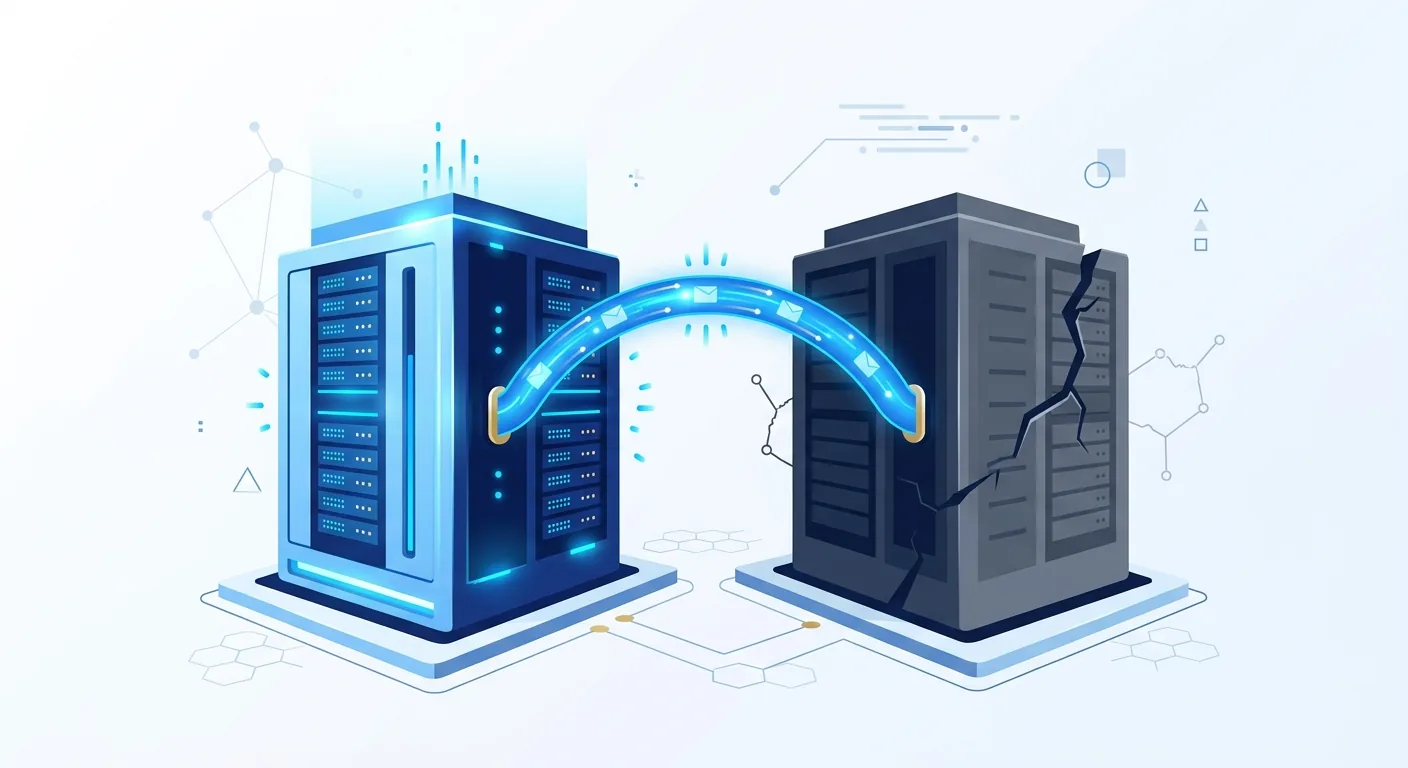
According to The Register and Chinese-language coverage from TechNews, in July 2026 Google Cloud's europe-west4-a zone in the Netherlands experienced roughly 15 hours of service disruption.
Three services were affected:
| Affected Service | What It Is |
|---|---|
| Google Cloud VMware Engine (GCVE) | Managed VMware environments running on GCP |
| NetApp Volumes | Managed file storage service |
| Bare Metal Solutions (BMS) | Dedicated physical server service |
The trigger was an electrical fault on the utility grid upstream of the datacenter, which disrupted the facility's electrical distribution and cooling equipment, causing cooling to fail.
Google's response: to prevent servers from running in a high-temperature environment and putting customer data at risk, it proactively turned down workloads. In other words, the outage was not purely a failure — part of it was Google deliberately trading availability for data integrity.
Google published its final incident report on July 25, 2026: the root cause was a roughly 3ms voltage drop on the utility feed; the side-A DRUPS backup power failed to take over and one row of racks lost power when its transfer failed. At the same time the chiller controller dropped offline and the redundant cooling was unavailable due to construction work, so the data hall reached 44°C and machines were shut down. Total disruption was 14 hours 55 minutes.
Plain-language version for non-technical executives: the power failed, the cooling died, and the machines were going to overheat. Google decided it was better to shut them down for 15 hours than to let heat damage customer data.
Why Did Only Three Services Fail?
This is the part that deserves your attention.
The rest of europe-west4-a kept running normally. Only those three services went down.
The reason: these three services depend on a discrete, single datacenter inside the zone, rather than being spread across multiple buildings.
Most people — including many engineers — intuitively read "availability zone" as "one independent, internally redundant set of infrastructure." In practice, a zone can consist of multiple facilities, and different managed services are distributed to different degrees:
- Core compute and storage services (VMs, object storage) are typically spread across buildings
- Services tied to specific hardware (bare metal, VMware environments, a particular vendor's storage appliances) are often anchored to a single facility, because that is where the hardware physically sits
What the Analysts Said
Two analyst observations from the reporting are worth handing straight to your procurement team:
- Forrester's Biswajeet Mahapatra noted that customers are generally told to use multiple zones and regions for resilience, but are rarely given visibility into whether a particular managed service has a single-datacenter dependency.
- Gartner's Adrian Wong put it bluntly: "It is very hard to figure out how an individual region is architected."
The reporting also notes this is not unique to Google. Organizations often assume the cloud's abstraction layer delivers more fault tolerance than it actually does, and AWS and Azure likewise operate services that depend on dedicated hardware or tightly coupled infrastructure. A 2023 incident in europe-west9-a, where external facility water damage took out a single building, followed a similar pattern.
The one-line conclusion: an availability zone is not an opaque safety deposit box. It has internal structure — structure you cannot see.
Three Gaps in the Resilience Commitment
Cloud providers do build extensive resilience. Enterprises simply tend to misread its boundaries. These three gaps are the most common.
Gap 1: Architectural Guidance Is Not the Same as Compliance
Provider best practices say "deploy across multiple availability zones." That is a recommendation, not a default.
In practice, many deployments look like this:
- A proof of concept spins up one VM in one zone
- It works well, so it quietly becomes production
- Nobody goes back to add multi-zone deployment, because "it's stable, don't touch it"
That company is getting single-zone availability while believing it has cloud-grade availability.
Gap 2: Service-Level Transparency Is Missing
Even if you did deploy across zones, you still do not know:
- Whether this specific managed service runs in only one building inside that zone
- Whether several services you use quietly share the same physical infrastructure
That is the heart of this incident. Your architecture diagram is a logical view. The physical layer underneath it is invisible to you.
Gap 3: The Shared Responsibility Boundary
Cloud runs on a shared responsibility model: the provider owns the resilience of the cloud, you own resilience in the cloud.
| Who Owns It | What It Covers |
|---|---|
| Cloud provider | Facility power, cooling, physical security, underlying hardware, service availability |
| Your company | Deployment topology, backup strategy, failover design, data replication, drills |
A facility power failure is the provider's responsibility. "We only deployed in that one zone" is yours. Whether the SLA pays out and how much you actually lost are two entirely different questions.
To compare how the three major platforms structure zones and regions, see 2026 Cloud Platform Comparison: AWS vs GCP vs Azure Complete Evaluation.
What Does an SLA Actually Cover? Read It Before You Sign
This is the single most misunderstood area in enterprise cloud procurement.
SLAs Pay in Service Credits, Not Lost Revenue
The basic logic of mainstream public cloud service level agreements: if a service's availability during a billing period falls below the committed level, the provider refunds a portion of what you paid — typically as service credits applied against future bills.
Note carefully what that implies:
- The compensation ceiling is generally tied to what you paid for that service
- It usually arrives as a bill credit, not cash
- It does not cover business interruption losses, contractual penalties, reputational damage, or customer churn
If you pay a given service US$1,000 a month, the compensation magnitude lives inside that US$1,000 — not inside the revenue you failed to earn while down.
This article deliberately states no specific compensation percentages, availability thresholds, or dollar amounts. Terms differ by provider and by service, and they get revised. Read the official SLA document for the services you actually use, and archive the version you relied on at purchase time.
Six SLA Details to Verify Before Signing
- Scope: Which services does this SLA cover? Does the managed service you use have its own separate SLA?
- Unit of measurement: Is availability calculated per region, per zone, or per instance?
- Exclusions: What does not count as a provider breach? Common exclusions include customer misconfiguration, force majeure, announced maintenance windows, and beta or preview services
- Form and cap of compensation: Service credits or cash? How is the cap calculated?
- Claim process and deadline: Most SLAs require the customer to file a claim, within a time limit. No claim, no credit
- Higher tiers: Some services offer paid high-availability options or cross-region replication as an add-on
A Note for Procurement and Legal
If you make availability commitments to your own customers — for example, as a SaaS vendor — check this immediately: is the availability you promise your customers higher than the availability your cloud provider promises you?
This is a well-worn trap. Attractive numbers get signed at the top of the stack while the bottom of the stack is a single-zone deployment, and the penalties you pay out dwarf the service credits you receive.
Eight Questions to Ask Your Cloud Provider or Reseller
The most practical takeaway from this incident is a procurement checklist. Send these to your account team or partner architect:
- Does this specific managed service have a single-datacenter dependency within a zone?
- Does it offer a native multi-AZ option? Does that cost extra?
- Does it support cross-region replication? Is replication synchronous or asynchronous, and what is the lag?
- During a failure, is failover automatic or does our team trigger it manually? If manual, where is the runbook?
- Where do our backups live? Are backups stored in the same facility as the primary environment?
- What are the incident notification channels and timelines? Which of our people get alerted?
- What is the SLA document link, current version number, and last revision date?
- If we migrate off this service, what is the data export format and how long does it take? (Vendor lock-in check)
Question 5 is the most commonly overlooked: a backup in the same building as production is not a backup.
Multi-Cloud and Cross-Region Redundancy: The Real Trade-offs
"Fine, we'll go multi-cloud." Hold on. Multi-cloud is not a cure-all. It is an expensive option.
Four Redundancy Tiers, With Step-Function Costs
| Tier | Approach | Protects Against | Relative Cost and Complexity |
|---|---|---|---|
| L1 Single zone | One zone plus scheduled backups | Instance failure, accidental deletion | Lowest |
| L2 Multi-AZ | Across zones within one region | Single-facility or single-zone failure | Low to medium |
| L3 Multi-region | Across geographic regions, or warm standby | Region-level disaster | High, including cross-region traffic charges |
| L4 Multi-cloud | Two or more providers | Provider-wide failure, commercial risk | Highest |
In this Google Cloud incident, L2 would have absorbed most of the impact — the other zones were fine. You do not need to jump straight to L4 for this scenario.
The Hidden Costs of Multi-Cloud
Before committing to L4, budget for these:
- Staffing: Your team must know two sets of IAM, networking, monitoring, and billing models. Operations headcount does not go up by one; it goes up by something closer to 1.8x
- Egress charges: Syncing data between clouds incurs ongoing outbound data transfer fees
- Consistency: How do two databases stay in sync? Asynchronous replication means a failover may lose the last seconds or minutes of data
- The lowest-common-denominator trap: To run on both, you end up using only features both providers share, abandoning the managed services that made the cloud efficient in the first place
- Drill cost: A failover you have never rehearsed is not a failover. Rehearsals require downtime, people, and time
The Pragmatic Approach: Tier First, Then Decide
Do not apply one redundancy level across every system. Start here.
Step 1: List your systems and tag each with two numbers
- RTO (recovery time objective): How long can this be down before the business genuinely hurts?
- RPO (recovery point objective): How much recent data can you afford to lose?
Step 2: Sort into three buckets
| Bucket | Typical Systems | Recommended Tier |
|---|---|---|
| Business-critical (an hour hurts) | E-commerce transactions, payments, manufacturing execution | L3, with L4 evaluated for the most critical |
| Important but deferrable (half a day is tolerable) | Internal ERP, BI reporting, support back office | L2 plus off-site backup |
| Standard (a day is survivable) | Internal knowledge base, test environments | L1 plus reliable backups |
Step 3: Concentrate budget on the first bucket
Most enterprises do not under-invest in redundancy — they spread it evenly. Every system gets a little, which leaves critical systems under-protected and non-critical systems over-funded.
If your critical systems are high-traffic online services, there is more to consider at the architecture layer — see What is High Concurrency? Complete Guide: Definition, Architecture Design & Cloud Solutions.
Local Considerations for Taiwan Enterprises
Data Residency Versus Redundancy Regions
Taiwanese firms in finance, healthcare, and the public sector often face requirements that data stay onshore. That directly constrains cross-region options:
- If regulations prohibit data leaving the country, overseas regions are off the table for cross-region redundancy
- The three major international CSPs now have Taiwan presence, but Taiwan is typically a single region, so cross-region redundancy means multi-AZ within that region, pairing with a local provider, or maintaining your own secondary facility
A common real-world pattern is "international CSP for primary, local provider or owned facility for off-site standby." To compare local and international options, see Taiwan Cloud Service Providers Complete Comparison: Chunghwa Telecom, FarEasTone, or International CSP?.
Audit and Compliance
If your organization is pursuing ISO 27001 or sector-specific security audits, this incident highlights questions auditors ask and companies often cannot answer:
- Does your business continuity plan include a provider region-level failure scenario?
- When did you last run a disaster recovery drill, and is it documented?
- Can you demonstrate that backup data is physically separated from production?
Further reading: Cloud Computing Security Guide: Privacy Concerns and Compliance Strategies.
Need Professional Help?
How CloudInsight Can Help
- Architecture resilience review: Audit your current deployment topology and surface hidden single points of failure
- SLA interpretation: Clarify what your current services actually guarantee
- Redundancy tiering: Classify systems by RTO and RPO so budget lands where it matters
- Multi-cloud feasibility: Calculate the real TCO of multi-cloud before you commit
Not Sure Whether Your Architecture Has a Single Point of Failure?
Most enterprises discover the gap between their architecture diagram and their actual deployment only after an incident. It is cheaper to find out now.
We are neutral multi-cloud consultants — we do not recommend platforms based on reseller commissions.
👉 Book a free consultation and let us review your resilience gaps
FAQ
How long was the Google Cloud outage, and what did it affect?
Roughly 15 hours, in the europe-west4-a zone, affecting VMware Engine (GCVE), NetApp Volumes, and Bare Metal Solutions. The cause was an electrical fault on the utility grid upstream of the datacenter, which disrupted power distribution and cooling. Google proactively turned down workloads to protect customer data from high-temperature risk. Google published its final incident report on July 25, attributing the root cause to a roughly 3ms utility voltage drop combined with backup power and cooling failing to take over.
Why did only some services in the zone fail?
Those three services depend on a single datacenter within the zone rather than being spread across multiple buildings. Core compute and storage services are typically distributed across facilities, while services tied to specific hardware — bare metal, VMware environments, particular storage appliances — are often anchored to one building. Analysts note customers rarely get visibility into whether a managed service has such a dependency.
Will an SLA payout compensate my lost revenue?
Usually not. Mainstream public cloud SLAs generally compensate with service credits applied to future bills, and the cap is typically tied to what you paid for that service — not to your actual business losses. Check each provider's official SLA document for exact terms, availability thresholds, and claim windows, and note that most SLAs require the customer to file a claim within a deadline.
What can a company actually do while an outage is happening?
Less than you would like — which is the point. Everything useful happens beforehand. During the event you can confirm the blast radius, execute a pre-written runbook to fail over, publish internal and external status updates, and log a timeline for the SLA claim. Without a standby environment and a runbook prepared in advance, waiting is essentially the only option.
Do we have to go multi-cloud?
Not necessarily. Multi-cloud (L4) carries the highest cost and complexity, and this particular scenario would have been largely absorbed by multi-AZ (L2). Tier your systems by RTO and RPO first, reserve cross-region or multi-cloud for genuinely business-critical systems, and give everything else solid multi-AZ deployment plus reliable backups.
Where should backups live?
At minimum, physically separated from production — a different facility, ideally a different region. A backup in the same building as production is not a backup. Run restore tests on a schedule too; an untested backup does not count.
How do I find out whether my service has a single-datacenter dependency?
Ask directly. Send the eight questions above to your provider's account team or architect, especially questions 1, 2, and 5. Public documentation rarely goes to this level of detail, so you will need your account manager or support channel — and you should archive the answer.
Next Step: Turn This Incident Into an Architecture Review
Three things worth doing this week:
- Inventory: List every production system with its region and availability zone
- Find the single points: Circle anything deployed in one zone only, or with backups in the same facility as production
- Question your provider: Send the eight questions to your cloud provider or reseller and archive the answers
Finish those three and you will understand your own resilience posture better than most of your peers.
If You Want Help
- Unsure which systems deserve the redundancy budget
- Want to know what hidden single points exist in your current architecture
- Need someone to interpret SLA terms
- Currently evaluating whether multi-cloud is worth it
Consultation is completely free, no sales pressure.
👉 Book a free consultation — we respond within 24 hours
Further Reading
Platform and Architecture
- 2026 Cloud Platform Comparison: AWS vs GCP vs Azure Complete Evaluation
- What is High Concurrency? Complete Guide: Definition, Architecture Design & Cloud Solutions
Local Options
Security and Compliance
References
- The Register, "Google Cloud outage shows it's still hard to understand hyperscalers' real resilience regimes" (2026-07-21)
- TechNews Information Security channel, Chinese-language coverage of the same incident (2026-07-21)
- Official SLA documentation from cloud service providers (AWS, Google Cloud, Microsoft Azure; refer to the latest published versions)
Need Professional Cloud Advice?
Whether you're evaluating cloud platforms, optimizing existing architecture, or looking for cost-saving solutions, we can help
Book Free ConsultationRelated Articles
Cloud Service Provider (CSP) Complete Guide: Definition, Comparison, Selection Strategy [2026]
What is a Cloud Service Provider (CSP)? This article fully explains AWS, GCP, Azure, Alibaba Cloud and other major global CSPs, compares Taiwan cloud service providers, and provides a practical guide for enterprises selecting cloud providers with cost analysis.
Cloud ServicesAWS vs GCP vs Azure 2026 Complete Comparison: Features, Pricing, Pros & Cons
2026 latest cloud platform comparison! In-depth analysis of AWS, GCP, Azure compute, storage, AI service differences, with pricing estimates and selection recommendations to help you find the best cloud solution.
Cloud ServicesTaiwan Cloud Providers: Chunghwa, FarEasTone or Global?
Complete comparison of Taiwan local cloud service providers (Chunghwa Telecom HiCloud, FarEasTone, Taiwan Mobile) versus international CSPs (AWS, GCP, Azure), helping enterprises choose the most suitable cloud solution.