
Cloud High Concurrency Architecture: AWS, GCP, Azure Solutions Comparison & Best Practices | 2026
Cloud High Concurrency Architecture: AWS, GCP, Azure Solutions Comparison & Best Practices
Introduction: Cloud Has Dramatically Lowered the Barrier to High Concurrency
In the past, handling high concurrency meant buying your own servers, building data centers, and designing scaling mechanisms. Just the infrastructure alone took half a year.
Now with cloud, you can set up an auto-scaling high concurrency architecture in just a few hours.
From "building it yourself" to "using services"—this is the biggest change cloud has brought.
This article compares high concurrency solutions from the three major cloud platforms: AWS, GCP, and Azure, helping you choose the most suitable tech stack.
If you're not familiar with high concurrency basics, we recommend reading What is High Concurrency? Complete Guide first.
1. Why Use Cloud for High Concurrency
1.1 Elastic Scaling
Cloud's biggest advantage is "pay for what you use."
Traditional Approach:
- Estimate peak traffic, purchase servers in advance
- Resources idle during normal times, may not be enough during peaks
- Expansion requires procurement cycles
Cloud Approach:
- Auto-scales when traffic comes
- Auto-scales down when traffic leaves
- Complete expansion in minutes
1.2 Managed Services
No need to manage underlying infrastructure:
| Self-Built | Cloud Managed |
|---|---|
| Install MySQL yourself | RDS / Cloud SQL |
| Build Redis Cluster yourself | ElastiCache / Memorystore |
| Configure Load Balancer yourself | ALB / Cloud Load Balancing |
| Handle backup/recovery yourself | Automatic backup, one-click restore |
Managed services let you focus on business logic without worrying about underlying operations.
1.3 Global Deployment
Major clouds have data centers worldwide:
- AWS: 39 regions (AWS Global Infrastructure)
- GCP: 43 regions (Google Cloud Locations)
- Azure: 60+ regions (Azure Geographies)
Want to serve global users? Just deploy in a few regions—no need to build data centers everywhere yourself.
1.4 Cost Efficiency
Cloud's cost model:
- On-demand: Pay for what you use
- Reserved Instances: Commit to usage for discounts (up to 72%)
- Spot Instances: Use idle resources, 70-90% cheaper
For applications with high traffic volatility, cloud is often more cost-effective than self-built.
2. AWS High Concurrency Solutions
AWS has the highest market share and most mature, complete services.
2.1 Compute Layer
EC2 Auto Scaling
Traditional VMs with Auto Scaling Groups for automatic scaling.
Load Balancer → Auto Scaling Group → EC2 Instances × N
                     ↓
              Scale based on CPU/memory/custom metrics
Suitable for: Existing VM architecture, need full control
ECS / EKS (Containers)
ECS is AWS's container orchestration service, EKS is managed Kubernetes.
ALB → ECS Service (auto-scaling) → Fargate / EC2
                                      ↓
                          Container count adjusts based on demand
Suitable for: Containerized applications, microservices architecture
Lambda (Serverless)
No server management at all, pay per request.
API Gateway → Lambda Function → DynamoDB
                 ↓
          Auto-scales to thousands of concurrent
Suitable for: Event-driven, unpredictable traffic, want ultimate simplicity
Selection Recommendations:
- Just migrating to cloud: EC2 Auto Scaling
- New project / microservices: ECS on Fargate
- Simple APIs / event processing: Lambda
2.2 Caching Layer
ElastiCache for Redis
Managed Redis, supports Cluster Mode.
Features:
- Automatic failover
- Cross-AZ replication
- Online scaling
Pricing (cache.r6g.large example):
- On-demand: ~$0.206/hour
- 1-year reserved (no upfront): ~$0.141/hour (~32% savings)
us-east-1 example. Source: AWS ElastiCache Pricing
2.3 Data Layer
Aurora
AWS-optimized MySQL/PostgreSQL, 5x faster than native.
Features:
- Auto-expanding storage (up to 128TB)
- Up to 15 read replicas
- Cross-region replication
- Serverless mode (scales on demand)
DynamoDB
Fully managed NoSQL, suitable for ultra-high throughput scenarios.
Features:
- Single table can reach millions of TPS
- Auto-scaling
- Global tables (multi-region)
- Pay per read/write capacity
For more database optimization strategies, see High Concurrency Database Design.
2.4 AWS Architecture Example
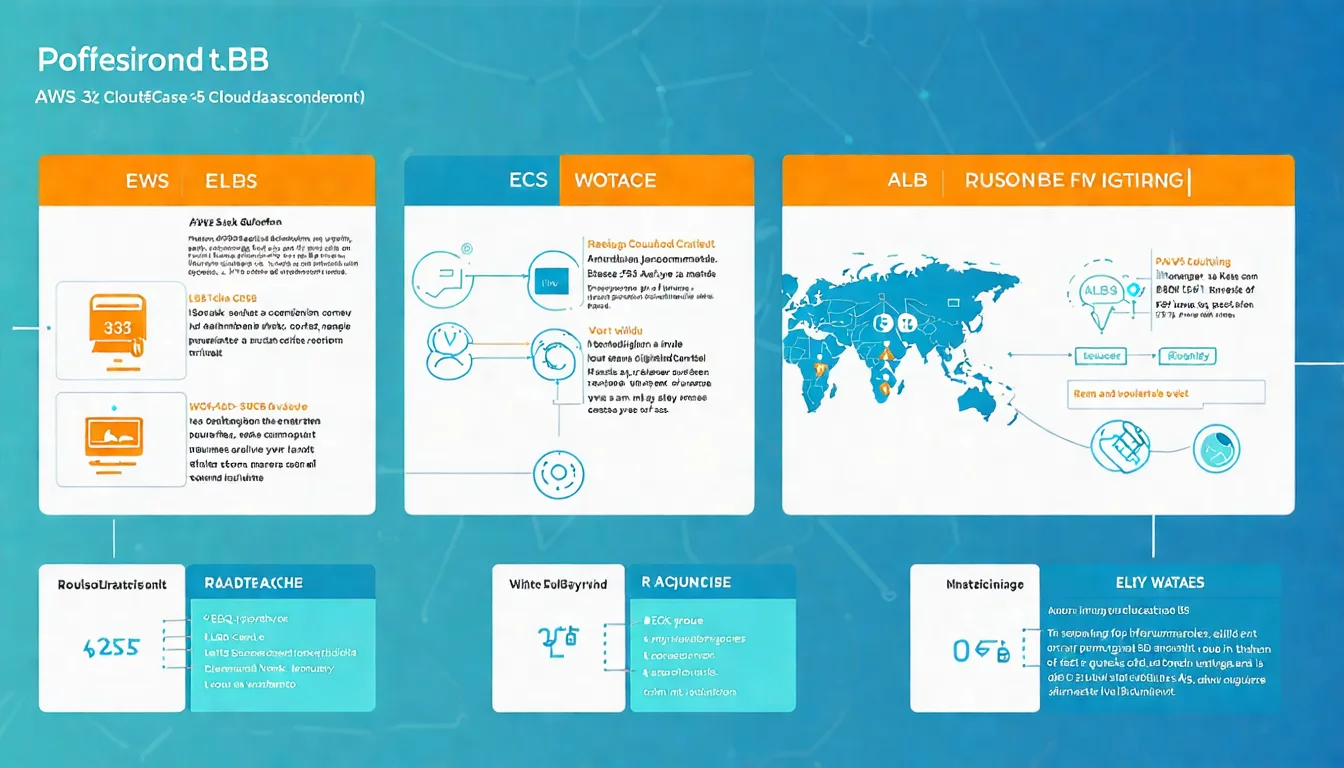
E-commerce High Concurrency Architecture
Route 53 (DNS)
    ↓
CloudFront (CDN)
    ↓
ALB (Load Balancer)
    ↓
ECS Fargate (Container Service)
    ↓
┌─────────────┬─────────────┐
│             │             │
ElastiCache   Aurora        SQS
(Cache)       (Database)    (Queue)
3. GCP High Concurrency Solutions
GCP has advantages in innovation speed and developer experience.
3.1 Compute Layer
Compute Engine + MIG
MIG (Managed Instance Group) provides auto-scaling.
Cloud Load Balancing → MIG → Compute Engine × N
                        ↓
                  Auto-scales based on metrics
Cloud Run
Serverless platform for containerized applications, closer to traditional development experience than Lambda.
Request → Cloud Run (auto-scales 0-1000 instances) → Response
Features:
- Deploy containers directly, no need to learn Serverless-specific coding
- Pay per request, scales to 0 when idle
- Supports WebSocket, gRPC
Suitable for: Containerized apps, want Serverless without changing code
Cloud Functions
GCP's Serverless function service.
Suitable for: Event-driven, lightweight processing
GKE (Kubernetes)
Google invented Kubernetes, GKE is the most mature managed K8s.
Features:
- Autopilot mode (less management)
- Native Istio support
- Deep integration with GCP services
3.2 Caching Layer
Memorystore for Redis
Managed Redis, supports Standard and Cluster mode.
Features:
- 99.9% SLA
- Automatic failover
- Up to 300GB memory
Pricing (5GB example):
- Basic: ~$0.049/GB/hour
- Standard (HA): ~$0.098/GB/hour
3.3 Data Layer
Cloud SQL
Managed MySQL, PostgreSQL, SQL Server.
Features:
- Automatic backup
- Read replicas
- High availability configuration (cross-region)
Cloud Spanner
Distributed relational database—GCP's unique advantage.
Features:
- Horizontally scalable relational database (very rare)
- Global strong consistency
- Unlimited scaling
- 99.999% SLA
Suitable for: Scenarios needing global distribution with strong consistency (finance, gaming)
Firestore
Document NoSQL, suitable for mobile and web apps.
Features:
- Real-time sync
- Offline support
- Serverless scaling
3.4 GCP Architecture Example
API Service High Concurrency Architecture
Cloud DNS
    ↓
Cloud CDN
    ↓
Cloud Load Balancing
    ↓
Cloud Run (auto-scaling)
    ↓
┌─────────────┬─────────────┐
│             │             │
Memorystore   Cloud SQL     Pub/Sub
(Cache)       (Database)    (Queue)
4. Azure High Concurrency Solutions
Azure has advantages in enterprise integration and Microsoft ecosystem.
4.1 Compute Layer
Virtual Machine Scale Sets (VMSS)
Azure's Auto Scaling solution.
Azure Load Balancer → VMSS → VM × N
                       ↓
                 Scales based on metrics
Container Apps
Container Serverless platform similar to Cloud Run.
Features:
- Deploy containers directly
- Based on Kubernetes (but no K8s management needed)
- Supports Dapr (distributed application framework)
- Per-second billing
Azure Functions
Serverless function service.
Features:
- Supports multiple triggers
- Durable Functions (stateful workflows)
- Premium Plan (no cold start)
AKS (Kubernetes)
Azure's managed Kubernetes.
Features:
- Free control plane
- Azure AD integration
- Virtual nodes (Serverless containers)
4.2 Caching Layer
Azure Cache for Redis
Managed Redis service.
Features:
- Multiple SKUs (Basic, Standard, Premium, Enterprise)
- Redis Cluster support
- Good Azure service integration
Pricing (C1 Standard example):
- ~$0.126/hour
4.3 Data Layer
Azure SQL
Cloud version of SQL Server.
Features:
- Hyperscale (up to 100TB)
- Serverless billing model
- Great .NET ecosystem integration
Cosmos DB
Azure's flagship NoSQL service.
Features:
- Multi-model: Document, Key-Value, Graph, Column-family all supported
- Multiple consistency levels: Choose from strong to eventual consistency
- Global distribution: Multi-region active-active
- Millisecond latency guarantee
Suitable for: Global distribution needs, multi-model requirements
4.4 Azure Architecture Example
Enterprise Web Application Architecture
Azure DNS
    ↓
Azure CDN / Front Door
    ↓
Application Gateway
    ↓
Container Apps / AKS
    ↓
┌─────────────┬─────────────┐
│             │             │
Azure Cache   Azure SQL     Service Bus
(Cache)       (Database)    (Queue)
5. Three Cloud Comparison
5.1 Feature Comparison Table
| Service Type | AWS | GCP | Azure |
|---|---|---|---|
| VM Auto Scaling | Auto Scaling Group | MIG | VMSS |
| Container Serverless | Fargate | Cloud Run | Container Apps |
| Functions | Lambda | Cloud Functions | Azure Functions |
| Managed K8s | EKS | GKE | AKS |
| Managed Redis | ElastiCache | Memorystore | Azure Cache |
| Relational DB | Aurora / RDS | Cloud SQL | Azure SQL |
| Distributed DB | DynamoDB | Spanner | Cosmos DB |
| Message Queue | SQS / Kinesis | Pub/Sub | Service Bus |
| CDN | CloudFront | Cloud CDN | Azure CDN |
5.2 Cost Comparison
Example for medium-sized web app (10 million requests/month):
| Item | AWS | GCP | Azure |
|---|---|---|---|
| Compute | ~$200 | ~$180 | ~$190 |
| Database | ~$150 | ~$140 | ~$160 |
| Cache | ~$80 | ~$75 | ~$85 |
| Bandwidth | ~$100 | ~$80 | ~$90 |
| Total | ~$530 | ~$475 | ~$525 |
*Actual prices vary by region and usage patterns, for reference only
GCP is typically slightly cheaper, but each provider has different discount programs.
5.3 Selection Recommendations
Choose AWS if:
- Need most mature service ecosystem
- Already have AWS experience
- Need most region coverage
- Enterprise support is important
Choose GCP if:
- Value developer experience
- Need innovative services like Cloud Run / GKE
- Need Cloud Spanner's global consistency
- Data analytics / ML is a focus
Choose Azure if:
- Already in Microsoft ecosystem (.NET, SQL Server, AD)
- High enterprise integration needs
- Need hybrid cloud (Azure Arc)
- Compliance requirements (government, finance)
6. Cost Optimization Strategies
Cloud is flexible, but can get expensive if not careful.
6.1 Reserved Instances / Committed Use
If usage is stable, pre-commitment saves a lot:
| Platform | Plan | Discount |
|---|---|---|
| AWS | Reserved Instances / Savings Plans | Up to 72% |
| GCP | Committed Use Discounts | Up to 57% |
| Azure | Reserved Instances | Up to 72% |
Recommendation: Use reserved for stable baseline, on-demand for variable portions.
6.2 Spot / Preemptible Instances
Use cloud's idle resources, 70-90% cheaper, but can be reclaimed anytime.
| Platform | Name | Use Cases |
|---|---|---|
| AWS | Spot Instances | Batch processing, CI/CD |
| GCP | Preemptible VMs / Spot VMs | Data processing, rendering |
| Azure | Spot VMs | Dev/test, batch tasks |
Not suitable for: Continuously running production services
6.3 Auto Scaling Tuning
Poor Auto Scaling settings waste money or cause poor performance.
Tuning Focus:
- Scaling metrics: Choose the right metric (CPU? Memory? Custom?)
- Scaling speed: Too slow can't handle load, too fast wastes money
- Cooldown period: Avoid thrashing
- Min/max values: Set reasonable ranges
6.4 Architecture Optimization
Most effective cost savings come from architecture changes:
- CDN offloading: Static content via CDN reduces compute load
- Cache first: Reduce database queries
- Serverless conversion: Convert unstable traffic services to Serverless
- Resource cleanup: Regularly check for idle resources
For more architecture optimization strategies, see High Concurrency Architecture Design.
7. Hybrid Cloud Strategy
You don't have to choose just one provider.
7.1 When to Consider Hybrid Cloud
Avoid vendor lock-in
- Deploy core services on multiple clouds
- Can migrate anytime
Regulatory requirements
- Some data must stay in specific regions
- Government compliance needs
Cost considerations
- Different services have different prices on different clouds
- Choose the most cost-effective combination
Existing investments
- Already have on-premise data center
- Gradual cloud migration
7.2 Implementation Approaches
Multi-cloud Kubernetes
Use K8s as abstraction layer, applications can run on any cloud.
Application
    ↓
Kubernetes
    ↓
┌─────────────┬─────────────┐
│     AWS     │     GCP     │
└─────────────┴─────────────┘
Service Mesh
Use service mesh like Istio to manage cross-cloud traffic.
Multi-cloud Management Platforms
- Terraform: Infrastructure as code, supports multi-cloud
- Pulumi: Write infrastructure in programming languages
- Anthos (GCP): Manage multi-cloud K8s
Too many cloud choices? Everyone claims to be the best—which should you choose? Schedule free consultation and let experts help analyze the most suitable cloud strategy for you.
8. Real-World Case Study
Case: E-commerce Platform Cloud Migration
Background:
- Originally self-hosted, 10 servers
- 100K daily active users, 10x traffic during promotions
- Heavy operations burden, slow expansion
Post-migration Architecture (AWS):
CloudFront → ALB → ECS Fargate (auto-scaling)
                      ↓
            ElastiCache + Aurora + SQS
Results:
- Auto-scaled to 50 containers during promotions
- 50% reduction in operations staff
- 30% annual cost decrease
- First zero-incident Double 11 (Singles' Day)
FAQ
Q1: Is cloud suitable for small companies?
Absolutely. Cloud's pay-as-you-go model is very friendly for small companies—no upfront hardware investment needed. Plus managed services reduce operations burden.
Q2: Is cloud expensive?
Depends on how you use it. Unoptimized cloud bills can indeed be scary. But with proper reserved instances, auto-scaling, and resource cleanup, costs can be well controlled.
Q3: Is cloud migration difficult?
Depends on existing architecture. Containerized applications are easiest to migrate, traditional monolithic apps need more refactoring. Recommend gradual migration.
Q4: Will the three major clouds fail?
AWS, GCP, Azure are all core businesses of tech giants—no short-term concerns. But avoiding over-dependence on specific services is still good practice.
Q5: Which clouds have Taiwan regions?
- AWS: No Taiwan region, nearest are Tokyo and Singapore
- GCP: Has Taiwan (asia-east1)
- Azure: No Taiwan region, nearest are Hong Kong and Japan
For latency-sensitive applications, GCP has an advantage in Taiwan.
Conclusion: Cloud is the Accelerator for High Concurrency
Cloud isn't just "renting servers"—it's a complete solution.
Article Key Points:
- Cloud provides elastic scaling, managed services, global deployment
- AWS is most mature with most complete services
- GCP innovates fast, Cloud Run / Spanner are highlights
- Azure has strong enterprise integration, Microsoft ecosystem advantage
- Cost optimization: Reserved + Spot + Auto-scaling tuning
- Hybrid cloud is an option for reducing risk
Further reading:
- What is High Concurrency? Complete Guide
- High Concurrency Architecture Design
- High Concurrency Database Design
- High Concurrency Testing Guide
- Python vs Golang High Concurrency
- High Concurrency Transaction System Design
Need Cloud Architecture Consultation?
Cloud selection and architecture design affect long-term development. If you're:
- Evaluating which cloud service to use
- Planning cloud migration strategy
- Optimizing existing cloud architecture and costs
Schedule free consultation and let's plan your cloud blueprint together.
All consultation content is completely confidential with no sales pressure.
Further Reading
- AWS Cost Optimization Guide: 12 Practical Tips to Save 40% on Cloud Costs [2026 Update] - Savings Plans, Graviton and FinOps in practice
References
- AWS, "Well-Architected Framework" (2024)
- Google Cloud, "Cloud Architecture Center" (2024)
- Microsoft Azure, "Azure Architecture Center" (2024)
- Gartner, "Magic Quadrant for Cloud Infrastructure and Platform Services" (2024)
- Flexera, "State of the Cloud Report" (2024)
Need Professional Cloud Advice?
Whether you're evaluating cloud platforms, optimizing existing architecture, or looking for cost-saving solutions, we can help
Book Free ConsultationRelated Articles
High Concurrency Architecture Design: Evolution from Monolith to Microservices | 2026 Practical Guide
How to design high concurrency architecture? This article covers monolithic architecture bottlenecks, choosing between vertical and horizontal scaling, layered architecture design principles, and microservices decomposition strategies. Includes service governance, configuration centers, and AWS, GCP, Azure cloud architecture recommendations.
High ConcurrencyWhat is High Concurrency? 2026 Complete Guide: Definition, Architecture Design & Cloud Solutions
What does High Concurrency mean? This article provides a complete analysis of high concurrency definition, common problems, architecture design patterns, and how to use Redis, database optimization, and cloud services to handle high-traffic scenarios. Whether you're dealing with e-commerce flash sales, ticket-grabbing systems, or real-time trading, this guide helps you design highly available system architecture.
Information SecurityCloud Security Complete Guide: Threats, Protection Measures, Best Practices [2026]
What are the security threats in cloud environments? This article explains common cloud security risks, the shared responsibility model, major cloud platform security features, and enterprise cloud security best practices.